If you are looking for clear, practical information about eSIM Canada, this guide is a good place to start. Whether you are switching from a physical SIM as a Canadian resident, visiting Canada and looking for a short-term data plan, travelling abroad with a prepaid travel eSIM, or setting up a tablet, smartwatch, or second phone line, this guide explains the options clearly.
You will learn how eSIM works in Canada, which Canadian carriers support it, how to check whether your device is compatible, how to activate your plan, and when a travel eSIM may make more sense than carrier roaming. You will also find links to the right setup guides, provider comparisons, troubleshooting resources, and free eSIMs.ca tools.
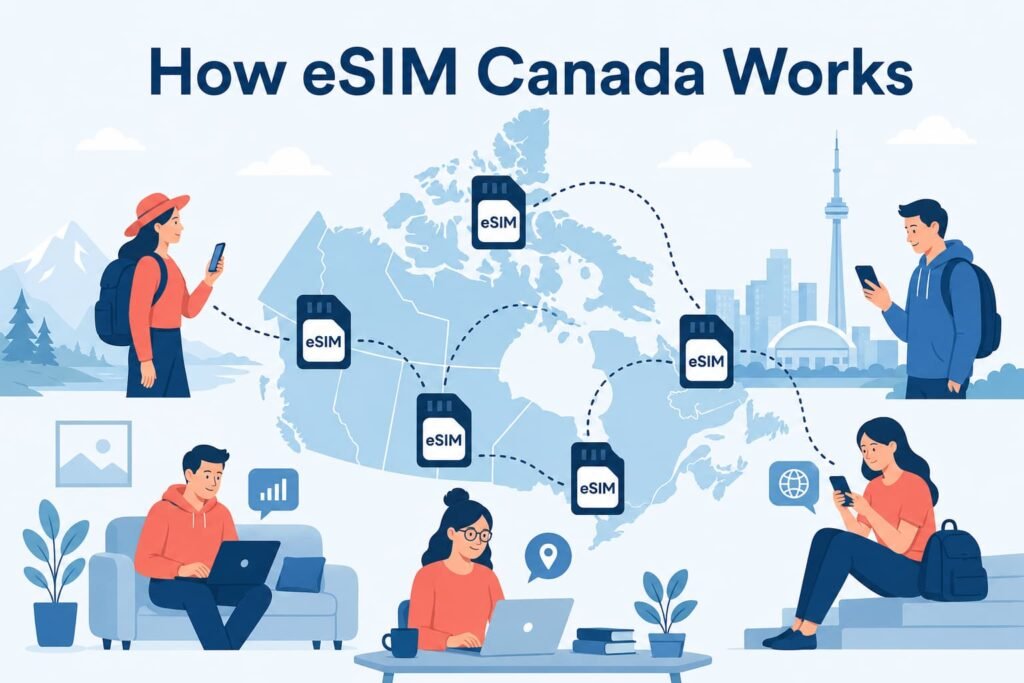
An eSIM is a digital SIM profile that lets you activate a Canadian mobile line, add a second number, or use a prepaid travel plan without swapping a physical SIM card. The right option depends on whether you are switching your regular Canadian line, visiting Canada, or travelling abroad. Start by checking your device compatibility, then choose the setup guide or plan comparison that matches your situation.
Choose the Right eSIM Canada Option
The term eSIM Canada can mean several different things. Before choosing a provider or following setup instructions, decide what you need the eSIM to do.
| Your Situation | Best Starting Point | Why |
|---|---|---|
| You want to switch your regular Canadian line from a physical SIM to eSIM | Use your carrier activation guide | Your existing phone number and mobile plan normally stay with the same carrier |
| You recently upgraded your phone | Review the transfer process for your carrier and device | Some carriers support direct transfer, while others require a new activation method |
| You are visiting Canada for a short trip | Compare prepaid visitor plans | A short-term data plan may be easier than opening a Canadian monthly account |
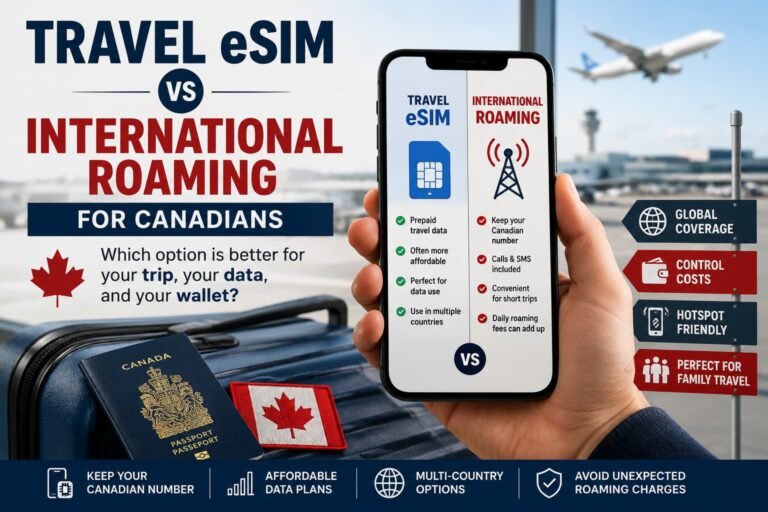
| You are travelling outside Canada | Compare roaming with a travel eSIM | The better option depends on your destination, trip length, data needs, and number of travellers |
| You want to keep your Canadian number active abroad | Use a dual-SIM setup | Your Canadian line can remain available while a travel eSIM handles mobile data |
| Your eSIM will not install or connect | Use the troubleshooting guides | The problem may involve the phone model, carrier lock, QR code, account status, or mobile data settings |
What Is an eSIM and How Does It Work in Canada?
Once an eSIM profile is installed on a compatible device, it works much like a regular SIM card. For a Canadian mobile line, your phone number, calls, texts, and mobile data stay connected to your carrier plan. The main difference is that the profile is downloaded digitally instead of stored on a removable plastic card.
If you want a deeper explanation of the technology itself, including how eSIM profiles, physical SIM cards and digital activation work, see our What Is an eSIM? How Digital SIMs Actually Work guide.
A travel eSIM serves a different purpose. It is usually a separate prepaid plan for a country or region. Many Canadians keep their regular line active for important calls or verification texts while using a travel eSIM for mobile data abroad.
Depending on the carrier, provider, and phone model, an eSIM may be installed through:
- Carrier activation
- Direct transfer from another phone
- A QR code
- A carrier app
- A setup link
- Manual activation details
- An online account or self-serve portal
A QR code is common, but it is not the only activation method. The correct setup process depends on the carrier, provider, and device.
Types of eSIM Plans Available in Canada
Before purchasing a plan, it helps to understand the difference between a Canadian carrier eSIM and a travel eSIM.
| Type of eSIM | Best For | What It Usually Includes |
|---|---|---|
| Canadian carrier eSIM | Canadian residents moving an existing line or activating a new local plan | Calls, texts, and mobile data based on the carrier plan |
| Visitor eSIM for Canada | Tourists, business travellers, and short-term visitors | Usually prepaid mobile data, with other features depending on the provider |
| Travel eSIM for Canadians going abroad | Canadians travelling to the United States, Europe, Mexico, Asia, South America, or another destination | Usually prepaid data for a country or region |
| Second-line eSIM | Work numbers, personal lines, temporary plans, and dual-SIM setups | Features depend on the carrier or provider |
| Tablet or smartwatch eSIM | Cellular tablets and LTE smartwatches | Device-specific mobile connectivity, often with carrier restrictions |
The best option changes depending on your needs. If you are moving your regular Rogers, Bell, TELUS, Fido, Koodo, Freedom Mobile, or another Canadian line to eSIM, start with the matching carrier guide. If you are visiting Canada or travelling abroad, compare short-term prepaid plans before purchasing.
Benefits and Limitations of Using an eSIM in Canada
An eSIM can make setup, travel, and line management easier. It is not automatically the best choice for every person or every device.
Benefits of Using eSIM
- You do not need to handle a small plastic SIM card.
- Compatible phones can support more than one mobile profile.
- You can keep a Canadian line active while using a separate travel eSIM for mobile data.
- Some carriers allow digital activation or transfer without a store visit.
- You can install a travel eSIM before leaving Canada while you still have reliable Wi-Fi.
- Some cellular tablets and LTE smartwatches also support eSIM.
- You can label your mobile lines clearly, which makes dual-SIM setups easier to manage.
Limitations to Keep in Mind
- Not every phone model supports eSIM.
- Regional versions of the same device may have different hardware or firmware.
- Imported phones can have different eSIM features than Canadian models.
- Carrier-locked phones may restrict another carrier or travel eSIM profile.
- QR codes, transfer methods, and reinstall rules vary by carrier.
- Many travel eSIM plans are data-only.
- Cellular smartwatches usually require a supported carrier smartwatch plan.
A traveller heading to the United States for one day may prefer the convenience of carrier roaming. A family travelling through Europe for two weeks may benefit from comparing prepaid travel eSIM plans before leaving Canada. The best option depends on the complete trip, not only the lowest advertised price.
Which Canadian Carriers Support eSIM?
Many Canadian carriers and mobile brands offer eSIM options. The exact activation process can vary by carrier, device, plan, and account type.
Apple’s Canadian carrier-support page separates eSIM support into several categories. Bell, Eastlink, Fido, Freedom Mobile, Koodo, Lucky Mobile, Rogers, SaskTel, TELUS, and Virgin Plus appear under eSIM Carrier Activation or eSIM Quick Transfer support for iPhone. Fizz, Public Mobile, Videotron, and several other providers appear under additional activation methods, such as QR-code scanning or carrier apps.
Apple also lists Bell, chatr, Fizz, Freedom Mobile, Koodo, Lucky Mobile, Rogers, TELUS, and Virgin Plus among the prepaid options available to international travellers visiting Canada.
Review Apple’s current list of Canadian wireless carriers offering eSIM service on iPhone before activating a new line.
Canadian Carrier eSIM Guides
| Carrier or Brand | What to Know | Setup Guide |
|---|---|---|
| Rogers | Rogers customers can activate or move an eligible line using the current Rogers process for their device and account. | Activate Rogers eSIM in Canada |
| Bell | Bell offers eSIM activation for compatible devices. Review the current Bell setup process before removing your existing SIM. | How to Activate Bell eSIM in Canada |
| TELUS | TELUS supports eSIM activation and transfer options for compatible devices and eligible lines. | How to Activate TELUS eSIM in Canada |
| Fido | Fido customers should confirm the current activation method for their device and account before starting. | How to Activate Fido eSIM in Canada |
| Koodo | Koodo offers eSIM options for compatible phones and eligible plans. | How to Activate Koodo eSIM in Canada |
| Freedom Mobile | Freedom Mobile offers eSIM activation for compatible devices. Travellers should also check whether their plan includes roaming benefits. | How to Activate Freedom Mobile eSIM in Canada |
| Virgin Plus | Virgin Plus offers eSIM activation for compatible devices and eligible accounts. | How to Activate Virgin Plus eSIM in Canada |
| Lucky Mobile | Lucky Mobile offers eSIM setup options for compatible devices. | How to Activate Lucky Mobile eSIM in Canada |
| Public Mobile | Public Mobile supports eSIM activation for compatible devices through its current activation process. | How to Activate Public Mobile eSIM in Canada |
| chatr | Apple lists chatr among the prepaid eSIM options for international travellers visiting Canada. Confirm the current activation pathway before purchasing. | How to Activate chatr Mobile eSIM in Canada |
| Eastlink | Eastlink supports eSIM activation on compatible devices. | How to Activate Eastlink eSIM in Canada |
| Fizz | Fizz offers self-serve eSIM activation for eligible customers and compatible phones. | How to Activate Fizz eSIM in Canada |
| Videotron | Videotron supports eSIM on compatible devices. | How to Activate Videotron eSIM in Canada |
| PC Mobile | PC Mobile provides eSIM setup instructions for compatible devices. Confirm that your phone and plan are eligible before starting. | How to Activate PC Mobile eSIM in Canada |
| SaskTel | SaskTel supports eSIM setup and transfer options for compatible devices. | SaskTel eSIM setup and management |
Important: Carrier availability, activation methods, plan eligibility, transfer options, and promotional offers can change. Always confirm the current details directly with your carrier before removing your existing SIM or purchasing a new plan.
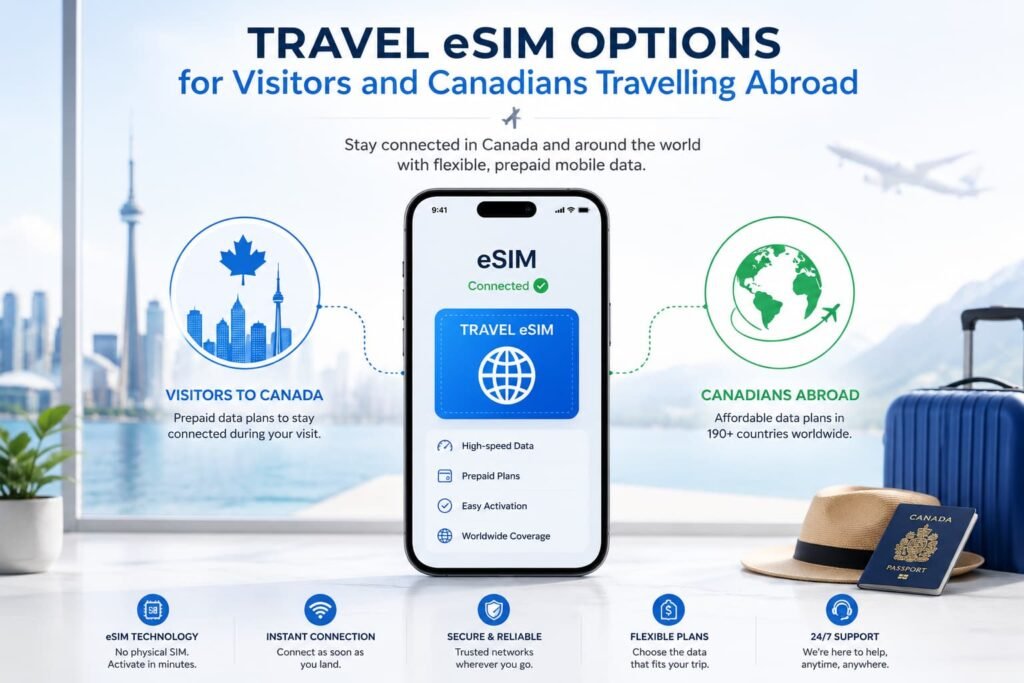
Travel eSIM Options for Visitors and Canadians Travelling Abroad
A Canadian carrier eSIM is normally the right choice when you want your regular Canadian phone service on your device. A travel eSIM is usually more useful when you need short-term prepaid mobile data for a trip.
Visitors arriving in Canada may prefer a travel eSIM if they mainly need maps, rideshare apps, messaging, email, browsing, and mobile data during their stay. Canadians travelling abroad may use a destination-specific or regional travel eSIM to reduce reliance on daily roaming charges.
For a ranked shortlist of visitor-friendly Canada data options, compare our updated guide to the best eSIM for Canada before choosing a provider.
Travel providers worth comparing include:
| Provider | Why It May Be Worth Comparing | Helpful Review |
|---|---|---|
| Airalo | Compare local and regional fixed-data plans for everyday travel use | Airalo eSIM Review |
| Holafly | Compare unlimited-style data options and review hotspot conditions carefully | Holafly eSIM Review |
| Nomad | Compare fixed-data and regional plans for different trip lengths | Nomad eSIM Review |
| aloSIM | Compare straightforward prepaid plans and destination options | aloSIM eSIM Review |
| Saily | Compare app-based travel plans when a simpler buying experience matters | Saily eSIM Review |
| Ubigi | Compare mobile data options for phones, tablets, and connected-device use cases | Ubigi eSIM Review |
| Jetpac | Compare budget-friendly travel plans and any current travel extras | Jetpac eSIM Review |
This is not a ranking table. The right travel eSIM depends on your destination, data needs, validity period, hotspot requirements, and whether you need a country-specific or regional plan.
Use the eSIM Plan Comparison Tool to compare travel plans by destination, approximate Canadian-dollar pricing, data allowance, validity period, and hotspot support.
For broader guidance, read the Best eSIM for International Travel guide. Visitors arriving in Canada can also review the Best eSIM Plans for Tourists in Canada guide.
Important: Provider plans, destination availability, data allowances, hotspot rules, validity periods, and promotions can change. Confirm the final plan details directly with the provider before purchasing.
Last checked: June 2026
How to Check Whether Your Phone Supports eSIM in Canada
Do not assume that every recent phone supports eSIM in the same way. Compatibility can depend on the model number, purchase region, software version, firmware, carrier restrictions, and whether the phone is unlocked.
Use the eSIM Compatibility Checker before buying a carrier plan or travel eSIM. The tool lets you check compatible phones, tablets, and smartwatches, including regional model considerations.
A phone may include eSIM hardware but still fail activation because of a regional model difference, carrier lock, software issue, firmware restriction, or account limitation. This is especially important when buying an imported Android phone or using a device purchased outside Canada.
You can also check compatibility manually.
Check for an EID Number
Dial *#06# using your phone keypad and look for an EID. Rogers confirms that a phone displaying an EID in its device information can use eSIM.
You can review the official Rogers explanation on its eSIM support page.
Look for an Add eSIM Option
The wording varies by phone:
- On iPhone:
Settings > Cellular > Add eSIM - On Samsung Galaxy:
Settings > Connections > SIM manager > Add eSIM - On Google Pixel:
Settings > Network & internet > SIMs > Add SIM > Set up an eSIM - On Motorola: look under
Settings > Network & internet
Confirm That Your Phone Is Unlocked
An unlocked phone gives you more flexibility when adding another carrier or travel eSIM. A locked phone may reject a profile from another provider even when the device technically supports eSIM.
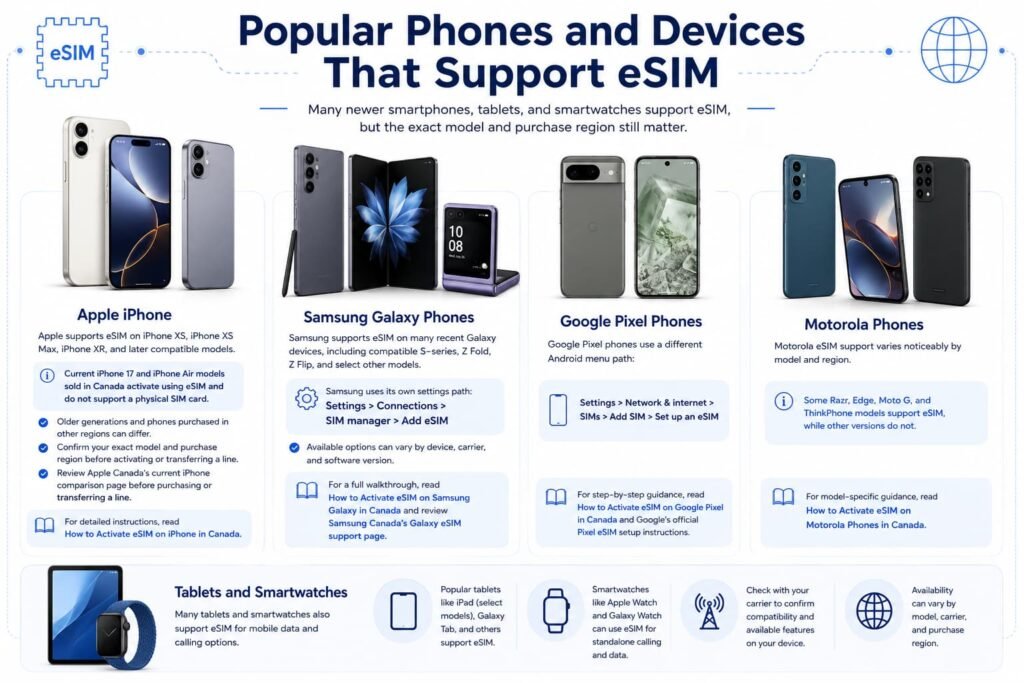
Popular Phones and Devices That Support eSIM
Many newer smartphones, tablets, and smartwatches support eSIM, but the exact model and purchase region still matter.
Apple iPhone
Apple supports eSIM on iPhone XS, iPhone XS Max, iPhone XR, and later compatible models.
Current Canadian iPhones deserve extra attention. Apple clearly states that current iPhone 17 and iPhone Air models sold in Canada activate using eSIM and do not support a physical SIM card. Older generations and phones purchased in other regions can differ, so confirm your exact model and purchase region before activating or transferring a line.
Review Apple Canada’s current iPhone comparison page before purchasing or transferring a line.
For detailed instructions, read How to Activate eSIM on iPhone in Canada.
Samsung Galaxy Phones
Samsung supports eSIM on many recent Galaxy devices, including compatible S-series, Z Fold, Z Flip, and select other models.
Samsung uses its own settings path:
Settings > Connections > SIM manager > Add eSIM
Samsung Canada notes that available options can vary by device, carrier, and software version. For a full walkthrough, read How to Activate eSIM on Samsung Galaxy in Canada and review Samsung Canada’s Galaxy eSIM support page.
Google Pixel Phones
Google Pixel phones use a different Android menu path:
Settings > Network & internet > SIMs > Add SIM > Set up an eSIM
For step-by-step guidance, read How to Activate eSIM on Google Pixel in Canada and Google’s official Pixel eSIM setup instructions.
Motorola Phones
Motorola eSIM support varies noticeably by model and region. Some Razr, Edge, Moto G, and ThinkPhone models support eSIM, while other versions do not.
For model-specific guidance, read How to Activate eSIM on Motorola Phones in Canada.
Tablets and Smartwatches
Some cellular tablets and LTE smartwatches support eSIM. Wi-Fi-only tablets and GPS-only watches do not have the cellular hardware required for an eSIM plan.
Examples may include:
- Cellular iPad models
- Select Samsung Galaxy Tab 5G models
- Apple Watch cellular models
- Samsung Galaxy Watch LTE models
- Select Microsoft Surface LTE and 5G devices
- Select Lenovo cellular tablets
A smartwatch usually requires a compatible smartwatch plan from a supported mobile carrier. A regular phone travel eSIM normally cannot be installed directly on a watch.
How to Activate an eSIM in Canada
The exact process depends on the carrier, provider, and phone. Do not assume every eSIM uses a QR code.
Before starting:
- Confirm that your device supports eSIM.
- Check that your phone is unlocked.
- Connect to reliable Wi-Fi.
- Keep your current SIM active until the new line is working.
- Follow the instructions provided by your carrier or travel eSIM provider.
Activate eSIM on iPhone
Apple supports several activation methods. Depending on the carrier and device, you may be able to:
- Transfer a line from a nearby iPhone
- Receive the eSIM automatically through carrier activation
- Scan a QR code
- Use a carrier link
- Use a carrier app
- Enter activation details manually
For a complete walkthrough, read How to Activate eSIM on iPhone in Canada and Apple’s official iPhone eSIM setup instructions.
Activate eSIM on Samsung Galaxy
Samsung Galaxy phones normally use:
Settings > Connections > SIM manager > Add eSIM
From there, you may be able to download the profile automatically, scan a QR code, or enter activation details manually.
For detailed instructions, read How to Activate eSIM on Samsung Galaxy in Canada.
Activate eSIM on Google Pixel
Google Pixel phones normally use:
Settings > Network & internet > SIMs > Add SIM > Set up an eSIM
Follow the setup prompts and select the correct provider. For detailed instructions, read How to Activate eSIM on Google Pixel in Canada.
Activate eSIM on Other Android Phones
Android menus vary between Samsung, Google Pixel, Motorola, and other brands. Look for options such as:
Add eSIMAdd SIMDownload a SIMSIM managerMobile networkSet up an eSIM
For a broader walkthrough, use the Android eSIM activation guide for Canada.
Can You Use a Canadian Number and a Travel eSIM Together?
Many compatible phones support Dual SIM or Dual eSIM. This allows you to keep your Canadian line active while using a separate travel eSIM for mobile data abroad.
A hybrid setup can be useful when you want:
- Access to your Canadian number
- Important calls or text messages
- Bank verification texts
- Mobile data from a prepaid travel eSIM
- A clear separation between regular service and travel data
A practical travel setup looks like this:
- Keep your Canadian SIM or eSIM labelled as
Primary. - Install the travel eSIM before leaving Canada while you have reliable Wi-Fi.
- Label the travel plan clearly, such as
Travel Data. - Set the travel eSIM as your mobile data line after arrival.
- Turn off data roaming on your Canadian line unless you intentionally want to use your carrier roaming service.
- Turn on data roaming for the travel eSIM only when the provider instructs you to do so.
- Disable automatic mobile data switching if you want to reduce the risk of accidental roaming charges.
Canadian carrier roaming can be convenient for a short trip, especially when you want your regular number to work normally. A travel eSIM may become more practical for a longer stay, a family vacation, or a destination where daily roaming charges add up quickly.
Use the Canadian Roaming Savings Calculator to compare your carrier, destination, trip length, number of travellers, expected data use, estimated roaming cost, and travel eSIM cost before leaving Canada.
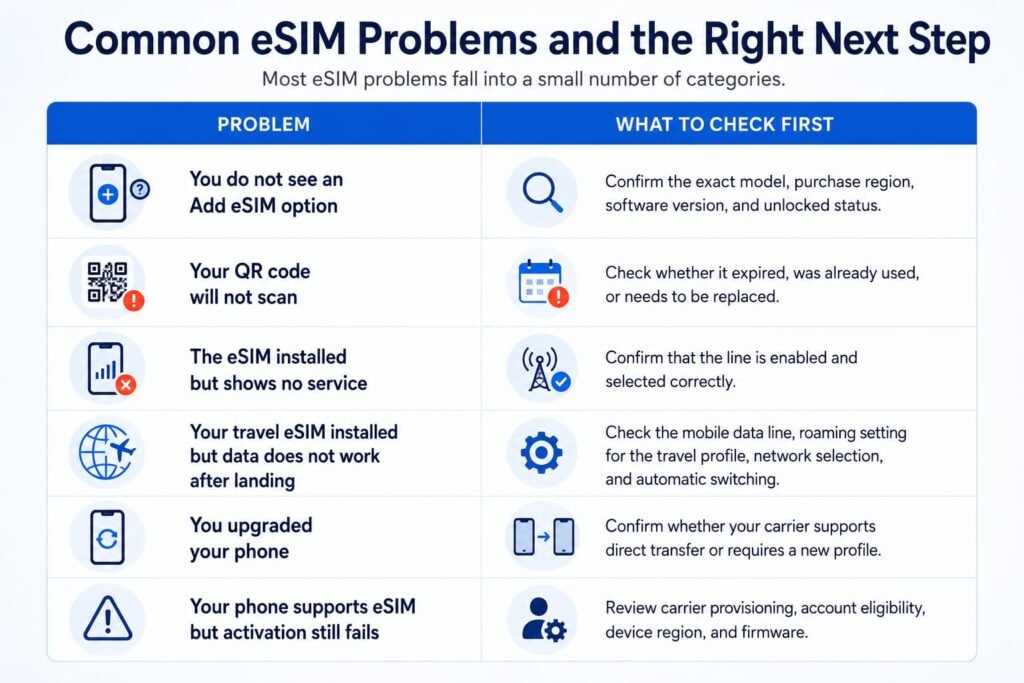
Common eSIM Problems and the Right Next Step
Most eSIM problems fall into a small number of categories.
| Problem | What to Check First |
|---|---|
| You do not see an Add eSIM option | Confirm the exact model, purchase region, software version, and unlocked status |
| Your QR code will not scan | Check whether it expired, was already used, or needs to be replaced |
| The eSIM installed but shows no service | Confirm that the line is enabled and selected correctly |
| Your travel eSIM installed but data does not work after landing | Check the mobile data line, roaming setting for the travel profile, network selection, and automatic switching |
| You upgraded your phone | Confirm whether your carrier supports direct transfer or requires a new profile |
| Your phone supports eSIM but activation still fails | Review carrier provisioning, account eligibility, device region, and firmware |
Do not delete an active eSIM as your first troubleshooting step. Some QR codes are single-use, and some carriers require a replacement profile or a new activation process before the eSIM can be installed again.
Start with a restart, software update, Wi-Fi check, line-status review, and carrier-support check first.
Use these guides when you need more help:
- How to Fix eSIM Not Working in Canada
- Phone Supports eSIM but Not Working in Canada?
- What to Do If eSIM Activation Fails in Canada
- How to Reinstall or Reactivate an eSIM in Canada
- How to Remove or Delete an eSIM in Canada
- How to Transfer Your eSIM Between Phones in Canada
FAQs for eSIM Canada
Is eSIM available in Canada?
eSIM is widely available in Canada through major carriers, regional carriers, prepaid brands, and travel eSIM providers. The right option depends on whether you want to activate your regular Canadian mobile line, add a second number, visit Canada with short-term data, or use a travel eSIM abroad.
Before purchasing, confirm that your exact device supports eSIM and that the carrier or provider supports your phone and plan type.
Which Canadian Carriers Support eSIM?
Canadian eSIM options are available through carriers and brands such as Rogers, Bell, TELUS, Fido, Koodo, Freedom Mobile, Virgin Plus, Lucky Mobile, Public Mobile, Eastlink, Fizz, Videotron, SaskTel, chatr, and PC Mobile.
The activation process varies. Some carriers support direct transfer or digital activation. Others may use a QR code, account pathway, app, or another setup process.
How does eSIM work in Canada?
You choose a provider, purchase a plan, and install the eSIM digital profile using a QR code or activation app. Once installed, your phone connects to the network the same way it would with a physical SIM card, just without the plastic card swap.
How Do I Check Whether My Phone Supports eSIM?
Check your exact phone, tablet, or smartwatch model and purchase region before buying a plan. You can also dial *#06# and look for an EID.
Another option is to check your phone settings for Add eSIM, Add SIM, Download a SIM, or SIM manager. Menu wording varies between iPhone, Samsung Galaxy, Google Pixel, Motorola, and other Android phones.
Are Canadian iPhones eSIM-Only?
Some current Canadian iPhones are eSIM-only, but the answer depends on the exact model and the region where the phone was purchased.
Apple clearly states that current iPhone 17 and iPhone Air models sold in Canada activate using eSIM and do not support physical SIM cards. Older Canadian iPhones and phones purchased in other regions can differ. Confirm the technical specifications for your exact model before assuming that a physical SIM card can be inserted.
Can I Keep My Canadian Phone Number When Switching to eSIM?
Moving an existing Canadian line from a physical SIM to an eSIM does not automatically change your phone number. Your carrier transfers the mobile service to a digital profile associated with your account.
The exact process varies by carrier. Some support direct transfer, while others require an online account update, QR code, app, or support request.
Can I Use My Canadian Number and a Travel eSIM Together?
Many compatible phones support Dual SIM or Dual eSIM. This lets you keep your Canadian line active while selecting a separate travel eSIM for mobile data.
This setup is useful when you want access to important calls or verification texts without relying on your Canadian carrier for all mobile data abroad.
Can I Transfer an eSIM to a New Phone?
An eSIM transfer may be simple or carrier-assisted depending on the provider and device.
Some carriers support direct transfer between compatible phones. Others require a new QR code, account update, or replacement profile. Do not erase or sell your old phone until the new line is connected and working properly.
For detailed instructions, read How to Transfer Your eSIM Between Phones in Canada.
Do Travel eSIM Plans Include Calls and Texts?
Many travel eSIM plans are data-only. They work well for maps, rideshare apps, browsing, email, messaging apps, and internet-based calls.
Some providers offer additional features, but you should confirm exactly what is included before buying. A regular Canadian carrier plan is more likely to include a phone number, calls, texts, and mobile data together.
Is an eSIM Better Than a Physical SIM in Canada?
An eSIM is more convenient for many people because it can be activated digitally and used alongside another line on a compatible phone. It is especially useful for travellers, dual-line users, and people upgrading to eSIM-only phones.
A physical SIM can still be practical when moving a line between older devices or using a phone that does not support eSIM. The better choice depends on your phone, carrier, travel plans, and comfort level with digital setup.
Where Can I Compare Canadian eSIM Providers?
Use the Compare Canadian eSIM Providers guide for a closer look at Canadian carrier and visitor options.
For global travel research, browse the eSIM Providers by Country directory and the Best eSIM for International Travel guide.
Related eSIM Canada Guides
Set Up Your Device
- How to Activate eSIM on iPhone in Canada
- Activate eSIM on Android Canada
- How to Activate eSIM on Samsung Galaxy in Canada
- How to Activate eSIM on Google Pixel in Canada
- How to Activate eSIM on Motorola Phones in Canada
Compare Your Options
- Compare Canadian eSIM Providers
- Best eSIM Plans for Tourists in Canada
- Best eSIM for International Travel
- eSIM Providers by Country
Fix Common Problems
- How to Fix eSIM Not Working in Canada
- Phone Supports eSIM but Not Working in Canada?
- What to Do If eSIM Activation Fails in Canada
- How to Transfer Your eSIM Between Phones in Canada
Final Thoughts on eSIM Canada
An eSIM Canada setup becomes much easier once you start with the right question.
Canadian residents moving a regular mobile line should follow the matching carrier activation guide. Visitors looking for short-term data should compare prepaid plans before arriving. Canadians travelling abroad should compare carrier roaming with a travel eSIM and decide whether keeping their Canadian line active matters during the trip.
Before purchasing a plan, confirm that your exact phone model supports eSIM. If you are travelling, compare the full cost for your destination and trip length rather than choosing a plan based only on a low starting price.