If your eSIM not working in Canada has left you without service or stuck on “No Signal,” don’t worry. Most eSIM issues are quick to fix once you know what’s causing them. This guide walks you through step-by-step solutions to get your digital SIM back up and running on both iPhone and Android devices.
If you recently deleted your eSIM, switched phones, or ran into trouble transferring it, check out our detailed guide on How to Reinstall or Reactivate eSIM in Canada. It explains how to safely restore or move your eSIM without losing your number or plan.
Why eSIM Stops Working in Canada
An eSIM can stop working for several reasons. Some are technical, and others are related to your carrier or phone settings. Common causes include:
- Your carrier account isn’t properly linked to your eSIM.
- The eSIM profile was deleted or corrupted.
- Outdated software or firmware prevents activation.
- Your phone isn’t unlocked or compatible with your carrier.
- Network or server issues from your mobile provider.

How to Fix eSIM Not Working in Canada on iPhone
Follow these steps to troubleshoot eSIM issues on your iPhone:
1) Check for Carrier Settings Update
Go to Settings > General > About. If an update is available, a prompt will appear. Tap Update to install it.
2) Restart Your iPhone
A simple restart can reset network connections and solve minor activation glitches.
3) Verify eSIM Is Installed Correctly
Go to Settings > Cellular > SIMs and ensure your eSIM appears as “Active.” If it shows “No Service” or “Invalid,” delete it and reinstall it using your carrier’s QR code.
4) Toggle Airplane Mode
Turn on Airplane Mode for 10 seconds, then turn it off to refresh your network connection.
5) Reset Network Settings
Navigate to Settings > General > Transfer or Reset iPhone > Reset > Reset Network Settings. This will clear saved Wi-Fi networks and reset your mobile settings.
6) Contact Your Carrier
If none of these steps work, log in to your carrier’s portal or app (for example, MyBell, MyRogers, or MyTELUS) and request a new eSIM QR code.

How to Fix eSIM Not Working in Canada on Android Phones
1) Update Your Device
Go to Settings > Software Update > Download and Install to make sure you’re running the latest version of Android.
2) Check eSIM Activation Status
Navigate to Settings > Connections > SIM Manager (Samsung) or Settings > Network & Internet > SIMs (Pixel) to confirm your eSIM is active.
3) Restart Your Phone
Restarting helps reset carrier and network links.
4) Remove and Reinstall eSIM
If your eSIM shows as inactive or unavailable, delete it and reinstall using your carrier’s app or portal.
5) Enable Roaming or Reset Network Settings
Some Android devices may need data roaming enabled temporarily for reactivation. If the issue persists, reset network settings under Settings > System > Reset Options.
Supported Devices for eSIM in Canada
For iPhone Users
Most iPhones sold in Canada since the iPhone XS support eSIM. Compatible models include:
- iPhone 17, 17 Plus, 17 Pro, 17 Pro Max
- iPhone 16, 16 Plus, 16 Pro, 16 Pro Max
- iPhone 15, 15 Plus, 15 Pro, 15 Pro Max
- iPhone 14, 14 Plus, 14 Pro, 14 Pro Max
- iPhone 13, 12, and 11 series
- iPhone XS, XR, and newer (first eSIM models)
Note: iPhones sold in the United States since iPhone 14 are eSIM-only, while Canadian models still support both physical and eSIM slots.
For Android Users
Most new Android phones in Canada include eSIM support. Compatible devices include:
- Samsung Galaxy S25, S25+, S25 Ultra
- Samsung Galaxy S24, S24+, S24 Ultra
- Samsung Galaxy Z Fold6, Z Flip6
- Google Pixel 9, Pixel 9 Pro, Pixel 9 Pro XL
- Google Pixel 8, Pixel 8a
- Motorola Razr 40, Edge 50 Pro
- OnePlus 12, OnePlus 11
- Xiaomi 14, 14 Pro (limited carrier support)
- Huawei P50 Pro (select carriers only)

Carrier eSim Specific Fixes in Canada
| Carrier | Quick Fix | Where to Manage |
|---|---|---|
| Bell | Reinstall eSIM or reset via app | MyBell App / mybell.ca |
| Rogers | Reissue eSIM or refresh line | MyRogers App / rogers.com |
| TELUS | Request new QR code | MyTELUS / telus.com |
| Fido | Delete and re-add eSIM | Fido App |
| Koodo | Reset network, reinstall via Self Serve | Koodo Self Serve |
| Virgin Plus | Reinstall or refresh profile | Virgin Plus App |
| Freedom Mobile | Request new eSIM code | Freedom App / Support Chat |
| Public Mobile | Reinstall eSIM in app | Public App |
| Lucky Mobile | Reactivate or reissue eSIM | Lucky Mobile App |
| PC Mobile | Contact support to refresh | PC Mobile Portal |
Note: Regional carriers like SaskTel, Videotron, and Eastlink support eSIM on select plans and devices. If you’re with one of these providers, contact customer support for region-specific instructions.
Troubleshooting When eSIM Reactivation Doesn’t Work
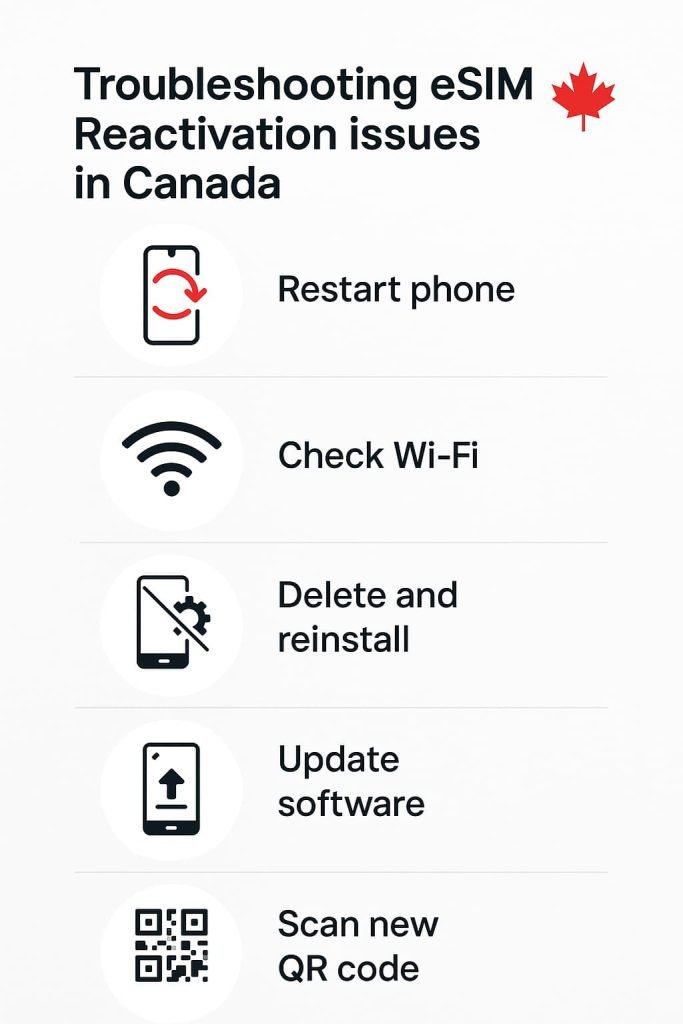
If your eSIM still doesn’t activate after reinstallation, try these quick fixes:
- Restart your phone. This refreshes network connections.
- Use a stable Wi-Fi connection. Avoid public Wi-Fi or unstable networks during activation.
- Delete and re-add the eSIM. Reinstallation often fixes a corrupted profile.
- Run a software update. Ensure your phone’s OS is up to date.
- Request a new QR code. Some codes are single-use only.
If you’re using travel providers like Airalo or Holafly, you can easily fix issues through their apps. Log in to your account, download a fresh QR code, and reinstall the profile. For detailed setup steps, check out our How to Activate Airalo eSIM in Canada and How to Activate Holafly eSIM in Canada guides. These services make reactivation simple for frequent travelers who need reliable data while abroad.
Pro Tips for Fixing eSIM Not Working in Canada
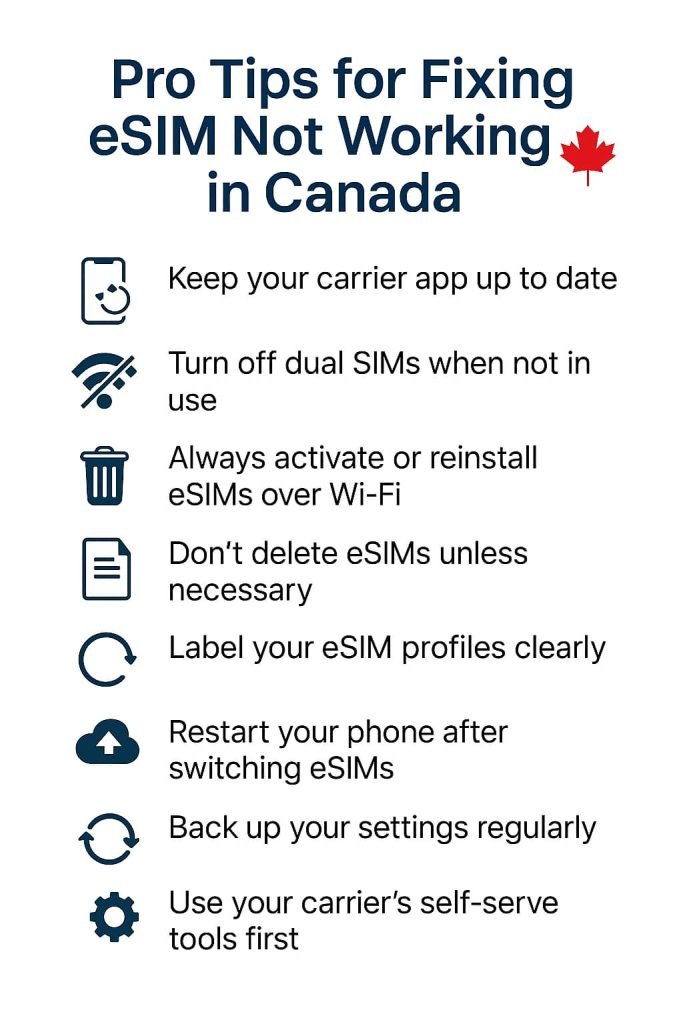
If your eSIM isn’t working in Canada or keeps dropping connection, a few proactive steps can help you avoid future issues. These practical tips will keep your mobile connection stable whether you’re using an iPhone, Android phone, or switching between devices.
- Keep your carrier app up to date. Apps like MyBell, MyRogers, and MyTELUS manage eSIM profiles directly, so updating them ensures smoother syncing.
- Turn off dual SIMs when not in use. If you have both a physical SIM and an eSIM active, it can sometimes interfere with network registration.
- Always activate or reinstall eSIMs over Wi-Fi. A stable network prevents incomplete downloads and failed activations.
- Don’t delete eSIMs unless necessary. Once removed, you’ll need a new QR code from your carrier.
- Label your eSIM profiles clearly. This makes it easier to identify multiple carriers or travel eSIMs later.
- Restart your phone after switching eSIMs. It helps your device refresh carrier and data connections automatically.
- Back up your settings regularly. Especially before factory resets or phone transfers.
- Use your carrier’s self-serve tools first. They can often fix most “eSIM not working in Canada” issues faster than waiting on live support.
By following these steps, you’ll reduce future activation errors and keep your eSIM connection in Canada running smoothly.
Frequently Asked Questions About How to Fix eSIM Not Working in Canada
Why is my eSIM not working in Canada even after activation?
This usually happens when the carrier profile didn’t download correctly or your phone hasn’t synced with the network yet. Restart your phone, turn Airplane Mode on and off, and check for carrier settings updates. If it still doesn’t connect, reinstall the eSIM using a new QR code.
Why does my iPhone show “No Service” after installing an eSIM?
This can occur if your eSIM hasn’t finished activating or your plan isn’t linked to the correct number. Go to Settings > Cellular > SIMs and check that your plan is listed as active. If not, delete and reinstall it using your carrier’s app or portal.
How do I fix an eSIM not working on Android phones in Canada?
Go to Settings > Network & Internet > SIMs or Connections > SIM Manager (for Samsung) and make sure your eSIM is active. If it’s missing, reinstall it with your carrier’s QR code. You can also reset network settings and restart your phone to refresh connections.
Do I need Wi-Fi to activate or reinstall my eSIM?
Yes. Always use a stable Wi-Fi connection when activating or reinstalling an eSIM. Using mobile data during setup can cause incomplete downloads or activation errors.
Can I reuse an old eSIM QR code after deleting it?
No. eSIM QR codes are single-use only. Once deleted, request a new code from your carrier. This helps ensure security and proper linking to your account.
Why did my eSIM stop working after a software update?
Occasionally, iOS or Android updates reset network configurations. Restart your phone, check for carrier settings updates, and reinstall your eSIM if necessary. Always back up your settings before running major updates.
My eSIM works abroad but not in Canada — why?
If your eSIM is from a travel provider like Airalo or Holafly, it might not include domestic data coverage in Canada. Check the plan details in your app or choose a local eSIM plan from your carrier for better reliability.
Will reinstalling my eSIM delete my plan or number?
No. Reinstalling your eSIM only refreshes the connection between your phone and carrier. Your number, plan, and data balance remain active on your account.
Which Canadian carriers have the most reliable eSIM support?
What’s the best way to avoid eSIM not working in Canada again?
Keep your phone’s software and carrier app up to date, use Wi-Fi for all activations, and avoid deleting eSIMs unless necessary. Label multiple eSIMs clearly if you use more than one plan.
If your carrier is Eastlink, follow our complete step-by-step activation guide here: How to Activate Eastlink eSIM in Canada (Step-by-Step Guide).
More Related Guides from Our eSIM Canada Series
- eSIM Canada: Best Providers, Setup & Guide for Travelers & Locals
- How to Reinstall or Reactivate eSIM in Canada
- How to Remove or Delete an eSIM in Canada
- What to Do If eSIM Activation Fails in Canada
- How to Transfer Your eSIM Between Phones in Canada
- How to Activate eSIM on iPhone in Canada
- Activate eSIM on Android in Canada: Step-by-Step Setup Guide
- Compare eSIM Providers in Canada
- How to Activate Bell eSIM in Canada
- How to Activate Rogers eSIM in Canada
- How to Activate TELUS eSIM in Canada
- How to Activate Videotron eSIM in Canada (Step-by-Step Guide
Final Thoughts
Fixing eSIM not working in Canada usually comes down to simple steps like updating your phone, reinstalling the eSIM, or getting a fresh QR code. Whether you’re using an iPhone or Android phone, most issues can be resolved in minutes.
If you’re still having trouble, check out How to Remove or Delete an eSIM in Canada to learn how to safely reset your eSIM before reinstalling. For travel or backup options, visit Best eSIM for Canada: Expert Picks & Phone Compatibility to compare plans for locals and visitors. If you’re from Quebec and using Videotron, our step-by-step Videotron eSIM activation guide will walk you through the setup quickly and easily.
Stay connected and organized. Your digital setup is fully in your hands.