If your phone supports eSIM but not working in Canada, the issue is not always the phone itself.
In many cases, the problem comes down to the carrier, the region where the phone was sold, whether the device is unlocked, whether the Add eSIM option appears in settings, or whether your Canadian carrier can properly provision that exact model.
For a quick model result, start with our free [eSIM Compatibility Checker for Canada](INTERNAL LINK: eSIM Compatibility Checker for Canada). It can help you check whether your phone, tablet, or smartwatch is likely to support eSIM before buying a carrier plan or travel eSIM.
This guide is for the next step. If your phone appears to support eSIM but activation fails, Add eSIM is missing, your carrier says the phone is not compatible, or your travel eSIM does not connect properly, the checks below will help you narrow down the problem.
This guide focuses specifically on troubleshooting and activation problems after a phone already appears to support eSIM.
In Canada, eSIM support can depend on more than the phone name. Two phones that look identical on the outside can behave very differently depending on the exact model number, firmware region, carrier lock status, original sales market, and mobile network support.
That is why a phone can support eSIM globally but still create problems with Bell, Rogers, TELUS, Fido, Koodo, Virgin Plus, Freedom Mobile, Public Mobile, Eastlink, Videotron, SaskTel, or a travel eSIM provider.
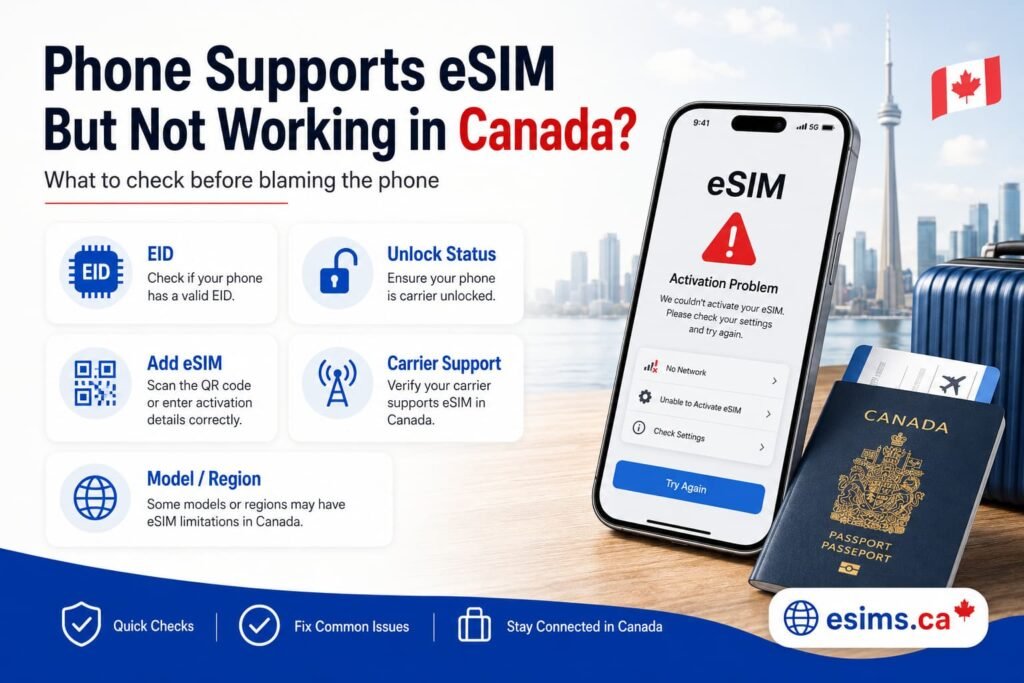
Why Does a Phone Support eSIM but Still Not Work in Canada?
A phone can support eSIM hardware and still fail during activation.
This usually happens because eSIM compatibility has more than one layer. The phone may have the right hardware, but the carrier, firmware, software profile, account type, or activation method can still block the setup.
Your phone may need:
- eSIM hardware inside the device
- an EID number
- compatible software and firmware
- unlocked network status
- support from your Canadian carrier
- a valid QR code or app-based activation method
- correct mobile data and roaming settings
- proper LTE or 5G band support for Canada
- carrier app permissions or QR code support
- correct account provisioning
If one of those pieces is missing, eSIM may not work properly.
For example, your phone might show an EID number but still be locked to another carrier. It might support travel eSIMs but fail with a Canadian carrier because of account provisioning. It might work in Europe but hide Add eSIM in Canada because of firmware restrictions. It might activate the eSIM profile but never connect to mobile data because the device is missing important Canadian network bands.
Here are the most common reasons a phone supports eSIM but still does not work in Canada:
| Problem | What It Usually Means |
|---|---|
| Add eSIM is missing | The phone may lack eSIM hardware, have regional firmware restrictions, or be carrier locked |
| No EID number appears | The device may not include usable eSIM hardware |
| Carrier says the phone is not compatible | The carrier may not support that exact model, IMEI, firmware, or account type |
| Travel eSIM installs but has no data | Data roaming, APN settings, network selection, or device compatibility may be the issue |
| Imported phone hides eSIM settings | The regional model may disable eSIM features |
| Used phone fails activation | The device may be locked, blacklisted, region restricted, or improperly reset |
| QR code does not work | The code may be expired, already used, or tied to another device |
The key is to find out whether the issue is hardware, carrier support, software, region, or account setup.
Check If Your Phone Has an EID Number
One of the first things to check is whether your phone has an EID number.
An EID is a long identification number connected to the eSIM hardware inside your phone. If your device has an EID, it usually means the phone has eSIM capability.
The easiest way to check is to dial:
*#06#
On many phones, this opens a device information screen showing IMEI, IMEI2, and EID details.
You can also check in settings.
On iPhone
Go to:
Settings > General > About
Look for:
- EID
- IMEI
- IMEI2
- Available SIM or eSIM information
You can also check:
Settings > Cellular > Add eSIM
If Add eSIM appears and the phone has an EID, your iPhone likely supports eSIM hardware.
Apple also explains how to set up eSIM on supported iPhone models in its official iPhone eSIM support guide.
For full setup help, see our guide on How to Activate eSIM on iPhone in Canada.
On Samsung Galaxy
Go to:
Settings > Connections > SIM manager
Look for:
- Add eSIM
- eSIMs
- Download SIM
- EID information
You can also dial *#06# and check whether an EID appears.
If Add eSIM is missing on a Samsung phone, the issue may be linked to the exact model, region, carrier firmware, or Samsung CSC setting. In some cases, the phone may include eSIM hardware, but the active software region does not expose the Add eSIM menu properly.
For the standard Galaxy setup path, Samsung Canada points users to SIM manager, where supported devices can add an eSIM through its official Galaxy eSIM support guide.
For Samsung-specific setup steps, see How to Activate eSIM on Samsung Galaxy in Canada.
On Google Pixel
Go to:
Settings > Network & Internet > SIMs
Look for:
- Add eSIM
- Download a SIM
- EID information
Google Pixel phones usually offer a clean eSIM experience, but imported or carrier-branded models can still behave differently.
Google also provides official instructions for managing SIM and eSIM settings on Pixel devices, including where to find Add SIM, Set up an eSIM, and mobile data options in its Pixel SIM and eSIM help guide
For Pixel setup help, use our How to Activate eSIM on Google Pixel in Canada.
On Motorola
Go to:
Settings > Network & Internet > SIMs
or:
Settings > Network & Internet > Mobile Network
Look for:
- Add eSIM
- Download SIM
- EID
Motorola support can vary by model family and region. Razr and Edge devices are usually more consistent, while Moto G models can vary heavily.
Motorola also explains that supported Razr models can download and set up an eSIM through the SIMs and mobile network settings in its official Motorola eSIM and SIM card support guide.
For Motorola setup help, see How to Activate eSIM on Motorola Phones in Canada.
Important EID note
An EID is a strong sign that your phone has eSIM hardware, but it does not guarantee every Canadian carrier will activate the device.
Your carrier may still check the IMEI, account type, plan type, provisioning status, original sales region, or device certification.
So if your phone has an EID but eSIM still does not work, keep going through the checks below.
Make Sure Your Phone Is Fully Unlocked
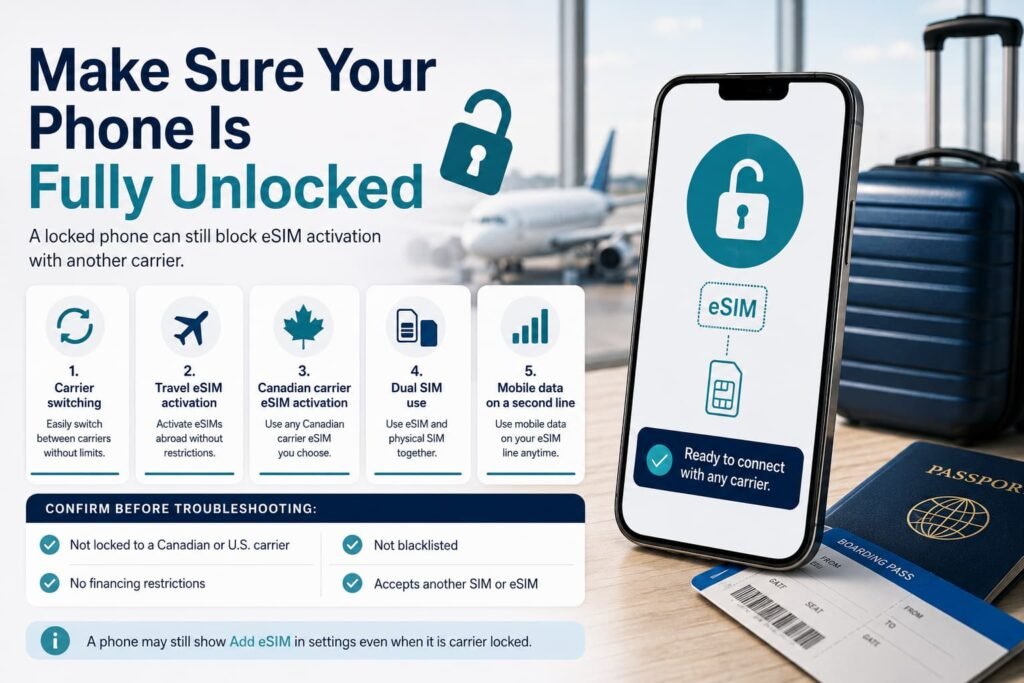
A locked phone can support eSIM but still block activation with another carrier.
This is especially important if your phone was purchased from a carrier outside Canada or bought used from an online marketplace.
A network-locked phone may restrict:
- carrier switching
- travel eSIM activation
- Canadian carrier eSIM activation
- dual SIM use
- mobile data on a second line
This can confuse users because the phone may still show Add eSIM in settings. The eSIM hardware exists, but the phone may not allow another carrier profile to work properly.
If you plan to use a travel eSIM, your phone usually needs to be unlocked.
If you plan to switch from one Canadian carrier to another, the phone should also be unlocked before activation.
Before troubleshooting anything else, confirm:
- not locked to a Canadian or U.S. carrier
- free from restrictions tied to a previous financing agreement
- not blacklisted
- able to accept another physical SIM or eSIM from a different provider
A simple way to test unlock status is to insert a SIM card from another carrier, if your phone still has a physical SIM tray. If it rejects the SIM or asks for an unlock code, the phone may still be locked.
For eSIM-only devices, contact the carrier that originally sold the phone and ask them to confirm the network unlock status.
Imported Phones and Regional Firmware Problems
Imported phones are one of the biggest reasons eSIM does not work properly in Canada.
A phone may have the same commercial name as the Canadian version but use different hardware, firmware, carrier settings, or network bands.
This is common with phones purchased from:
- Mainland China
- Hong Kong
- Macau
- Korea
- Japan
- India
- the Middle East
- Southeast Asia
- international online marketplaces
The phone may look identical, but the eSIM behavior can be completely different.
Mainland China, Hong Kong, and Macau models
Some iPhone models sold in Mainland China use dual physical SIM cards instead of eSIM.
Some Hong Kong and Macau models may also use dual physical SIM hardware, depending on the model and generation.
That means the phone may not support eSIM at all, even if the Canadian, U.S., or European version of the same iPhone does.
This is one of the most common situations where a buyer assumes a phone supports eSIM but later discovers there is no Add eSIM option.
Samsung Galaxy regional models
Samsung eSIM support can depend on the model number, firmware, and CSC region.
CSC is Samsung’s regional carrier and software configuration. It can affect which features appear in the settings menu.
Some imported Samsung Galaxy phones may:
- hide Add eSIM
- block carrier provisioning
- fail QR code activation
- show eSIM settings but fail network registration
- support eSIM in one country but not another
This is especially common with grey-market Samsung devices and some regional variants.
Google Pixel regional models
Pixel phones usually support eSIM well, but regional or carrier-branded versions can still create problems.
Some older Verizon Pixel models, Japanese Pixel models, or imported variants may behave differently depending on firmware, unlock status, or carrier support.
If a Pixel has an EID and Add eSIM appears, the issue may be more likely related to carrier provisioning, QR code activation, data settings, or network selection.
Xiaomi, Oppo, Vivo, Honor, Huawei, and OnePlus devices
These brands can be more complicated in Canada because eSIM support varies heavily by region and exact model.
Some global versions support eSIM, while other versions of the same phone may not.
Before buying one of these phones for use in Canada, check:
- exact model number
- EID support
- Canadian LTE and 5G band support
- VoLTE support in Canada
- whether Add eSIM appears in settings
- whether the phone was made for the Canadian, U.S., European, or global market
Do not rely only on the phone name. The exact model matters.
Canadian Carrier eSIM Support vs Travel eSIM Support
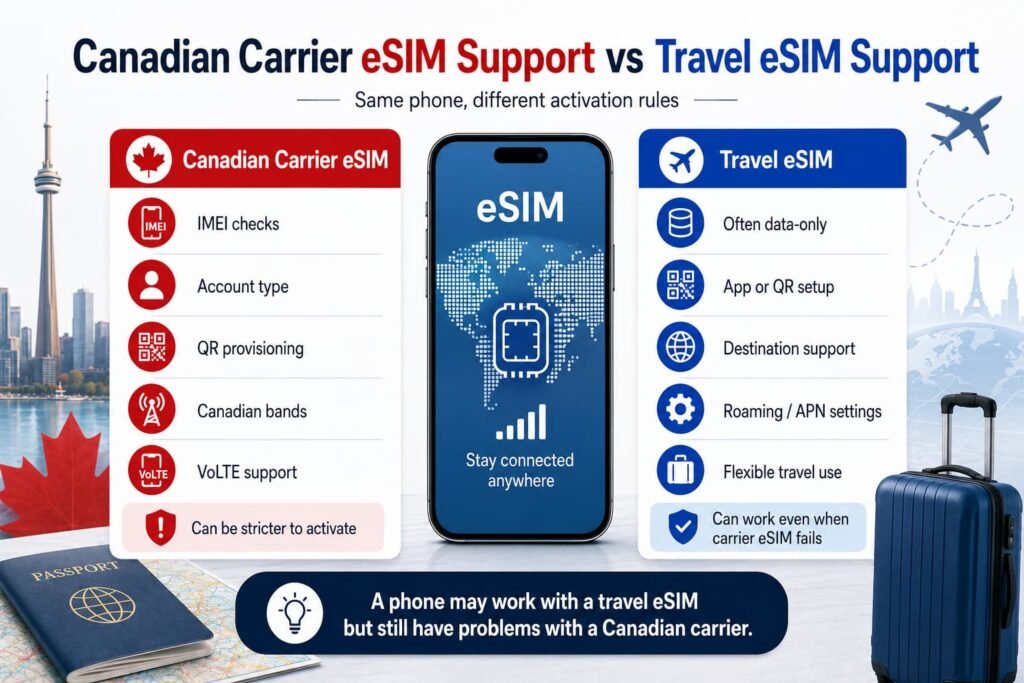
Canadian carrier eSIM support is not always the same as travel eSIM support.
This is a major point that many users miss.
A phone may work with a travel eSIM provider but still have problems with a Canadian carrier.
For example, your phone may work with:
- Airalo
- Holafly
- Nomad
- aloSIM
- Ubigi
- Saily
- GigSky
- Jetpac
- Mobimatter
but still run into issues with:
- Bell
- Rogers
- TELUS
- Fido
- Koodo
- Virgin Plus
- Freedom Mobile
- Public Mobile
- Eastlink
- Videotron
- SaskTel
That does not always mean the phone lacks eSIM hardware.
It may mean the Canadian carrier has stricter activation rules.
Canadian carrier activation can depend on:
- IMEI checks
- account type
- prepaid vs postpaid plan
- QR code provisioning
- app-based activation support
- device certification
- original sales region
- whether the phone supports required Canadian network bands
- whether VoLTE works on that carrier
Travel eSIMs are often data-only and may use a different activation process. They can sometimes install and work even when a Canadian carrier eSIM has problems.
The opposite can also happen. A Canadian carrier eSIM may work, but a travel eSIM may fail because the device is locked, data roaming is off, APN settings are wrong, or the travel eSIM provider does not support the destination properly.
For general Canadian eSIM setup and provider guidance, see eSIM Canada: Best Providers, Setup & Guide for Travelers & Locals.
Why Add eSIM or Download SIM Is Missing
If Add eSIM, Download SIM, or SIM Manager options are missing, the phone may not be ready for eSIM activation.
This is one of the most common issues users run into.
The setting may be missing because:
- the phone does not support eSIM hardware
- the phone has no EID number
- the model was sold in a region where eSIM is disabled
- the phone has carrier-branded firmware
- the phone is still locked
- the software is outdated
- the phone uses a physical SIM-only regional variant
- Samsung CSC settings are hiding eSIM features
- the tablet is Wi-Fi only
- the smartwatch is GPS-only or Bluetooth-only
Before assuming the phone is broken, update the software first.
Then restart the phone and check again.
Check for software updates
On iPhone:
Settings > General > Software Update
On Samsung:
Settings > Software update > Download and install
On Google Pixel:
Settings > System > System update
On Motorola:
Settings > System > System updates
Software updates can sometimes restore missing carrier settings or eSIM menus.
However, if the issue is regional hardware or disabled firmware, a software update may not fix it.
Check for work, school, or business device restrictions
If the phone came from an employer, school, or business account, it may still have a device management profile installed.
Managed phones can sometimes restrict SIM changes, eSIM downloads, QR code activation, camera access, or profile installation. This can make Add eSIM disappear or stop activation from working properly, even when the phone itself supports eSIM.
On iPhone, check:
Settings > General > VPN & Device Management
On Android, check:
Settings > Security and privacy
or:
Settings > Accounts > Work profile
If the phone is managed by an organization, you may need the administrator to remove the management profile before eSIM activation works normally.
Check your exact model number
The exact model number matters more than the phone name.
For example, two phones may both be called Galaxy S24, Pixel 9, or iPhone 15, but the regional versions may not support the same SIM setup.
When checking compatibility, look for the exact model number in settings or on the original box.
Then compare it against the version sold in Canada.
Check for EID and IMEI2
If your phone does not show an EID, it may not support eSIM.
If your phone does not show IMEI2, it may not support dual SIM or eSIM in the way you expect.
Some phones have one physical IMEI and one eSIM IMEI. Others support multiple eSIM profiles but only one active line at a time.
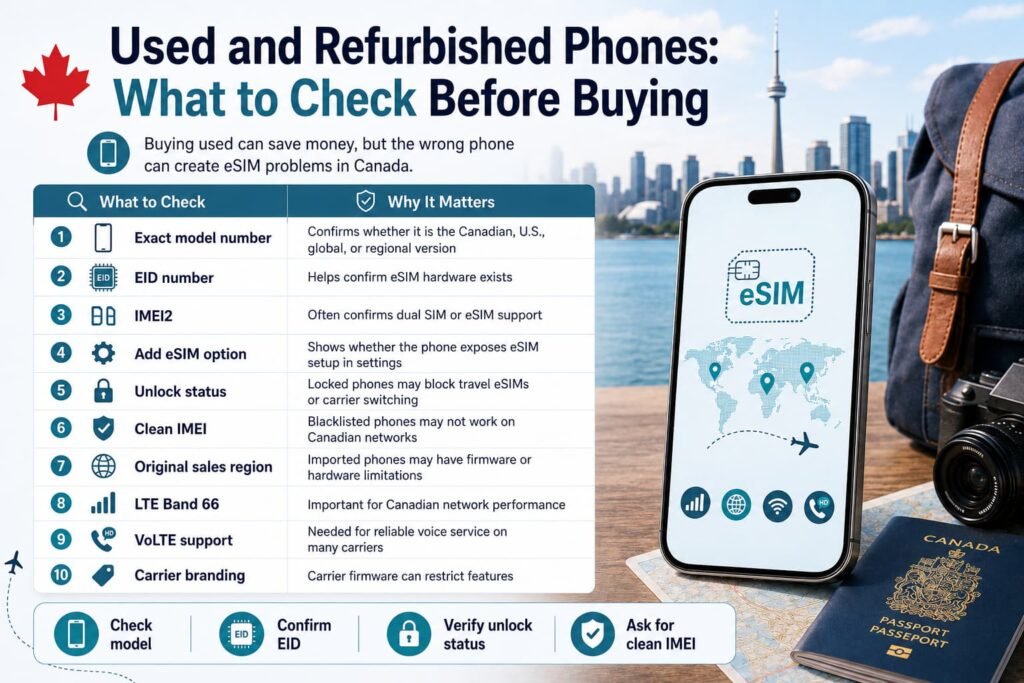
Used and Refurbished Phones: What to Check Before Buying
Used phones can be a great deal, but they can also create eSIM problems.
This is especially true if you are buying from Facebook Marketplace, Kijiji, eBay, Amazon Marketplace, international sellers, or refurbished device shops.
Before buying a used phone for eSIM in Canada, check these details carefully.
| What to Check | Why It Matters |
|---|---|
| Exact model number | Confirms whether the phone is the Canadian, U.S., global, or regional version |
| EID number | Helps confirm eSIM hardware exists |
| IMEI2 | Often confirms dual SIM or eSIM support |
| Add eSIM option | Shows whether the phone exposes eSIM setup in settings |
| Unlock status | Locked phones may block travel eSIMs or carrier switching |
| Clean IMEI | Blacklisted phones may not work on Canadian networks |
| Original sales region | Imported phones may have firmware or hardware limitations |
| LTE Band 66 | Important for Canadian network performance |
| VoLTE support | Needed for reliable voice service on many carriers |
| Carrier branding | Carrier firmware can restrict features |
Ask the seller to show:
- Settings screen with the exact model number
*#06#screen showing EID and IMEI details- Cellular or SIM manager screen showing Add eSIM
- Proof the phone is unlocked
- Proof the IMEI is clean
Avoid buying a phone if:
- there is no EID
- Add eSIM is missing
- the price seems suspiciously low
- the seller cannot confirm unlock status
- the phone is a Chinese-market iPhone without eSIM
- the phone is a Korean Samsung model with uncertain CSC support
- the phone is missing key Canadian network bands
- the seller refuses to show the settings screen
A used phone can support eSIM on paper and still fail activation because of region, lock status, firmware, or network restrictions.
If you are buying specifically for eSIM use in Canada, verify everything before paying.
Before Contacting Your Carrier
Before contacting your carrier or eSIM provider, confirm these basics first:
- the phone shows an EID number
- the phone is fully unlocked
- Add eSIM or SIM Manager appears in settings
- the phone software is fully updated
- the QR code has not expired or already been used
- the exact model number supports Canadian networks
- LTE Band 66 and VoLTE support are available when needed
- the phone is connected to strong Wi-Fi during activation
These checks can save a lot of time and help narrow down whether the issue is hardware, firmware, provisioning, or carrier-related.
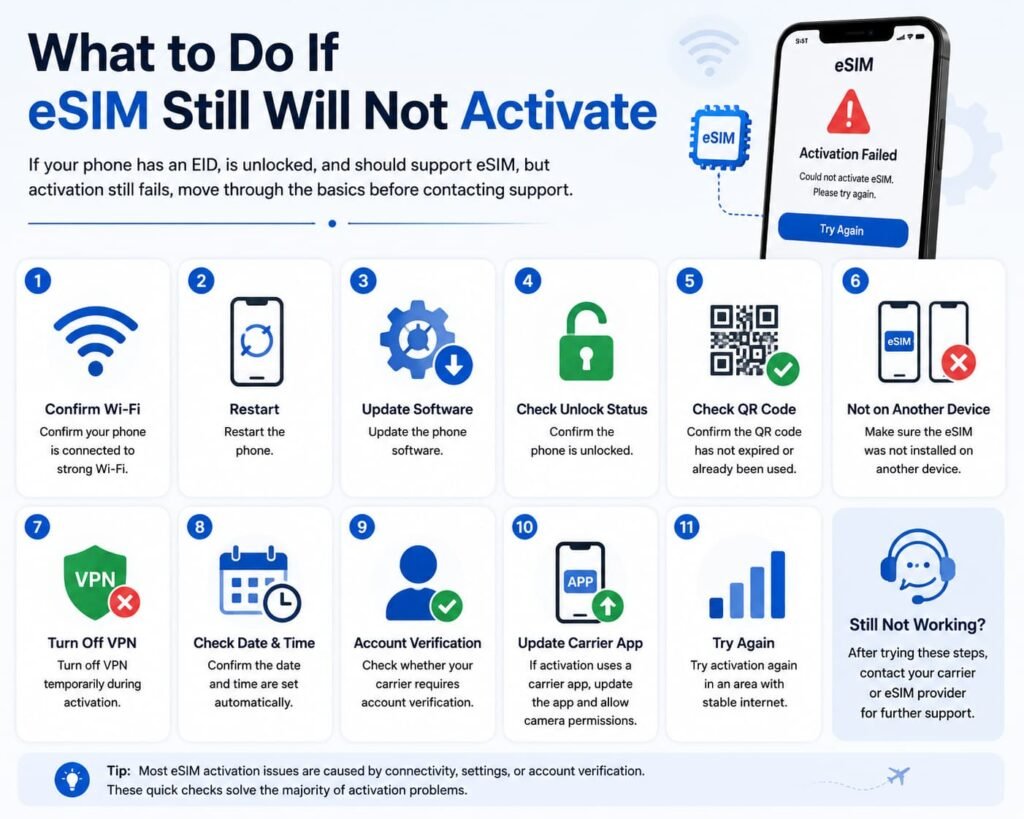
What to Do If eSIM Still Will Not Activate
If your phone has an EID, is unlocked, and should support eSIM, but activation still fails, move through the basics before contacting support.
Start with these steps:
- Confirm your phone is connected to strong Wi-Fi.
- Restart the phone.
- Update the phone software.
- Confirm the phone is unlocked.
- Confirm the QR code has not expired or already been used.
- Make sure the eSIM was not installed on another device.
- Turn off VPN temporarily during activation.
- Confirm the date and time are set automatically.
- Check whether your carrier requires account verification.
- If activation uses a carrier app, update the app and allow camera permissions.
- Try activation again in an area with stable internet.
If the eSIM installs but does not connect, check:
- mobile data line selection
- data roaming setting for travel eSIMs
- APN settings if required
- network selection
- whether the plan is active
- whether the destination is supported
- whether old or expired eSIM profiles should be removed
- whether your phone supports the required LTE or 5G bands
If the eSIM was deleted, do not assume the same QR code will work again. Many carrier QR codes are single-use or expire after activation.
If you see an error such as eSIM profile already downloaded, profile already used, or unable to complete cellular plan setup, the carrier or provider may need to issue a replacement eSIM profile.
On some Android devices, especially Pixel and Motorola phones, there may also be options to erase downloaded SIMs or reset mobile network settings. Use these carefully, because they can remove stored eSIM profiles.
If activation still fails, the guides below cover more detailed fixes for QR code problems, profile errors, reinstall steps, and device-specific setup issues.
Frequently Asked Questions About eSIM Problems in Canada
How do I fix an eSIM profile already downloaded error?
An eSIM profile already downloaded error usually means the QR code or activation profile has already been used.
Many eSIM QR codes are single-use. If the profile was installed on another phone, deleted, reset, or partially activated, scanning the same QR code again may not work.
The safest fix is to request a replacement eSIM profile from the carrier or provider instead of repeatedly scanning the same QR code.
Why does my phone support eSIM but my carrier says it is not compatible?
Your phone may support eSIM hardware, but your Canadian carrier may not support that exact model, IMEI, firmware region, plan type, or account setup.
This happens most often with imported phones, carrier-branded devices, older Android models, prepaid accounts, and phones originally sold outside Canada. The phone may have an EID and still fail the carrier’s activation or provisioning checks.
If this happens, confirm your exact model number, unlock status, EID, IMEI2, and carrier support before requesting another QR code.
Why is Add eSIM missing from my Samsung Galaxy, Pixel, iPhone, or Motorola phone?
Add eSIM may be missing because the phone does not support eSIM, the model was sold in a region where eSIM is disabled, the software is outdated, or the phone has carrier firmware restrictions.
On Samsung phones, CSC region can also affect whether eSIM options appear. On tablets and smartwatches, the device must be a cellular, LTE, or 5G model. Wi-Fi-only tablets and GPS-only watches do not support eSIM.
Start by checking for an EID number using *#06#. If no EID appears, the device may not have usable eSIM hardware.
My phone has an EID number, so why does my carrier still say it is not compatible?
An EID number usually means your phone has eSIM hardware, but it does not guarantee every eSIM will work in Canada.
You still need to check whether the phone is unlocked, whether your carrier supports that model, whether the firmware region allows eSIM, and whether the device supports the required Canadian network bands.
Think of the EID as a strong first sign, not a complete guarantee. The carrier may still reject activation if the IMEI, model variant, firmware region, or account setup does not pass its provisioning checks.
Can a locked phone use a travel eSIM?
Usually, a locked phone cannot use a travel eSIM from another provider. Travel eSIMs normally require an unlocked device.
A locked phone may still show eSIM settings, but it can reject activation or fail to connect because the device is restricted to the original carrier.
Before buying a travel eSIM, confirm your phone is fully unlocked. This is especially important for phones purchased from U.S. carriers or bought used.
Why does my travel eSIM work but my Canadian carrier eSIM does not?
Travel eSIMs and Canadian carrier eSIMs can use different activation systems.
A travel eSIM is often a data-only plan that installs through an app or QR code and connects through partner networks. A Canadian carrier eSIM may require account provisioning, IMEI validation, plan eligibility, and carrier-side activation.
So a phone can work with a travel eSIM but still have problems with a Canadian carrier if the exact model, firmware, IMEI, or account type is not supported.
Can I use an imported European or Asian phone with a Canadian eSIM carrier?
Some imported phones work well with Canadian eSIM carriers, but others can be risky.
The biggest problems usually come from regional firmware, missing Canadian network bands, disabled eSIM settings, carrier-branded software, and model variants made for markets where eSIM is not commonly used.
Before using an imported phone in Canada, check the exact model number, EID, unlock status, LTE Band 66 support, VoLTE support, and whether Add eSIM appears in settings.
Can a used phone support eSIM but still fail activation?
Yes. A used phone can support eSIM hardware and still fail activation.
The phone may be locked, blacklisted, region restricted, missing carrier support, improperly reset, tied to a previous eSIM profile, or running firmware that blocks eSIM features.
Before buying a used phone, ask the seller to show the EID, IMEI2, Add eSIM option, unlock status, clean IMEI status, and exact model number.
Should I use the eSIM Compatibility Checker before buying a phone?
Yes. If you are buying a phone mainly for eSIM use, checking compatibility first can save you a lot of frustration.
Use our free eSIM Compatibility Checker for Canada to get a quick model result. Then confirm the exact model number, unlock status, EID, Canadian network band support, and original sales region before buying.
This is especially important for used phones, imported phones, marketplace phones, and budget Android devices.
More eSIM Compatibility and Troubleshooting Guides
Looking for more help with eSIM setup, compatibility, or activation problems in Canada? These guides can help you check your device, set up your eSIM, and fix common issues.
Check Your Device First
- eSIM Compatibility Checker for Canada
- eSIM Canada: Best Providers, Setup & Guide for Travelers & Locals
Fix eSIM Activation Problems
- How to Fix eSIM Not Working in Canada
- What to Do If eSIM Activation Fails in Canada
- How to Reinstall or Reactivate an eSIM in Canada
- How to Transfer Your eSIM Between Phones in Canada
Device-Specific Setup Help
- How to Activate eSIM on iPhone in Canada
- Activate eSIM on Android Canada
- How to Activate eSIM on Samsung Galaxy in Canada
- How to Activate eSIM on Google Pixel in Canada
- How to Activate eSIM on Motorola Phones in Canada
Final Thoughts
If your phone supports eSIM but is not working in Canada, do not assume the phone is automatically defective.
The issue may come from the carrier, firmware region, imported model, missing EID, locked status, used phone history, QR code problem, or the difference between travel eSIM support and Canadian carrier eSIM activation.
Start by confirming your device compatibility, then check your EID, unlock status, exact model number, software version, and carrier support.
If the phone should be compatible but activation still fails, move to the troubleshooting steps and use the right setup guide for your device.
For many users, the fix is not buying a new phone. It is finding the exact reason eSIM is being blocked, hidden, rejected, or misconfigured.