If you just upgraded your phone and want to keep your existing mobile plan, learning how to transfer your eSIM between phones in Canada is easier than you might think. Whether you’re switching from iPhone to iPhone, Android phone to Android phone, or even between brands, the process is fast, secure, and doesn’t require a physical SIM card.
In this guide, we’ll show you exactly how to transfer your eSIM between phones, step by step, for both iPhone and Android users. We’ll also share carrier-specific notes, pro tips, and troubleshooting steps to make sure your transfer goes smoothly.
Before you get started, check out our full guide eSIM Canada: Best Providers, Setup & Guide for Travelers & Locals for a complete overview of eSIM plans and setup options.

Why Transfer Your eSIM Between Phones?
If you’ve upgraded your smartphone or changed networks, transferring your eSIM helps you:
- Keep your same phone number and mobile plan
- Avoid visiting a store or waiting for a new SIM card
- Stay connected instantly on your new device
- Switch between phones easily without losing data
What You Need Before Transferring Your eSIM
Before starting, make sure you have:
- Two unlocked, eSIM-compatible phones
- A stable Wi-Fi connection
- Access to your carrier account (for requesting a new QR code if needed)
- The latest iOS or Android software version
- Your old phone’s eSIM still active
How to Transfer eSIM on iPhone (Step-by-Step)
Quick Transfer (iPhone-to-iPhone)
- Turn on your new iPhone and place it near your old one.
- Follow the on-screen setup instructions.
- When prompted, choose Transfer from iPhone.
- Confirm the transfer on both devices.
- Wait for activation to complete. Your new phone will connect automatically.
Manual Transfer (Using Carrier QR Code)
If your carrier doesn’t support automatic transfer:
- On your old iPhone, remove the eSIM profile (optional).
- Log in to your carrier account (e.g., Bell, Rogers, TELUS).
- Request a new eSIM QR code.
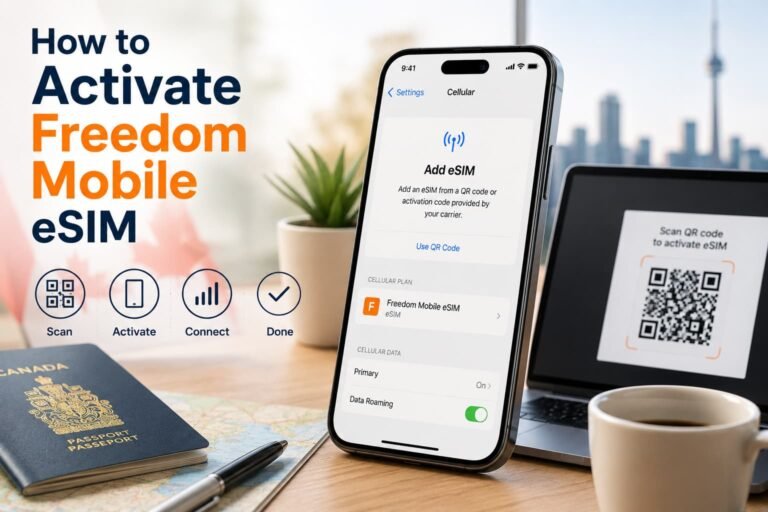
- On your new iPhone, go to Settings > Cellular > Add eSIM > Use QR Code.
- Scan the QR code and complete activation.
Need help? Check out our detailed iPhone setup guide: How to Activate eSIM on iPhone in Canada.
How to Transfer eSIM on Android (Step-by-Step)
Using Quick Switch (Pixel, Samsung, Motorola)
- Open Settings > Network & Internet > SIMs (or Connections > SIM Manager on Samsung).
- Select Add eSIM > Transfer from another device.
- Follow the on-screen instructions to connect both phones.
- Confirm the transfer and wait for setup to finish.
Manual Setup (Using New QR Code)
- Log in to your carrier account and request a new eSIM QR code.
- On your new phone, go to Settings > Network > Add eSIM.
- Tap Scan QR Code and enter the Activation Address (SM-DP+):
bmc.prod.ondemandconnectivity.com (for Bell, Virgin Plus, or PC Mobile users) - Restart your device after setup completes.
Need step-by-step visuals? Visit our Activate eSIM on Android in Canada guide.
eSIM Transfer Support by Canadian Carriers
| Carrier | Supports eSIM Transfer | How to Get a New QR Code |
|---|---|---|
| Bell / Virgin Plus / PC Mobile | Yes | Request via MyBell or in-store |
| Rogers / Fido / Chatr | Yes | Request through MyRogers or Fido app |
| TELUS / Koodo | Yes | Use MyTELUS or Koodo Self Serve |
| Freedom Mobile | Limited | Contact customer support to request a replacement QR code. |
| Public Mobile / Lucky Mobile | Not yet | Requires a new eSIM activation for the new device. |
For detailed activation instructions, visit:
- How to Activate Bell eSIM in Canada
- How to Activate Rogers eSIM in Canada
- How to Activate TELUS eSIM in Canada
- How to Activate Koodo eSIM in Canada

Compatible Phones for eSIM Transfer in Canada
Most modern smartphones sold in Canada support eSIM and make transferring between devices simple. Below are some of the most common models that allow you to transfer your eSIM between phones in Canada:
iPhone Models
- iPhone 16, 15, 14, 13, 12, 11 series
- iPhone XS, XR, SE (2nd gen and newer)
Android Phones
- Samsung Galaxy S25, S24, S23, Z Flip & Fold models
- Google Pixel 6, 7, 8, 9, and 10 Series
- Motorola Razr 5G, Edge 40, and newer
- OnePlus 11, 12, and Nord N30 5G
- Xiaomi 13, 14, and 14T Pro
Tip: If you don’t see the eSIM option in your settings, make sure your phone’s software is updated and unlocked. Some budget Android models or carrier-locked phones might not support eSIM transfer yet.
Pro Tips for a Smooth eSIM Transfer
Want to make your transfer process completely stress-free? Here are some expert tips to help ensure everything works on the first try:
- Check carrier compatibility tools before starting. Use your carrier’s website or app to confirm your device supports eSIM transfer or if you’ll need a new QR code.
- Save your QR code securely. Take a screenshot or store it in your email drafts or cloud storage so it’s easy to reaccess if activation fails.
- Don’t delete your old eSIM right away. Wait until calls, texts, and data work perfectly on your new phone.
- Restart both devices after the transfer for the system to refresh connections.
- Update carrier apps and system software before initiating the process, as this resolves most activation issues.
- Avoid public Wi-Fi during setup to prevent interruptions; use a private or mobile connection.
- Check your account settings. Some carriers require you to remove the old eSIM profile from your account before assigning a new one.
- Backup your data and contacts. Sync with your cloud account to make sure everything moves seamlessly.
- Plan for dual SIM use. If you’re keeping a secondary line or travel eSIM (like Airalo or Holafly), label them clearly to avoid confusion later.
Troubleshooting Common eSIM Transfer Issues
eSIM Doesn’t Activate on New Phone
Restart both devices, toggle Airplane Mode, or re-scan the QR code.
If it still doesn’t work, request a new QR code through your carrier.
“Transfer Not Supported” Error
Make sure both phones have the latest OS updates and are on the same account region. Some older models don’t support direct eSIM transfer and need manual activation.
Activation Fails Midway
Delete the incomplete eSIM profile, restart your phone, and try again using the QR code.
If you still experience issues, read our detailed guide: What to Do If eSIM Activation Fails in Canada.
Frequently Asked Questions About How to Transfer eSim between Phones in Canada
Here are some of the most common questions people ask about how to transfer your eSIM between phones in Canada, along with detailed answers to help make your switch smooth and worry-free.
Can I transfer my eSIM from my old phone to my new one in Canada?
Yes! You can transfer your eSIM between compatible phones in Canada without needing a physical SIM card. Most Canadian carriers like Bell, Rogers, TELUS, Fido, and Virgin Plus support direct eSIM transfers, while others may require you to request a new QR code.
Do I need to delete my old eSIM before activating it on my new phone?
Not right away. Keep your old eSIM active until your new one is working properly. Once you confirm that calls, texts, and data work on your new phone, then you can safely delete the old eSIM profile.
Can I transfer my eSIM between iPhone and Android phones?
You can, but not directly. Transferring an eSIM from iPhone to Android (or vice versa) usually requires requesting a new QR code from your carrier. The transfer feature typically works best between phones with the same operating system.
What should I do if my eSIM doesn’t transfer successfully?
If your eSIM fails to activate, restart both devices, ensure Wi-Fi is on, and re-scan your QR code. If it still doesn’t work, delete the failed eSIM profile and request a new one through your carrier’s online portal or app. For example, Bell, Rogers, and TELUS all let you request a replacement eSIM instantly.
Can I keep my phone number when transferring my eSIM?
Yes! Your phone number, plan, and features (like voicemail and data settings) automatically move with your eSIM to your new device as soon as activation completes.
How long does it take to transfer an eSIM to a new phone?
In most cases, it takes under five minutes. However, it can take longer if your carrier needs to generate a new QR code or if you’re transferring between different platforms (like iPhone to Android).
Can I transfer my eSIM while traveling outside Canada?
Yes, as long as you have a Wi-Fi connection. You can transfer or reactivate your eSIM while abroad, though some carriers might limit online verification if you’re outside the country.
What if I lose my phone before transferring my eSIM?
Contact your carrier immediately and request a replacement eSIM for your new device. They’ll deactivate the old one to keep your number secure and send a new QR code to set up your line.
Can I transfer my eSIM from a prepaid to a postpaid plan?
Yes, but you’ll need to contact your carrier’s customer service to handle the plan upgrade. The eSIM transfer itself follows the same steps, but your account type will need to be updated.
Are travel eSIMs like Airalo or Holafly transferable between phones?
What should I check before starting my eSIM transfer?
Make sure both phones are unlocked, updated to the latest software, and connected to Wi-Fi. It’s also smart to back up your data and confirm that your new device supports eSIM activation.
Is transferring an eSIM between phones safe?
Yes, eSIM transfers are encrypted and verified by your carrier, making them even more secure than traditional SIM swaps.
Can I transfer multiple eSIMs to my new phone?
Absolutely. Many newer iPhones and Androids can store multiple eSIM profiles, allowing you to transfer both personal and business lines or keep local and travel eSIMs at once.
More Related Guides From Our eSim Canada Series
- How to Activate Virgin Plus eSIM in Canada
- How to Activate Fido eSIM in Canada
- How to Activate Freedom Mobile eSIM in Canada
- How to Activate Public Mobile eSIM in Canada
- How to Activate Lucky Mobile eSIM in Canada
- How to Activate PC Mobile eSIM in Canada
- How to Activate Koodo eSIM in Canada
- How to Activate Chatr Mobile eSIM in Canada
- How to Activate eSIM on iPhone in Canada
- Best Canadian eSIM Plans for Tourists
Final Thoughts
Now that you know how to transfer your eSIM between phones in Canada, you can easily move your mobile plan to a new device without the hassle of physical SIM cards. Whether you’re upgrading to the latest iPhone or switching to a new Android, eSIM technology keeps you connected faster, cleaner, and more conveniently than ever.
Still comparing eSIM plans? Check out our detailed breakdown: Compare Canadian eSIM Providers: The Ultimate 2025 Guide.