How to activate TELUS eSIM in Canada is easier than you might think. With just a QR code and a few taps, you can set up your TELUS eSIM on iPhone or Android phone, transfer your existing SIM to eSIM, and start using your service in minutes. This guide walks you through the full process, step by step, and covers everything you need to know before and after activation.
If you’re ready to ditch the plastic SIM card and enjoy the flexibility of a digital connection, TELUS eSIM is a great choice for staying connected in Canada. Whether you’re switching from a SIM, setting up a new device, or upgrading to eSIM for convenience, the process is fast and straightforward and I’ll walk you through it step by step.
In this guide, you’ll learn how to activate TELUS eSIM on iPhone or Android, transfer your SIM to eSIM, troubleshoot common issues, and see how TELUS stacks up against competitors.
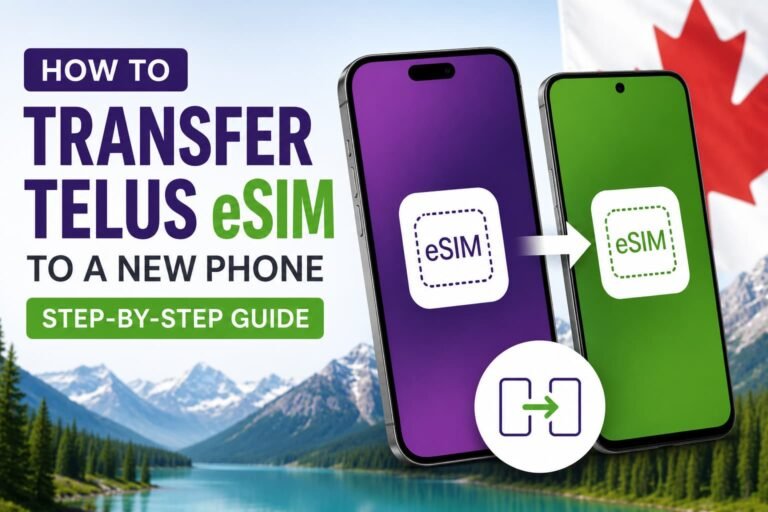
Planning to upgrade your phone later on? You can also follow our guide on how to transfer a TELUS eSIM to a new phone in Canada without losing your number or service.

Why Choose TELUS eSIM in Canada for Your Mobile Plan?
TELUS is one of Canada’s most reliable carriers, with strong coverage across the country. Their eSIM service is perfect for:
- Canadian residents upgrading to eSIM without visiting a store
- Travelers & students who want a local Canadian number during their stay
- Business users & remote workers who need a secure, fast connection
- Anyone switching from SIM to eSIM to free up the SIM slot for a second line
Why TELUS specifically?
- Works on both postpaid and some prepaid plans
- Easy online activation via QR code
- MyTELUS app lets you manage your plan anytime
- Better environmental footprint — no plastic SIM cards
- Compatible with most modern iPhone & Android devices
Before getting started, it’s a good idea to check if your phone supports eSIM in Canada, especially if you bought your device outside the country. Some imported iPhone and Android models may have different eSIM features or activation requirements. You can also check our full guide to eSIM-compatible phones in Canada before starting setup.
How TELUS eSIM Works in Canada and What to Expect
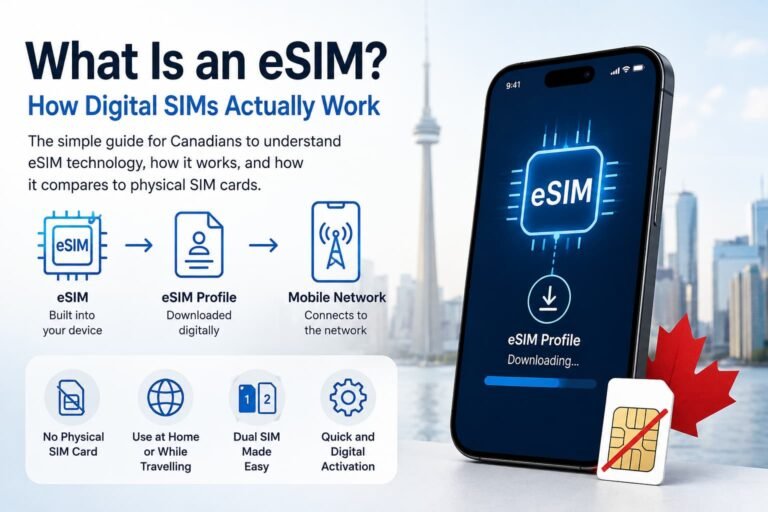
Instead of inserting a SIM card, TELUS sends you a QR code that installs a digital SIM (eSIM profile) directly on your phone.
You can:
- Order online, via MyTELUS app, or call support.
- Get the QR code instantly (sometimes delivered by email or at a TELUS store).
- Scan it, install the eSIM profile, and activate in just a few minutes.
The eSIM contains all your plan details and connects you directly to the TELUS network without needing a physical SIM card. If this is your first time setting up an eSIM, you can also follow our guides on how to activate eSIM on iPhone and Android devices in Canada for more detailed setup instructions.
Step-by-Step Guide: How to Activate TELUS eSIM in Canada
How to Activate TELUS eSIM on iPhone (Canada):
- Request a TELUS eSIM QR code online, in the app, or by contacting support.
- On your iPhone, go to:
- Settings > Cellular > Add eSIM
- Choose Use QR Code and scan the QR code from TELUS.
- Label your plan something recognizable (e.g., “TELUS eSIM”).
- Enable Data Roaming for this line.
- Set TELUS as your primary data line under Cellular Data.
- Done. Your phone connects automatically once you’re in coverage.
How to Activate TELUS eSIM on Android (Canada)
- Get your eSIM QR code from TELUS (email, app, or store).
- On your Android phone, open:
- Settings > Network & Internet > SIMs > Add eSIM
- Select Use QR Code and scan it.
- Confirm and name your plan (e.g., “TELUS eSIM”).
- Turn on Mobile Data and Data Roaming.
- Set TELUS as the default for mobile data.
- That’s it. You’re connected!

How to Manually Activate TELUS eSIM (No QR Code)
If you don’t have a QR code, TELUS can provide you with:
- SM-DP+ Address
- Activation Code
You can enter these manually during eSIM setup by selecting Enter details manually in your phone’s eSIM menu.
Still having trouble getting your TELUS eSIM activated? Our guide on what to do when eSIM activation fails in Canada covers the most common setup and connection issues on iPhone and Android devices before you request a replacement code from TELUS.
Managing Your TELUS eSIM with the MyTELUS App
You can also manage your eSIM through the MyTELUS app, which lets you:
- View your active plan and usage
- Request or transfer an eSIM
- Troubleshoot or re-download your eSIM
- Pay your bill and modify your plan
The app is available for both iPhone and Android, and is highly recommended for managing your account on the go.
TELUS SIM to eSIM Transfer
Already have a TELUS SIM? Here’s how to switch to eSIM:
- Log in to your account or open the My TELUS app.
- Request an eSIM transfer for your existing number.
- You’ll get a new QR code to install.
- Once activated, your old SIM card becomes inactive.
Depending on your device and account setup, TELUS may require a new QR code or replacement eSIM voucher when switching phones. Some users are able to complete the transfer directly through their account tools, while others may need help from TELUS support.

TELUS vs Rogers & Bell: How Does It Compare?
Here’s a quick comparison with Canada’s two other major carriers:
| Feature | TELUS | Rogers | Bell |
|---|---|---|---|
| Coverage | Excellent in western & central Canada | Strong in Ontario & Quebec | Similar to TELUS |
| eSIM for prepaid | Available (check) | Limited | Limited |
| App support | MyTELUS app | MyRogers app | MyBell app |
| Eco-friendly | ✅ | ✅ | ✅ |
TELUS is particularly strong in western provinces like BC and Alberta and is competitive nationwide.
If you’re still deciding between carriers, you can also check out our full guides on how to activate Rogers eSIM and Bell eSIM in Canada to see how the setup process, coverage, and overall experience compare.
Troubleshooting TELUS eSIM Issues
If you hit a snag while figuring out how to activate TELUS eSIM in Canada, try these fixes:
- Restart your device after installation.
- Ensure you have strong Wi-Fi for initial setup.
- Reinstall the eSIM from your QR code or MyTELUS app.
- Contact TELUS support if the QR code has expired or fails to scan.
- Check your device compatibility, as older models may not support eSIM.
Pros and Cons of Using TELUS eSIM
| Pros | Cons |
|---|---|
| Fast and easy activation without visiting a store | Not all prepaid plans support eSIM |
| No physical SIM card needed, which is great for dual SIM setups | Some users may need a new QR code when switching devices |
| Strong coverage across most of Canada | Wi-Fi is usually required during setup |
| Works with most newer iPhone and Android devices | International travelers may prefer travel eSIM providers like Airalo or Holafly |
| More secure and environmentally friendly than physical SIM cards | Some eSIM transfers or replacements may involve additional TELUS fees |
TELUS eSIM in Canada: Frequently Asked Questions
Here are some of the most common questions people ask about how to activate TELUS eSIM in Canada.
How do I activate TELUS eSIM in Canada?
To activate a TELUS eSIM in Canada, you’ll need a QR code or activation details from TELUS, which can usually be requested online, through the MyTELUS app, or in-store. Once you receive your activation details, open your iPhone or Android eSIM settings, select Add eSIM, and follow the setup prompts to complete activation. Most setups only take a few minutes with a stable Wi-Fi connection.
Does TELUS offer eSIM for prepaid plans?
TELUS supports eSIM on some prepaid plans in Canada, but availability can vary depending on the plan and device you’re using. Before signing up, it’s a good idea to confirm eSIM compatibility directly through TELUS or the MyTELUS app to avoid setup issues later on.
Can I transfer my TELUS SIM card to an eSIM?
If you already have a TELUS physical SIM card, you can usually transfer your existing number and plan to an eSIM through the MyTELUS app, online account tools, or customer support. In many cases, TELUS will issue a new QR code during the transfer process.
Does TELUS eSIM include a Canadian phone number?
When activating a TELUS eSIM, you can either keep your current Canadian number or receive a new one depending on your setup. The experience works the same as a traditional SIM card, except everything is handled digitally through your phone.
Can I use TELUS eSIM for international travel?
TELUS eSIM works internationally on supported roaming networks, but roaming charges can become expensive depending on your destination and usage. If you travel often, you may want to compare travel-focused eSIM providers like Airalo or Holafly, which can sometimes offer more flexible international data plans and easier short-term travel coverage.
What happens to my old SIM card after switching to TELUS eSIM?
Once your TELUS eSIM is fully activated, your old physical SIM card will stop working for calls, texts, and data. Some users keep the old SIM temporarily until they confirm the new eSIM is working properly on their device.
How can I manually activate TELUS eSIM without a QR code?
If you can’t scan a QR code, TELUS may provide manual activation details such as the SM-DP+ address and activation code. These can be entered directly through your phone’s eSIM setup menu during installation.
What should I do if my TELUS eSIM QR code doesn’t work?
If your TELUS QR code fails during setup, first make sure your phone is connected to Wi-Fi and supports eSIM. Restarting the device can also help refresh the activation process. If the QR code still doesn’t work, TELUS may need to issue a replacement code or reset the activation on their end.
Which devices support TELUS eSIM in Canada?
TELUS eSIM works on most newer smartphones that support eSIM technology, including newer iPhone, Samsung Galaxy, Google Pixel, and Motorola models. Some imported or region-specific devices may have different eSIM support, so it’s always worth checking compatibility before starting activation.
Can I transfer my TELUS eSIM to another phone?
Moving a TELUS eSIM to another phone usually requires a new activation process and, in many cases, a new QR code from TELUS. Before switching devices, make sure your new phone supports eSIM and avoid deleting your current eSIM until the transfer is fully complete.
Final Tips Before You Activate
- Make sure your phone supports eSIM. Most newer iPhone, Samsung Galaxy, Google Pixel, and Motorola devices work with TELUS eSIM, but some imported models may have different activation support or restrictions.
- Save your QR code somewhere safe. Keep a copy of the email, take a screenshot, or store the activation details securely. You may need them again later if you switch phones or reinstall your eSIM.
- Use a stable Wi-Fi connection during setup. A weak connection can interrupt activation or prevent the eSIM from installing properly.
- Avoid removing your physical SIM too early. Wait until your TELUS eSIM is fully activated and working before removing or discarding your old SIM card.
- Keep TELUS support information nearby. In some situations, TELUS may need to issue a new QR code or help reset your activation if setup does not complete properly.
Taking a few minutes to prepare before activation can help you avoid the most common TELUS eSIM setup issues and make the process much smoother.
Related Guides
- How to Activate Bell eSIM in Canada (Step-by-Step Guide)
- How to Activate Fido eSIM in Canada (Step-by-Step Guide)
- How to Activate Rogers eSIM in Canada (Step-by-Step Guide)
- How to Activate an eSIM on iPhone in Canada (Complete Guide)
- How to Activate an eSIM on Android in Canada (Complete Guide)
- Compare Canadian eSIM Providers: Which One Is Right for You?
- How to Activate Airalo eSIM in Canada (iPhone & Android Guide)
- How to Activate Holafly eSIM in Canada: Step-by-Step Guide
Final Thoughts on TELUS eSIM
TELUS eSIM is a convenient way to stay connected in Canada without dealing with physical SIM cards or store visits. The setup process is fairly simple, works well on most newer iPhone and Android devices, and gives you the flexibility to manage your mobile service digitally.
Whether you’re switching from a physical SIM, activating a new phone, or setting up dual SIM for travel or work, TELUS eSIM makes the process much easier once everything is configured properly. Keeping your QR code safe, confirming device compatibility, and using a stable Wi-Fi connection can help you avoid the most common setup problems.
Now that you know how to activate TELUS eSIM in Canada, you’re ready to get connected and troubleshoot most setup issues with confidence.
If you want to compare other Canadian and travel eSIM options, check out our full guide to eSIM Canada plans, where we break down providers, coverage, pricing, and setup options to help you find the best fit for your phone and travel needs.