If you’re switching phones, changing carriers, or troubleshooting network issues, knowing how to remove or delete an eSIM in Canada is essential. Whether you use an iPhone or an Android device, this guide walks you through each step safely so you don’t lose your mobile connection or accidentally erase the wrong plan.
Before deleting your eSIM, make sure you’ve backed up your device and verified that your number is transferred or linked to your new plan. Once an eSIM is deleted, it can’t be reused, so you’ll need a new QR code from your carrier if you decide to reactivate it. Following this step-by-step eSIM deletion guide ensures you’ll stay connected safely no matter your carrier or device.

Why You Might Need to Remove an eSIM
Here are some common reasons why users in Canada choose to delete or remove an eSIM profile:
- You’re switching to a new phone or carrier.
- You’re reinstalling an eSIM that failed to activate.
- You’re troubleshooting data or network issues.
- You want to remove old or inactive eSIM profiles.
- You’re resetting your device before selling or trading it.
Deleting an eSIM is perfectly safe as long as you have access to your carrier account and can request a replacement QR code if needed.

How to Remove or Delete an eSIM in Canada on iPhone
Follow these steps to remove or delete an eSIM from your iPhone:
- Open Settings > Cellular (or Mobile Data).
- Find your eSIM plan under Cellular Plans.
- Tap the plan you want to remove.
- Select Delete eSIM or Remove Cellular Plan.
- Confirm your choice when prompted.
Once deleted, your eSIM plan will no longer appear under Cellular Plans. If you plan to reinstall it, contact your carrier for a new QR code or use their app to reactivate the eSIM.
Pro Tip: If you’re switching to a new phone, remove your eSIM after activating the new device to ensure a smooth number transfer.

How to Remove or Delete an eSIM in Canada on Android Phones
The process may vary slightly by manufacturer, but here’s the general method for most Android devices:
- Go to Settings > Network & Internet > SIMs (or Connections > SIM Manager).
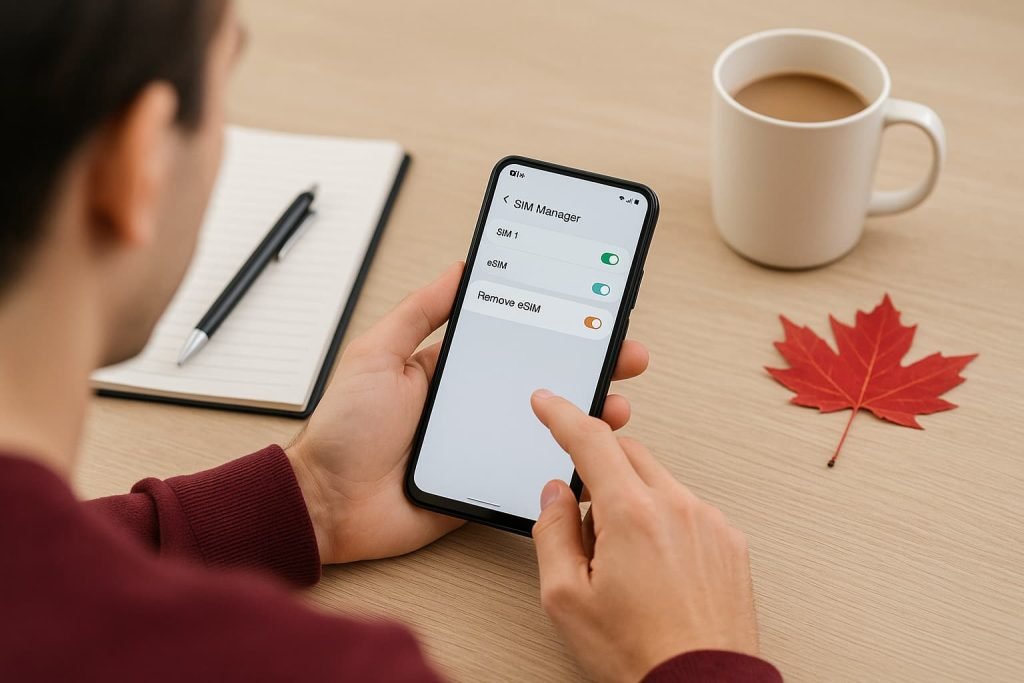
- Select the eSIM you want to remove.
- Tap Delete SIM or Remove eSIM Profile.
- Confirm when prompted.
This applies to most Android devices, including Samsung Galaxy, Google Pixel, Motorola Razr, and OnePlus phones. If your Android eSIM isn’t working after reinstalling, or you want to remove an inactive eSIM on Samsung Galaxy, request a new activation code from your carrier.
Pro Tip: Always update your device to the latest Android version before managing eSIM settings. Older versions may not display removal options correctly. If you want to erase your eSIM profile in Canada, make sure your phone’s software is updated before proceeding.
Carrier-Specific Notes for Canada
| Carrier | What to Know When Removing an eSIM |
|---|---|
| Bell | Deleting your eSIM doesn’t cancel your plan. You can reinstall it anytime through your MyBell account using a new QR code. |
| Virgin Plus | Removing your eSIM won’t stop your service. Log into your Virgin Plus account to download or request a new eSIM profile. |
| PC Mobile | When you delete your eSIM, your plan stays active. Use the My Account portal to get a replacement QR code or reinstall your profile. |
| Rogers | Use the MyRogers app to delete and reactivate eSIMs. Reissue a new QR code instantly from your account. |
| Fido | Manage and delete your eSIM directly in the Fido app. You can reactivate with the same account anytime. |
| Chatr | Removing your eSIM requires reactivation through your account or by contacting Chatr Support. |
| TELUS | Removing the eSIM won’t delete your number. Reinstall it anytime through MyTELUS. |
| Koodo | Delete inactive eSIMs through Kodoo Self Serve and download a new profile if needed. |
| Freedom Mobile | Contact Freedom Support for a replacement eSIM after deletion. |
| Public Mobile | eSIM removal requires reactivation through the app or a new code. |
| Lucky Mobile | Removing your eSIM requires a fresh activation or new QR code request. |
For additional eSIM management tips for Canadian carriers, check your provider’s support page or self-serve app to view, delete, or reactivate your eSIM profiles.
Pro Tips for Safe eSIM Removal
Smoothly managing your eSIM removal process makes all the difference. Follow these steps before, during, and after deletion to ensure a safe and hassle-free experience.
Before You Delete
Before removing your eSIM, take a few quick precautions to protect your data and ensure a smooth transition:
- Back up your phone to save your settings and carrier data.
- Ensure your device is unlocked and updated to the latest software. Older versions may not display eSIM management options properly.
- Check your carrier’s reactivation process so you know how to request a new QR code if needed.
- Confirm your new phone is activated before deleting the eSIM from your old one to avoid losing your number.
During Deletion
While deleting your eSIM, take your time to double-check details:
- Remove the correct eSIM profile. Verify the plan name or number before confirming deletion. Once removed, it can’t be recovered.
- Disconnect from Wi-Fi temporarily if your phone doesn’t show the delete option, then reconnect and try again.
After Deletion
Once the eSIM has been removed, a few extra steps help ensure everything resets properly:
- Restart your phone to refresh network settings and fully erase the eSIM.
- Reinstall or request a new QR code if you’re switching devices or carriers.
- Clean up duplicate or inactive eSIMs to prevent future conflicts and simplify activations.
Managing your eSIM profiles properly helps avoid activation errors and keeps your connections secure. Practicing good eSIM management ensures smoother switching between devices and carriers across Canada.
Frequently Asked Questions About Removing or Deleting an eSIM in Canada
Can I delete an eSIM and reinstall it later?
No, once you delete or erase an eSIM profile, it can’t be reused. Each eSIM QR code is unique and tied to a single activation. If you ever need to reinstall it, you’ll have to request a new eSIM QR code from your carrier. Bell, Rogers, and TELUS all allow this through their online portals or apps.
Does deleting an eSIM cancel my mobile plan?
No, deleting an eSIM only removes it from your phone. Your mobile plan remains active on your carrier’s system until you cancel it. If you reinstall the same eSIM on a new phone, your number, plan, and data balance will transfer automatically.
What happens if I delete the wrong eSIM?
If you accidentally delete the wrong profile, don’t panic. Contact your carrier’s support to reissue a replacement eSIM; most providers can do this within minutes. You can also uninstall an eSIM manually and reinstall a fresh profile from your account dashboard.
Can I remove an eSIM when switching phones?
Yes. Before you remove it, make sure your new phone supports eSIM and is unlocked. For example, if you’re moving from an iPhone 13 to a Samsung Galaxy S24, activate the new phone’s eSIM first, then delete the old eSIM profile from the previous device.
How do I remove or uninstall an eSIM manually if it’s not working?
Go to your phone’s Network or SIM Manager settings, select the inactive eSIM, and choose Delete or Remove eSIM. Restart your device and reinstall using a new activation QR code from your carrier. This method works well for Samsung Galaxy, Pixel, and Motorola Razr phones.
Will removing my eSIM erase my number or data plan?
No. Your number and plan stay linked to your carrier account, not your phone. Once you delete the eSIM, you can reactivate your plan on another device by scanning a new QR code or downloading it through your carrier’s app.
How do I remove an eSIM on older devices?
If you’re using older devices like an iPhone XS or early Pixel models, make sure they’re updated to the latest firmware. Without updated software, eSIM management in Canada may not work properly, and the delete option might not appear until after restarting.
Can I delete multiple eSIMs at once?
No, each eSIM must be removed one at a time through your SIM settings. Some newer Android versions do allow you to toggle between multiple eSIMs, but you still need to delete each profile manually.
Is it safe to delete an eSIM before selling my phone?
Yes, and it’s strongly recommended. Removing all eSIMs ensures your phone no longer has any active plans, numbers, or personal data attached. This is one of the best eSIM management practices to follow before trading in or selling your device.
How do I get a new eSIM after deleting one?
You can request a new eSIM directly through your carrier’s app or website. For example, Bell and Rogers offer instant downloads, while Freedom and Public Mobile require manual QR code requests. Make sure to connect to Wi-Fi when setting up to avoid activation errors.
Where can I find eSIM management options in Canada?
All major carriers offer online eSIM management through their self-serve portals, including MyBell, MyRogers, MyTELUS, and Virgin Plus accounts.
What if my phone says “Can’t erase eSIM profile”?
Restart your device and try again. If it still fails, toggle Airplane Mode, or reset your network settings. Persistent errors may require your carrier to reset your eSIM remotely.
How do I remove an inactive eSIM on Samsung Galaxy phones?
Go to Settings > Connections > SIM Manager, then tap the inactive eSIM and choose Remove eSIM Profile. If the option is missing, update your device software first.
What’s the difference between erasing and deactivating an eSIM?
Erasing permanently deletes it from your device. Deactivation only disables it temporarily, you can re-enable it later.
More Related Guides from Our eSIM Canada Series
- How to Activate eSIM on iPhone in Canada
- How to Transfer Your eSIM Between Phones in Canada
- What to Do If eSIM Activation Fails in Canada
- eSIM Canada: Best Providers, Setup & Guide for Travelers & Locals
- Activate eSIM on Android Canada: Step-by-Step Setup Guide
- Best eSIM for Canada: Expert Picks & Phone Compatibility
- How to Activate Bell eSIM in Canada
- How to Activate Rogers eSIM in Canada
- How to Activate TELUS eSIM in Canada
Final Thoughts
Knowing how to remove or delete an eSIM in Canada gives you more control over your mobile setup. Whether you’re clearing old profiles, fixing activation errors, or switching devices, these steps keep your connection secure and reliable. Keep your carrier details handy so you can reinstall or move your eSIM whenever needed. Stay connected with confidence, your digital setup is in your hands.