Activate Airalo eSIM in Canada with this complete step-by-step guide for iPhone and Android users. Whether you’re traveling, studying, or switching carriers, this tutorial makes it easy to get connected quickly and troubleshoot issues if they come up.
Thinking of using Airalo while visiting Canada or already bought a data plan and not sure what to do next? You’re in the right place.
In this step-by-step guide, I’ll walk you through exactly how to activate Airalo eSIM in Canada on both iPhone and Android devices. Whether it’s your first time using an eSIM or you’ve hit a snag during setup, this guide covers everything from installation to troubleshooting.
Airalo is one of the most popular eSIM providers for Canadian travel, and for good reason: instant activation, competitive rates, and coverage that taps into Canada’s major networks like Bell and Telus. Let’s get you connected.
If you are still deciding, read our Airalo eSIM review to see coverage, pricing, and performance.

Step-by-Step: How to Activate Airalo eSIM in Canada on iPhone
- Purchase your Airalo plan
Log into the Airalo app or website, choose “Canada” or a regional/global plan that includes Canada, and complete your purchase. - Open your confirmation email or app
You’ll receive your eSIM installation instructions along with a QR code and a manual activation option (SM-DP+ address). - Go to your iPhone settings
- Open Settings > Cellular (or Mobile Data) > Add eSIM
- Choose Use QR Code
- Scan the Airalo QR code (or tap “Enter Details Manually” if needed)
- Label and enable the eSIM
- Name the new plan (e.g. “Airalo Canada”)
- Set it as your Data Only plan
- Turn on Data Roaming
- Activate mobile data
Once installed, your iPhone should automatically connect to the supported local network (e.g. Bell or Telus). You’re good to go!

Step-by-Step: How to Activate Airalo eSIM in Canada on Android
- Buy your Airalo eSIM plan
Log into the Airalo app, search for Canada, and purchase the plan that fits your travel duration and data needs. - Get your installation info
You’ll find a QR code and manual setup option in the app and your email. - Open Android Settings
- Go to Settings > Network & Internet > SIMs (or Mobile Network)
- Tap Add eSIM
- Select Use QR Code or enter details manually
- Enable your eSIM
- Choose your new Airalo plan
- Turn on Mobile Data and Data Roaming
- Set it as your preferred data SIM if you have dual SIMs
- Check connectivity
Your device should connect to a local partner network. Open a browser and try loading a page to confirm.
Why Choose Airalo for Canada?
- Instant setup, no physical SIM swap needed
- Connects to top-tier local carriers (like Bell, Telus, Rogers)
- Perfect for short stays, digital nomads, or as a backup plan
- Supports most newer phones with eSIM capability
- Affordable and flexible data plans (no contracts!)
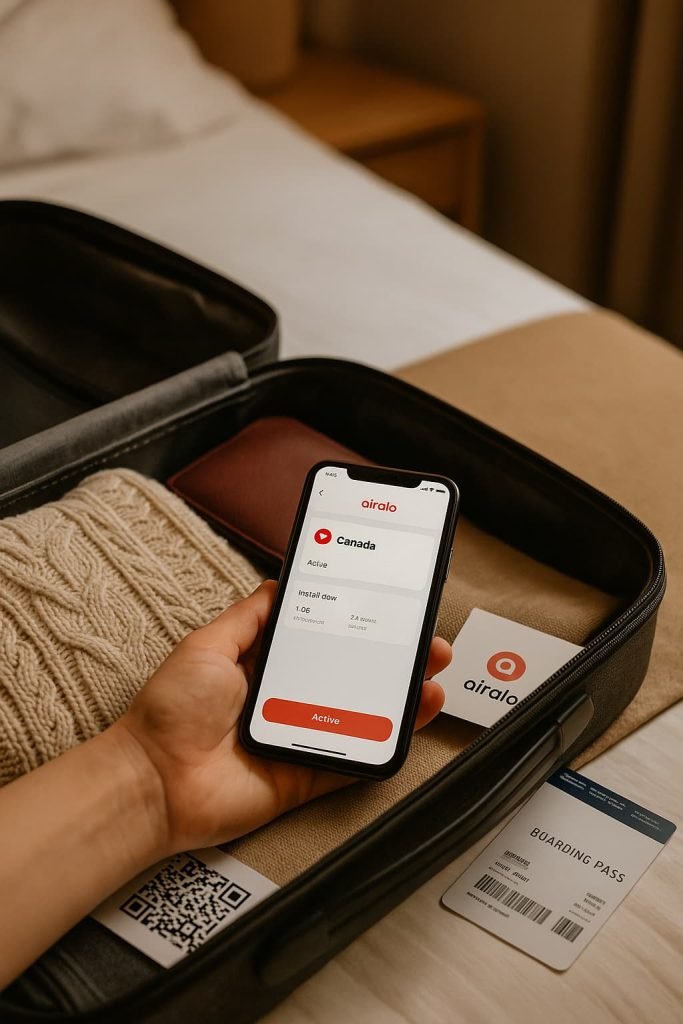
Pro Tips + Troubleshooting
- Can’t scan the QR code?
Use the manual setup option with the SM-DP+ address provided in your email. - No signal after setup?
- Make sure Data Roaming is on
- Restart your phone
- Toggle Airplane Mode on/off
- Switching from another eSIM?
Disable your previous eSIM or set Airalo as your primary data line. - Still not working?
Reach out to Airalo’s 24/7 support through the app—they’re quick to respond.
More eSIM Canada Guides
Want more resources? Explore these popular guides:
- Best eSIM for Canada
- How to Activate Holafly eSIM
- How to Activate Rogers eSIM in Canada
- How to Activate TELUS eSIM in Canada
- How to Activate Fido eSIM in Canada
- How to Activate Freedom Mobile eSIM in Canada
- How to Activate Bell eSIM in Canada
- eSIM Canada: Best Providers, Setup & Guide for Travelers & Locals
FAQs: How to Use Airalo eSIM in Canada
How do I install an Airalo eSIM on my phone?
You can install it by scanning the QR code sent to your email or using the manual SM-DP+ activation details. iPhone and Android setup steps are provided above.
Do I need Wi-Fi to install the Airalo eSIM?
Yes, Wi-Fi is required during the initial installation since your phone needs internet access to download the eSIM profile.
Will Airalo work on my iPhone or Android in Canada?
Airalo supports most newer, unlocked smartphones with eSIM capability. Compatible iPhones include iPhone XS and newer, while Android compatibility includes most recent Samsung, Google Pixel, and OnePlus models.
How long does the Airalo Canada eSIM plan last?
Airalo offers prepaid eSIM plans that typically last 7, 15, or 30 days depending on the data package you choose.
Can I top up my Airalo eSIM plan?
Yes, you can easily top up or extend your plan through the Airalo app without reinstalling the eSIM.
Does Airalo provide a Canadian phone number?
No, Airalo eSIMs are data-only. You won’t get a Canadian number, but you can use apps like WhatsApp, Skype, or Google Voice for calling and messaging
Can I use hotspot or tethering with Airalo in Canada?
Yes, most Airalo plans support hotspot/tethering, but it depends on the plan and device. Be sure to check the plan details before purchasing.
Will Airalo work on my iPad or tablet?
Yes, as long as the device supports eSIM and is unlocked, you can install and use Airalo for data on tablets.
What should I do if Airalo eSIM isn’t working in Canada?
1. Ensure mobile data and data roaming are enabled.
2. Restart your phone or toggle airplane mode.
3. Check for typos if entering manual details.
4. Contact Airalo support via the app for live help.
Final Thoughts: Fast, Easy, and Travel-Friendly
Choosing the best eSIM for Canada isn’t about picking the “best ranked” brand, it’s about what fits your travel needs, budget, and phone setup. This guide was built to help you compare Canadian eSIM providers in one place so you can make an informed choice.
If you’re in Canada temporarily, global providers like Airalo, Holafly, and aloSIM are perfect. If you’re here longer or need a full mobile plan, look into Bell, Telus, or one of their sub-brands.
Ready to compare Canadian eSIM providers and pick the one that fits you best? Check out the full comparison guide here »