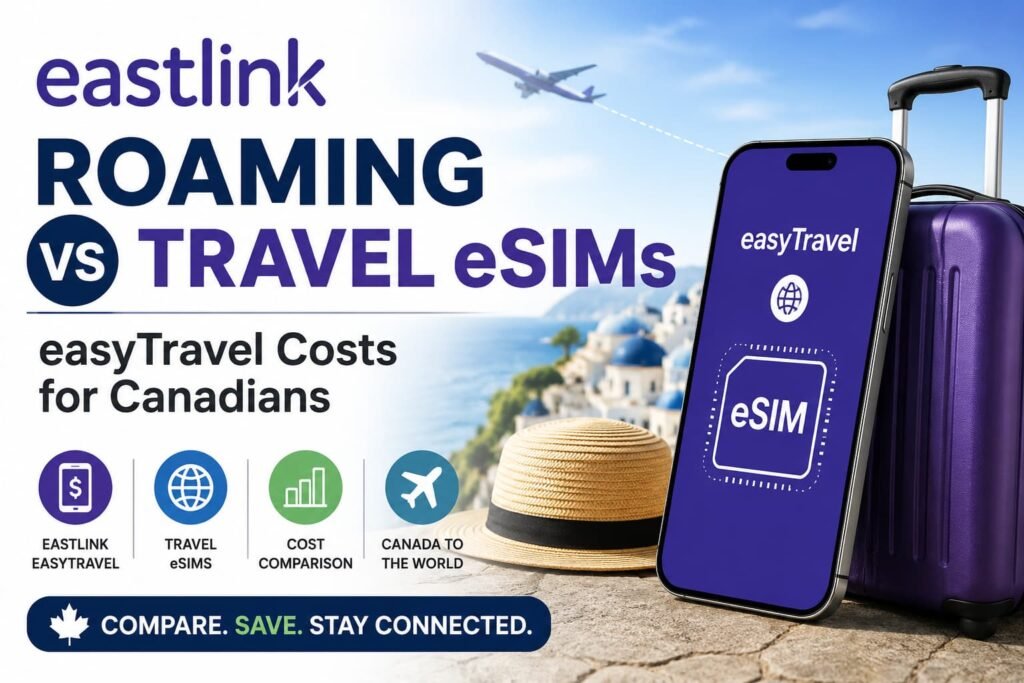
If you use Eastlink and you are planning a trip outside Canada, the big question is not just whether your phone will work. It is whether Eastlink roaming is the easiest option, or whether a travel eSIM gives you better control over your data and travel costs.
Eastlink is different from some Canadian carriers because its travel setup can include easyTravel, travel packs, and pay-per-use roaming depending on where you are going and how your account is set up.
For short trips, that convenience can be useful. You can keep your Eastlink number active, stay reachable for calls or texts, and avoid installing another SIM profile before you leave.
For longer trips, the decision changes. Daily roaming fees, family travel, hotspot use, delayed roaming charges, and multi-country travel can make a travel eSIM much more attractive.
This Eastlink roaming vs travel eSIMs guide is written for Canadian travelers who want a practical answer before they leave Canada. It explains when Eastlink roaming makes sense, when a travel eSIM is better, how easyTravel fits into the decision, and when a hybrid setup gives you the best balance.
Before travelling, compare your destination, trip length, number of travelers, and expected data use so you can decide whether Eastlink roaming, a travel pack, a travel eSIM, or a hybrid setup makes more sense.
Quick Answer: Eastlink Roaming vs Travel eSIMs
Eastlink roaming is usually best for short trips where convenience matters more than savings, especially if you need your Eastlink number active and you do not want to manage another SIM.
A travel eSIM is usually better for longer trips, Europe travel, family vacations, hotspot use, remote work, or multi-country travel because it gives you a separate prepaid data plan and clearer control over mobile data costs.
For many Eastlink customers, the smartest travel setup is a hybrid one: keep Eastlink available for important calls or verification texts, and use a travel eSIM for mobile data.
The Eastlink Travel Decision: easyTravel, Travel Pack, Pay-Per-Use, or Travel eSIM?
Eastlink customers usually need to compare four possible travel setups before leaving Canada: easyTravel, a travel pack, pay-per-use roaming, or a separate travel eSIM.
The right choice depends on how long you are away, how much data you use, and whether keeping your Eastlink number active matters during the trip.
| Travel Situation | Best Starting Point |
|---|---|
| Weekend U.S. trip | Eastlink easyTravel may be convenient |
| One-week U.S. vacation | Compare easyTravel with a U.S. travel eSIM |
| Europe trip | Compare Eastlink travel options with a Europe eSIM |
| Resort trip to Mexico or Caribbean | Check Eastlink destination support, then compare travel eSIMs |
| Family vacation | Travel eSIMs often reduce total per-line cost |
| Heavy hotspot use | Travel eSIM usually gives better control |
| Need Eastlink number active | Hybrid setup |
| Cruise or flight travel | Airplane Mode at sea or in flight |
| Multi-country trip | Regional or global travel eSIM |
| Long trip | Travel eSIM usually more predictable |
The key difference with Eastlink is that easyTravel can feel simple for short trips, but daily charges can still add up quickly when the trip is longer or more than one person is travelling.
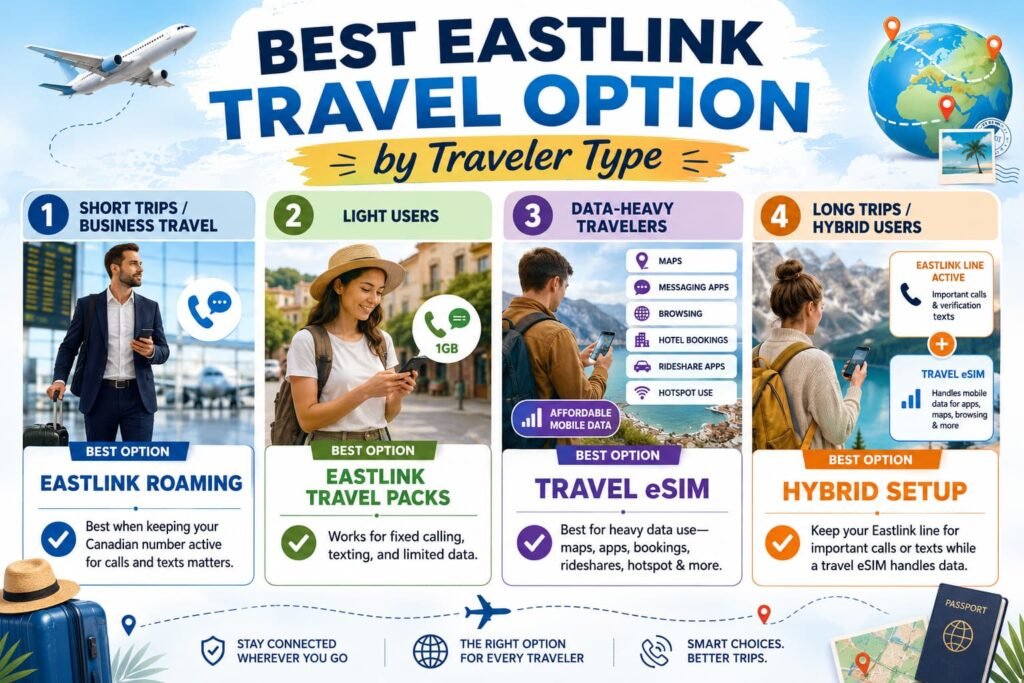
Best Eastlink Travel Option by Traveler Type
Eastlink roaming is usually best for short trips, business travel, and travelers who need their Canadian number active for calls and texts.
Eastlink travel packs may work better for light users who want a fixed amount of calling, texting, and limited data without relying only on daily roaming.
A travel eSIM is usually the better choice for travelers who mainly need affordable mobile data for maps, messaging apps, browsing, hotel bookings, rideshare apps, and hotspot use.
A hybrid setup is often the best option for longer trips because it keeps the Eastlink line available for important calls or verification texts while the travel eSIM handles mobile data.
Before Comparing Eastlink Roaming and Travel eSIMs, Check Your Eastlink Travel Options
Before buying a travel eSIM, check your Eastlink travel options first.
This matters because Eastlink customers may have different roaming choices depending on the destination. In some places, easyTravel may be available. In others, a travel pack or pay-per-use roaming may be the fallback.
Start by checking your destination, the daily easyTravel cost, whether a travel pack is available, and whether your trip is short enough for Eastlink roaming to make sense.
Then think about how you actually use your phone. If you mostly need Google Maps, WhatsApp, email, hotel bookings, rideshare apps, and browsing, a travel eSIM may be the cleaner option. If you need your Eastlink number active for work, calls, texts, or verification codes, a hybrid setup may be better.
This is also where the free Canadian Roaming Savings Calculator is useful. A two-day U.S. trip and a two-week Europe trip should not be treated the same way, especially when easyTravel, travel packs, family lines, hotspot use, and travel eSIM prices can change the total cost.
What Is Eastlink International Roaming?
Eastlink international roaming allows eligible customers to use their Eastlink mobile service outside Canada through roaming partner networks.
Depending on the destination and setup, roaming may include mobile data, calls, text messaging, access to partner networks, and use of your regular Eastlink phone number.
Eastlink roaming is built around convenience.
You can keep your Canadian number active and use your phone in supported destinations without swapping SIM cards or relying only on public Wi-Fi.
But roaming pricing, destination support, and available travel options can vary depending on where you are travelling, what plan you have, and how your device is configured.
Before travelling, always verify current easyTravel rules, destination availability, triggers, and pricing through Eastlink’s official Mobile Travel support page.
How Eastlink easyTravel Works
Eastlink easyTravel is the roaming option many customers will look at first because it is built around simplicity.
In eligible destinations, easyTravel lets customers use their current Eastlink mobile plan while travelling for a daily fee. Eastlink lists easyTravel at $13 per day in the United States and $16 per day in more than 170 international destinations.
That convenience is the main benefit. Your Eastlink number stays active, your phone works through roaming partner networks, and you can keep using your regular talk, text, and data allowance while travelling in eligible destinations.
The tradeoff is cost control. A daily fee may feel reasonable for a short trip, but it can become expensive over a longer vacation, especially if several family members trigger roaming on the same day.
Eastlink easyTravel can be triggered by using mobile data, sending outgoing texts or MMS, making or answering calls, checking voicemail, or allowing background apps to use cellular data while connected to a roaming partner network. Standard incoming SMS messages are usually the safest part of the setup because they may still arrive without triggering the same kind of roaming use, but MMS picture messages need data and can create charges.
What Can Trigger Eastlink easyTravel Charges?
| Action While Travelling | Can Trigger easyTravel? |
|---|---|
| Using mobile data | Yes |
| Sending an outgoing text | Yes |
| Sending or receiving MMS picture messages | Usually yes |
| Making a phone call | Yes |
| Answering a phone call | Yes |
| Checking voicemail | Yes |
| Background app data | Yes |
| Receiving a standard SMS text | Usually no |
| Using Wi-Fi only with cellular data off | Usually no |
Eastlink easyTravel is strongest for short trips, work travel, and travelers who value convenience more than squeezing every dollar out of mobile data.
A travel eSIM is stronger when you mainly need affordable data and want to know the cost before the trip starts.
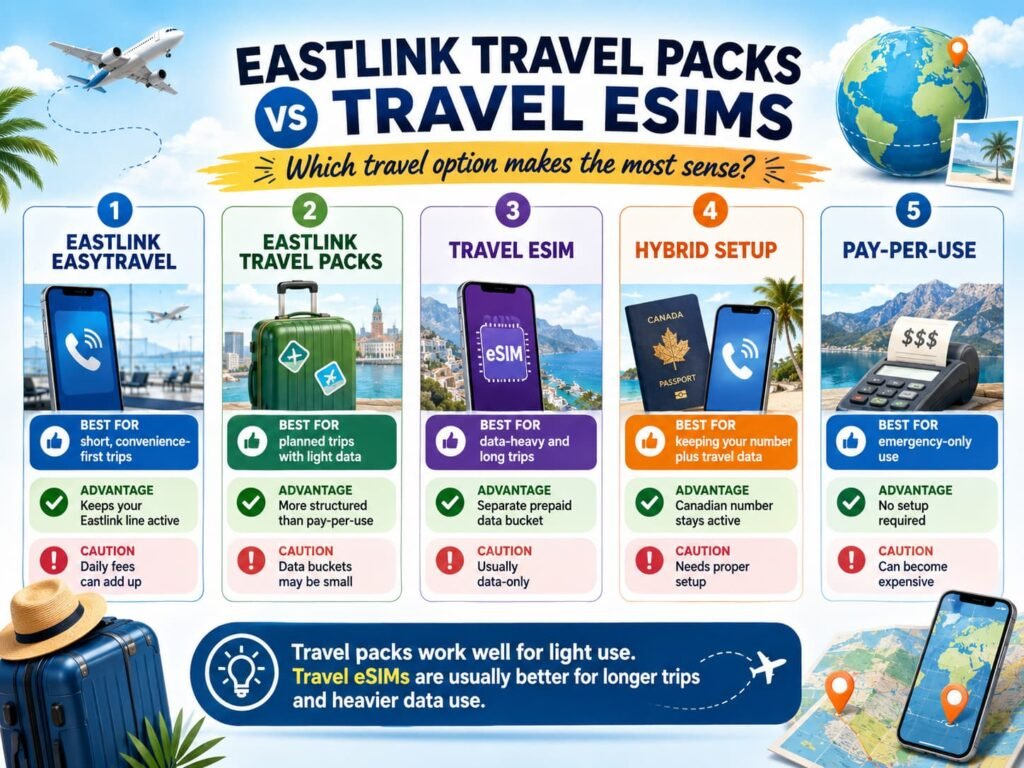
Eastlink Travel Packs vs Travel eSIMs
Eastlink travel packs are worth checking if you want something more planned than pay-per-use roaming but still want to stay inside Eastlink’s roaming system.
That can be helpful if you need calling, texting, and data together. It can also make sense if your trip is more structured and Eastlink offers a pack that fits your destination and travel length.
Eastlink travel packs can be useful for travelers who want a set amount of calling, texting, and light data without relying only on daily roaming. The main thing to watch is the data limit. Some travel packs are better for emergency use, messaging, and light browsing than for maps, streaming, hotspot use, or remote work.
Eastlink’s travel packs can vary by region, but they may include options for the U.S., Europe, Mexico, the Caribbean, Australia, Oceania, Asia, Latin America, and Africa. Some packs focus more on calling and messaging, while others include small travel data buckets.
A travel eSIM solves a different problem. It gives you a separate prepaid data plan for the trip, which is usually better when your main concern is maps, messaging apps, email, browsing, hotspot use, and predictable data cost.
| Option | Best For | Main Advantage | Main Drawback |
|---|---|---|---|
| Eastlink easyTravel | Short convenience-first trips | Keeps Eastlink line active and uses your regular plan | Daily fees can add up |
| Eastlink travel packs | Planned trips needing calls, texts, and some data | More structured than pay-per-use | Data buckets may be small |
| Travel eSIM | Data-heavy and long trips | Separate prepaid data bucket | Usually data-only |
| Hybrid setup | Travelers needing Eastlink number plus travel data | Keeps Canadian number active | Requires correct setup |
| Pay-per-use roaming | Emergency-only use | No setup required | Can become very expensive |
For current pack options, destination support, and extra-usage rates, check Eastlink’s official Travel and Long Distance Add-ons page before leaving Canada.
For Eastlink customers, the main decision is whether you need your Eastlink line for full roaming service, or whether you mostly need affordable travel data.
How Eastlink Roaming Charges Can Add Up
Eastlink roaming can become expensive when a short convenience feature turns into a daily habit for the whole trip.
This is especially important for Atlantic Canadian families heading to the U.S., Europe, Mexico, the Caribbean, or multi-country trips where more than one phone may trigger roaming.
One person using easyTravel for a couple of days may be manageable. Several people using it every day can change the math quickly.
Hotspot use is another big factor. A phone used for maps and messages is very different from a phone sharing data with laptops, tablets, or other family members.
Pay-per-use roaming is the highest-risk setup. Eastlink lists pay-per-use rates that can become expensive quickly, especially when data is billed by the megabyte in international destinations.
Eastlink customers should also watch for delayed roaming billing. International roaming usage can sometimes appear later because partner network records may take time to reach the Canadian carrier.
That is why many travelers compare Eastlink roaming with a travel eSIM before departure, especially for longer trips where prepaid data is easier to budget.
Does the CRTC Roaming Cap Protect Eastlink Customers?
The CRTC Wireless Code helps protect Canadian wireless customers from some unexpected data roaming charges, but it does not make every roaming charge disappear.
The important detail is that daily roaming passes, calls, texts, travel packs, and approved roaming usage may not be treated the same way as unauthorized pay-per-use data overages.
That means an Eastlink customer can still see daily easyTravel charges add up during a longer trip if the phone keeps triggering roaming each day.
This is why travelers should not rely only on bill shock protections. The safer move is to set up the phone before leaving Canada, keep Eastlink data roaming off when using a travel eSIM, and compare the expected cost before the trip.
Does Eastlink Roaming Use Your Canadian Plan?
With easyTravel, Eastlink says customers can use the same plan they use at home while travelling in eligible destinations for the daily easyTravel fee.
That means travel use may draw from your regular plan allowance rather than giving you a separate travel-only data bucket.
Travel packs and pay-per-use roaming work differently. A travel pack gives you a fixed travel allowance, while pay-per-use roaming charges based on the type of usage and destination.
That is why Eastlink customers should check the exact travel option before leaving Canada instead of assuming every destination works the same way.
This matters because travel data can grow quickly through maps, rideshare apps, hotel bookings, hotspot use, video calls, streaming, cloud backups, and social media uploads.
A travel eSIM works differently because it gives you a separate prepaid data bucket for the trip. That can make budgeting easier when mobile data is the main thing you need.
Eastlink Roaming for the United States
Eastlink roaming may be practical for short U.S. trips, especially for customers in Atlantic Canada who travel to the United States for weekends, flights, cruises, shopping, family visits, or business trips.
Eastlink lists easyTravel at $13 per day in the United States, which can be simple enough for short trips if you understand when the daily charge can be triggered.
For longer U.S. travel, the decision changes. A week in Florida, a road trip through New England, or a longer stay in Las Vegas, New York, Boston, or Seattle can make a U.S. travel eSIM worth comparing.
A travel eSIM is often better if you expect to use maps, rideshare apps, hotspot, social media, streaming, or remote work tools every day.
Eastlink roaming can still be useful if keeping your Canadian number active is important, especially for calls, texts, work, or verification codes.
Frequent U.S. or Mexico travelers should also check whether a Canada-U.S.-Mexico plan makes more sense than paying daily travel fees repeatedly.
Eastlink Roaming for Europe and International Travel
Europe is where travel eSIMs often become much more attractive.
Eastlink easyTravel may work in many international destinations, but at $16 per day, a longer Europe trip can add up quickly.
If you are visiting countries such as Portugal, Spain, France, Italy, Germany, the United Kingdom, Ireland, or the Netherlands, compare Eastlink easyTravel, Eastlink travel packs, and a regional Europe eSIM before leaving Canada.
Regional Europe eSIMs often provide multi-country coverage, prepaid data, easier budgeting, and more predictable costs.
This is especially useful for train travel, backpacking, cruises with port stops, remote work, family travel, and hotspot usage.
Eastlink travel options may still be worth checking before departure, especially if you need your Canadian number active for calls or texts.
Eastlink Roaming for Mexico and the Caribbean
Mexico and Caribbean travel deserve their own check because many Canadians travel there for resorts, cruises, winter vacations, and family trips.
If you are travelling to Cancun, Riviera Maya, Puerto Vallarta, Dominican Republic, Jamaica, Cuba, Aruba, or another sun destination, compare Eastlink easyTravel, Eastlink travel packs, pay-per-use fallback rates, and travel eSIMs before leaving Canada.
For resort travel, a travel eSIM may be enough if you mainly need maps, messaging apps, email, browsing, hotel apps, and airport transportation.
If you need your Eastlink number active for calls, texts, verification codes, or work, a hybrid setup may be better.
Cuba should be checked especially carefully because roaming rates and destination rules can differ from other Caribbean destinations.
Cruise travelers should be especially careful because cruise ship cellular networks are not the same as normal roaming in Mexico or the Caribbean.
Eastlink Roaming for Family Travel
Roaming costs become much more serious during family travel because charges can apply per line.
| Number of Lines | Roaming Risk |
|---|---|
| 1 line | Moderate |
| 2 lines | Costs multiply quickly |
| 3 lines | High roaming risk |
| 4+ lines | Travel eSIMs often cheaper |
This is one of the biggest reasons families compare travel eSIMs before travelling internationally.
Many families keep one Canadian line active for important calls or verification texts while using travel eSIMs for everyone else. This can reduce the chance that every phone triggers roaming on the same day.
Before family travel, compare the cost per line carefully because multiple phones using roaming on the same trip can change the total cost quickly.
Eastlink Roaming for Cruises and Flights
Cruise and in-flight roaming require special attention.
At sea or in the air, phones may connect to maritime satellite networks, airplane cellular systems, or cruise ship roaming systems. These networks can create expensive charges that are very different from normal land-based roaming.
The safer setup is to use Airplane Mode while at sea or in flight, use ship or airline Wi-Fi if needed, keep automatic data switching off, and use travel eSIMs only when connected to land-based mobile networks.
Travel eSIMs generally do not work on cruise ship satellite systems.
If your itinerary includes a cruise, turn off automatic network selection before boarding and only turn mobile data back on when you are safely connected to a land-based network in port.
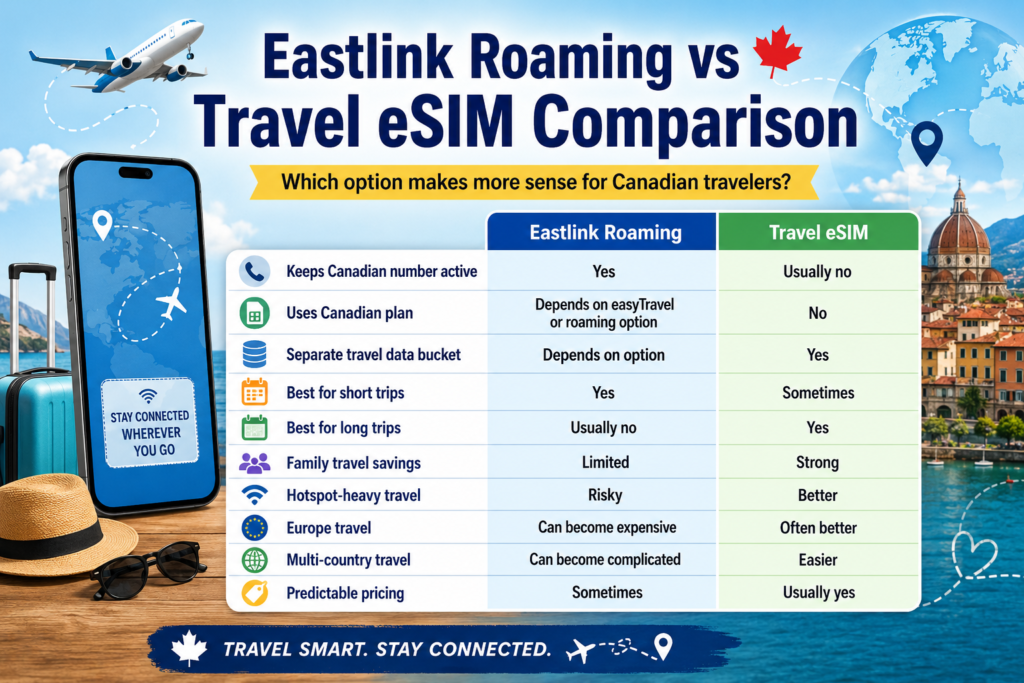
Eastlink Roaming vs Travel eSIM Comparison Table
| Feature | Eastlink Roaming | Travel eSIM |
|---|---|---|
| Keeps Canadian number active | Yes | Usually no |
| Uses Canadian plan | Depends on easyTravel or roaming option | No |
| Separate travel data bucket | Depends on option | Yes |
| Best for short trips | Yes | Sometimes |
| Best for long trips | Usually no | Yes |
| Family travel savings | Limited | Strong |
| Hotspot-heavy travel | Risky | Better |
| Europe travel | Can become expensive | Often better |
| Multi-country travel | Can become complicated | Easier |
| Predictable pricing | Sometimes | Usually yes |
When Eastlink Roaming Makes Sense
Eastlink roaming may make sense when the trip is very short, your data use is light, or you need your Eastlink number active for calls, SMS, work, or emergency contact.
It can also be a reasonable choice if your employer pays for roaming or if you simply do not want to manage another SIM profile during a quick trip.
For quick U.S. travel, convenience can outweigh savings.
When a Travel eSIM Is Better Than Eastlink Roaming
Travel eSIMs are usually better when cost control and mobile data matter more than traditional calling.
They are especially useful for Europe travel, Asia travel, long trips, family travel, backpacking, hotspot use, remote work, multi-country travel, and travelers who want predictable prepaid data pricing.
This is especially true if you mainly use WhatsApp, FaceTime, iMessage, maps, email, social media, and travel apps instead of regular voice calls.
Best Hybrid Setup for Eastlink Customers
For many travelers, the smartest setup is a hybrid setup.
With a hybrid setup, the Eastlink line stays available for important calls or texts while the travel eSIM handles mobile data.
The key is to keep Eastlink data roaming off where appropriate, turn automatic data switching off, and make sure messaging apps use the travel eSIM data connection.
This lets travelers keep access to their Canadian number, receive important verification texts, reduce roaming costs, and still use affordable travel data abroad.
Before You Leave Canada: Eastlink Travel Setup Checklist
Before your trip, check your destination on Eastlink’s travel page, decide whether easyTravel, a travel pack, or a travel eSIM makes the most sense, and install your travel eSIM while you still have a stable connection.
Set the travel eSIM as your mobile data line, turn off data roaming on your Eastlink line if you do not want to use Eastlink roaming data, disable automatic data switching, and download offline maps before departure.
Before buying a travel eSIM, use our eSIM Compatibility Checker to confirm whether your phone, tablet, or smartwatch supports eSIM before you start setting up a travel data plan.
If you need your Eastlink number for verification texts, keep the Eastlink line active but avoid using it for mobile data, outgoing calls, outgoing texts, voicemail, or MMS unless you are comfortable triggering roaming charges.
How to Use a Travel eSIM With Eastlink on iPhone
- Install the travel eSIM before departure.
- Open Settings > Cellular.
- Label Eastlink as Primary.
- Label the travel eSIM as Travel Data.
- Select the travel eSIM for Cellular Data.
- Turn off Allow Cellular Data Switching.
- Open Eastlink settings.
- Turn Data Roaming off for Eastlink unless you intentionally plan to use Eastlink roaming.
- Keep Eastlink active only if needed for calls or texts.
For additional setup help, follow our How to Activate an eSIM on iPhone in Canada guide before travelling.
How to Use a Travel eSIM With Eastlink on Android
For most Android phones, the goal is the same. Your travel eSIM should handle mobile data, while your Eastlink line stays available only for calls or texts if needed.
Samsung Galaxy users can usually start at Settings > Connections > SIM manager.
Google Pixel users can usually start at Settings > Network & Internet > SIMs.
Motorola users can usually start at Settings > Network & Internet > Mobile Network or SIMs.
After that, set the travel eSIM for mobile data, disable automatic data switching, and turn off Eastlink data roaming unless you intentionally plan to use Eastlink roaming.
For additional setup help, follow our Activate eSIM on Android Canada guide before travelling.
The Biggest Eastlink Roaming Mistakes Travelers Make
Most Eastlink roaming problems happen when the traveler assumes roaming will behave exactly like it does at home.
The first mistake is leaving background data on. Your phone may sync email, upload photos, refresh apps, check weather, use location services, or update messaging apps without you opening anything manually.
The second mistake is using hotspot without thinking about how fast data can disappear. A laptop connected to your phone can use far more data than maps or messages.
The third mistake is assuming Wi-Fi Calling always avoids roaming rules. Eastlink’s Wi-Fi Calling terms are important to check because Wi-Fi Calling is designed for use in Canada, and international use may not behave the way travelers expect.
The fourth mistake is not checking the Eastlink travel option before the trip. easyTravel, travel packs, and pay-per-use roaming are not the same thing.
The fifth mistake is assuming a travel pack stops all extra charges once the included data is used. Some travel options may allow extra usage at additional rates, so travelers should understand the limit before relying on a small data pack.
The goal is not to make travel complicated. The goal is to decide before departure which line handles data, which line stays active for calls or texts, and how much you are comfortable spending.
Eastlink vs Rogers, Bell, TELUS, Freedom, Public Mobile, Chatr, and SaskTel
| Carrier | Main Roaming Style | Best For | Main Caution |
|---|---|---|---|
| Eastlink | easyTravel, travel packs, pay-per-use | Atlantic Canadian travelers wanting convenience | Daily charges and destination rules can vary |
| Rogers | Daily roaming | Short trips | Per-line daily charges |
| Bell | Daily roaming | Canadian number access | Uses Canadian data bucket |
| TELUS | Daily roaming and passes | Flexible travel setups | Need to compare plan options |
| Freedom | Included roaming on some plans | Moderate travel | Not every destination included |
| Public Mobile | Prepaid roaming | Budget North America travel | Limited international support |
| Chatr | Prepaid-style roaming | Budget users | Wallet balance can be depleted |
| SaskTel | Roaming add-ons and packages | Saskatchewan travelers wanting simplicity | International roaming can become expensive |
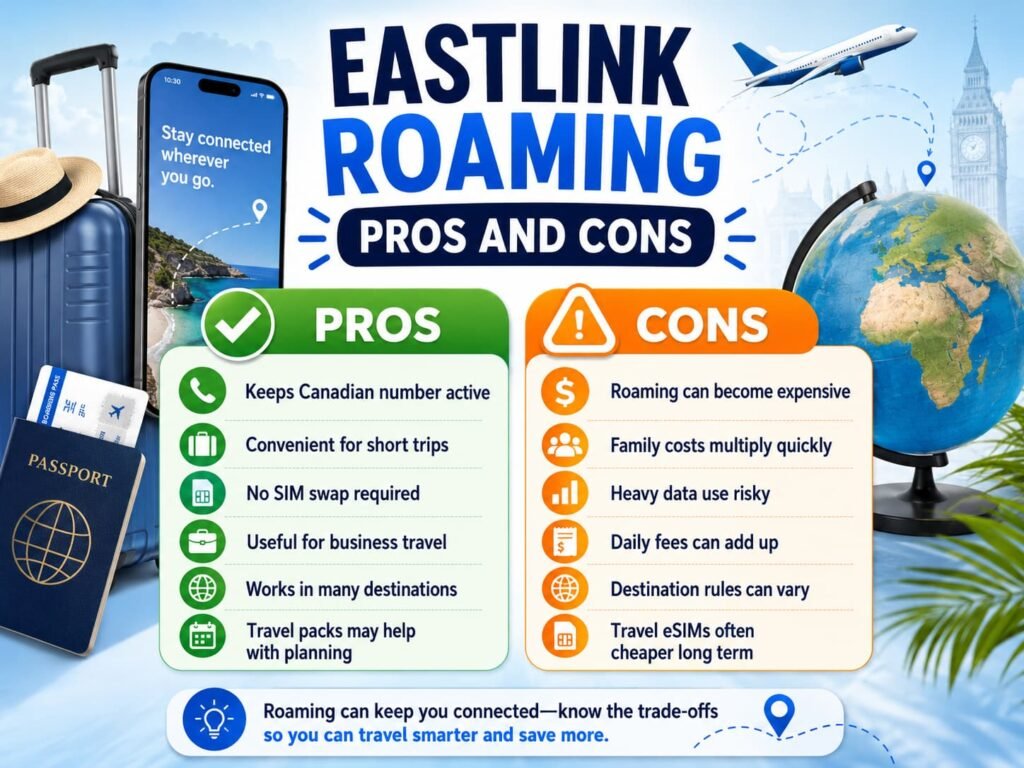
Eastlink Roaming Pros and Cons
| Pros | Cons |
|---|---|
| Keeps Canadian number active | Roaming can become expensive |
| Convenient for short trips | Family costs multiply quickly |
| No SIM swap required | Heavy data use risky |
| Useful for business travel | Daily fees can add up |
| Works in many destinations | Destination rules can vary |
| Travel packs may help with planning | Travel eSIMs often cheaper long term |
Frequently Asked Questions About Eastlink Roaming vs Travel eSIMs
Is Eastlink roaming good for international travel?
Eastlink roaming can work well for short trips where convenience matters more than savings. It is especially useful if you need your Canadian number active for calls, SMS verification codes, work communication, or emergency contact.
For longer trips, especially Europe travel, family vacations, hotspot-heavy travel, or multi-country travel, many travelers compare roaming costs against travel eSIM pricing first because roaming charges can add up quickly over several days.
What triggers Eastlink easyTravel charges?
Eastlink easyTravel can be triggered when your phone actively uses roaming while connected to a foreign partner network. That can include using mobile data, sending a text or picture message, making a call, answering a call, checking voicemail, or allowing background apps to use cellular data.
This is why Eastlink customers should set up their phones before leaving Canada. Even small background data activity can create a roaming event if the Eastlink line is allowed to use data abroad.
Is a travel eSIM cheaper than Eastlink roaming?
A travel eSIM is often cheaper for longer international trips because it provides a separate prepaid travel data package instead of triggering daily roaming charges through your Canadian carrier.
The savings usually become much more noticeable during long vacations, family travel, remote work trips, hotspot-heavy travel, Europe trips, and situations where mobile data usage is expected to be high throughout the trip.
For very short one-day or two-day trips, Eastlink roaming may still be simple enough for travelers who prioritize convenience over savings.
Is a travel eSIM cheaper than Eastlink roaming?
A travel eSIM is often cheaper for longer international trips because it provides a separate prepaid travel data package instead of triggering daily roaming charges through your Canadian carrier.
The savings usually become much more noticeable during long vacations, family travel, remote work trips, hotspot-heavy travel, Europe trips, and situations where mobile data usage is expected to be high throughout the trip.
For very short one-day or two-day trips, Eastlink roaming may still be simple enough for travelers who prioritize convenience over savings.
Can I use Eastlink and a travel eSIM together?
Most modern phones support dual SIM or dual eSIM setups, which means Eastlink can remain active while the travel eSIM handles mobile data.
This is one of the most common setups for Canadian travelers because it allows continued access to verification texts, Canadian number access, and emergency communication while reducing roaming data costs abroad.
The most important part is configuring the phone correctly before departure so the travel eSIM handles mobile data while Eastlink roaming data stays disabled unless intentionally used.
Can I receive Eastlink verification texts while using a travel eSIM?
In many cases, you can still receive standard incoming SMS messages on your Eastlink line while using a travel eSIM for mobile data.
This is one of the main reasons travelers use a hybrid setup. The travel eSIM handles maps, messaging apps, email, browsing, and hotel bookings, while the Eastlink line stays available for important verification texts from banks, apps, and online accounts.
Picture messages are different because MMS usually needs cellular data. That means receiving or opening picture and video messages can create roaming risk if the Eastlink line is not set up carefully.
Can I be charged by Eastlink if I only use Wi-Fi abroad?
Using hotel, airport, or café Wi-Fi does not normally use mobile roaming data by itself. The risk happens when your phone quietly switches back to cellular data because Wi-Fi is weak, disconnected, or unstable.
If your Eastlink line still has data roaming enabled, a small background task can trigger roaming even when you thought you were mostly using Wi-Fi. Before travelling, turn off Eastlink data roaming and disable automatic data switching if you are using a travel eSIM for data.
Does turning off data roaming stop all Eastlink roaming charges?
Turning off data roaming helps prevent mobile data charges, but it does not necessarily block every possible roaming charge.
If you answer a call, make a call, send an outgoing text, use voicemail, or send MMS while abroad, those actions may still create roaming charges depending on your Eastlink travel setup and destination.
That is why travelers who want the lowest-risk setup usually keep Eastlink active only for incoming verification texts and use the travel eSIM for mobile data.
Does Eastlink easyTravel work in the United States?
Eastlink lists easyTravel for U.S. roaming at $13 per day, which can make it convenient for short American trips when you want to keep your Eastlink number active.
For longer U.S. trips, compare the total easyTravel cost against a U.S. travel eSIM or a Canada-U.S.-Mexico plan. The daily fee may be simple, but it can become expensive when several travel days or multiple family lines are involved.
Can I use hotspot with Eastlink roaming while travelling?
Hotspot can be useful while travelling, but it can also use data very quickly. If you tether a laptop, tablet, or another phone to your Eastlink roaming connection, your travel usage can climb much faster than expected.
With easyTravel, hotspot use may pull from your regular Eastlink plan allowance. With a travel pack, hotspot use can burn through a small data bucket quickly. For remote work, family travel, or longer trips, a travel eSIM is usually easier to control because you can buy a separate prepaid data package before leaving Canada.
Why did Eastlink roaming charges appear after my trip ended?
Roaming charges do not always appear immediately because international partner networks may take time to send usage records back to the Canadian carrier.
That means your Eastlink account may look normal right after you return home, then show roaming charges on a later bill. This is one reason travelers should not rely only on the first bill after a trip to confirm that no roaming charges were created.
Can Eastlink Wi-Fi Calling avoid roaming charges abroad?
Wi-Fi Calling can be confusing while travelling because calling over hotel Wi-Fi does not always mean the call avoids roaming rules. Eastlink’s Wi-Fi Calling terms are important to review because the service is designed for use in Canada, and international use may fail or create charges depending on the situation.
For safer communication abroad, many travelers use internet-based apps such as WhatsApp, FaceTime, Signal, Telegram, Messenger, or iMessage over the travel eSIM data connection. This is usually easier to control than relying on traditional voice calling while outside Canada.
What is the best Eastlink travel setup for long international trips?
For longer international trips, the best Eastlink setup is usually a hybrid setup. Keep your Eastlink line available for important calls or verification texts, but use a travel eSIM for mobile data.
This setup works especially well for Europe travel, Asia travel, Latin America trips, backpacking, family vacations, and remote work. It gives you access to your Canadian number while keeping maps, messaging apps, email, browsing, travel bookings, and hotspot use on a separate prepaid data plan.
How should Eastlink customers use the Canadian Roaming Savings Calculator?
Eastlink customers should use the free Canadian Roaming Savings Calulator before travelling to compare estimated Eastlink roaming costs against travel eSIM pricing. Enter your destination, trip length, number of travelers, and expected data use to get a clearer idea of which setup may cost less.
The calculator is especially helpful for longer trips, Europe travel, family vacations, hotspot use, and multi-country travel. Once you see the estimated cost difference, you can decide whether Eastlink easyTravel, an Eastlink travel pack, a travel eSIM, or a hybrid setup makes the most sense.
More eSIM and Roaming Guides for Canadian Travelers
Compare Similar Canadian Roaming Options
- Canadian Roaming Savings Calulator
- SaskTel Roaming vs Travel eSIMs
- Videotron Roaming vs Travel eSIMs
- Chatr Mobile Roaming vs Travel eSIMs
- Rogers Roam Like Home vs Travel eSIMs
- TELUS Easy Roam vs Travel eSIMs
- Bell Roam Better vs Travel eSIMs
Set Up or Fix Your Travel eSIM
- How to Activate Eastlink eSIM in Canada
- How to Fix eSIM Not Working in Canada
- How to Reinstall or Reactivate an eSIM in Canada
Compare Travel eSIM Providers
Final Thoughts
Eastlink roaming can be convenient for short trips, especially when you want your Canadian number to stay active and you only need light usage while travelling.
The challenge is that international roaming can become harder to predict once the trip gets longer, includes several countries, involves multiple family members, or depends heavily on mobile data.
Before leaving Canada, check your Eastlink roaming options first. Look at your destination, available travel options, expected data use, and whether you need your Eastlink number active for calls or texts.
For many Eastlink customers, the best setup is a hybrid one. Keep the Eastlink line available for important calls or verification texts, but let a travel eSIM handle mobile data. That gives you better control over maps, messaging apps, email, travel bookings, hotspot use, and everyday browsing while abroad.
Eastlink roaming may still be the easiest option for some short trips, but a travel eSIM can often provide clearer pricing and better data control for longer international travel.
The safest approach is to decide before you travel: use Eastlink roaming for convenience, use a travel pack for light planned usage, use a travel eSIM for affordable data, or use a hybrid setup when you need both your Eastlink number and better data control.