If you use PC Mobile and you are travelling outside Canada, the most important thing to know is simple: PC Mobile is not built like a full roaming carrier for international travel.
PC Mobile is a prepaid Canadian mobile service that can work well for budget-conscious users inside Canada. But when you leave the country, you need to plan ahead because PC Mobile does not offer U.S. or international roaming at this time.
This PC Mobile roaming vs travel eSIMs guide explains what happens when PC Mobile customers travel outside Canada, why travel eSIMs are usually the better option, how PC Mobile compares with other prepaid carriers, and what to do before leaving Canada.
For PC Mobile users, the best travel setup is not traditional roaming. It is usually a travel eSIM for mobile data, Wi-Fi apps for communication, and backup verification methods before you leave Canada.
Quick Answer: PC Mobile Roaming vs Travel eSIMs
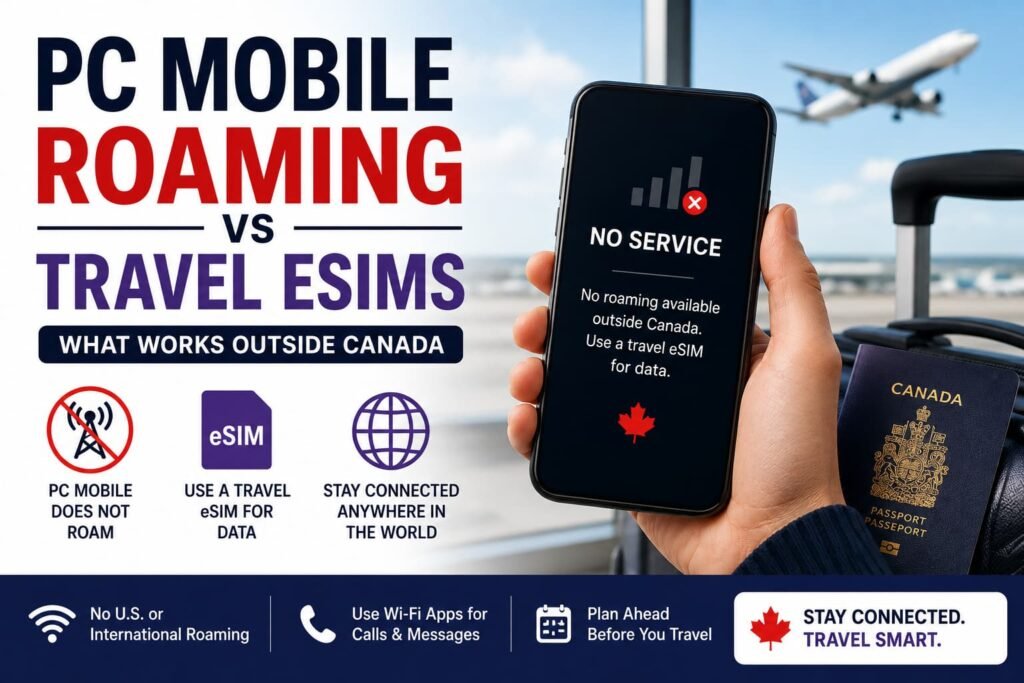
PC Mobile does not currently offer U.S. or international roaming, so your PC Mobile service should not be relied on outside Canada for regular calls, texts, picture messages, or mobile data.
A travel eSIM is usually the better option for PC Mobile customers because it gives you prepaid mobile data for maps, messaging apps, email, browsing, hotel bookings, rideshare apps, and travel planning while abroad.
The biggest issue is not roaming cost. It is access. PC Mobile customers should prepare before leaving Canada because the phone may not connect to foreign networks, and SMS verification codes may not arrive while travelling.
The PC Mobile Travel Decision: No Roaming, Wi-Fi, Travel eSIM, or Local SIM?
PC Mobile customers need to think differently before travelling.
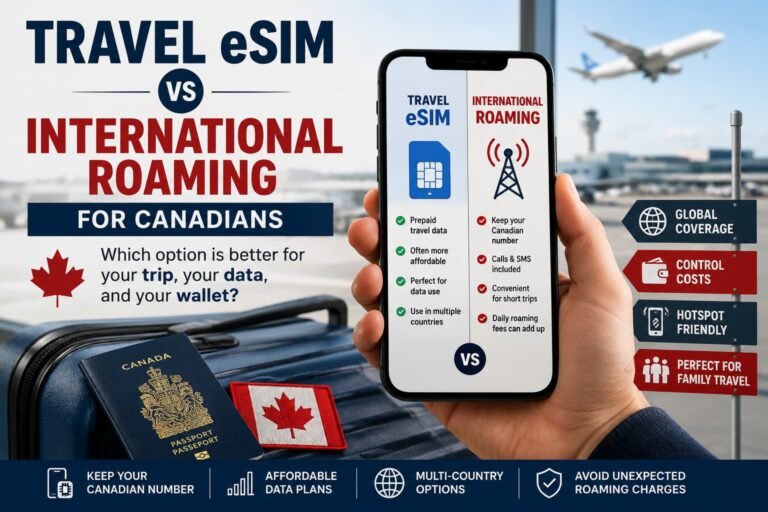
With some Canadian carriers, the decision is whether to use daily roaming, a travel pass, pay-per-use roaming, or a travel eSIM. With PC Mobile, the decision is usually whether to rely on Wi-Fi, buy a travel eSIM, use a local SIM, or temporarily use another carrier setup for travel.
The free Canadian Roaming Savings Calculator can help you compare the travel eSIM route with roaming-enabled Canadian carriers before you decide what setup makes sense.
| Travel Situation | Best Starting Point |
|---|---|
| Weekend U.S. trip | U.S. travel eSIM or Wi-Fi-based setup |
| One-week U.S. vacation | U.S. travel eSIM |
| Europe trip | Regional Europe travel eSIM |
| Mexico or Caribbean resort trip | Destination-specific travel eSIM |
| Family vacation | Travel eSIMs for each compatible phone |
| Heavy hotspot use | Travel eSIM with enough data and hotspot support |
| Need Canadian bank codes | Prepare verification options before leaving Canada |
| Need regular Canadian number abroad | Consider another carrier option before travel |
| Cruise or flight travel | Airplane Mode at sea or in flight |
| Long trip | Travel eSIM, local SIM, or alternate travel plan |
The key difference is that PC Mobile is not a traditional roaming option for international travel. For most travelers, the real comparison is PC Mobile’s lack of roaming vs a travel eSIM that actually gives you data abroad.
Best PC Mobile Travel Option by Traveler Type
A travel eSIM is usually best for PC Mobile customers who need affordable mobile data while travelling.
Wi-Fi may be enough for very light travelers who only need internet at hotels, airports, cafés, or resorts, but it is less reliable when you are moving around.
A local SIM can make sense for longer stays in one country, especially if you need a local phone number, but it is less convenient than installing a travel eSIM before departure.
A temporary carrier switch or backup travel line may make sense if you absolutely need a Canadian number that works outside Canada for calls or SMS while travelling.
| Traveler Type | Best Option |
|---|---|
| Budget traveler | Travel eSIM |
| PC Optimum-focused user | Keep PC Mobile in Canada, use travel eSIM abroad |
| Light Wi-Fi-only traveler | Hotel and public Wi-Fi, with offline maps |
| U.S. weekend traveler | U.S. travel eSIM |
| Europe traveler | Regional Europe eSIM |
| Resort traveler | Destination travel eSIM |
| Heavy data user | Travel eSIM with larger data package |
| Needs Canadian SMS abroad | Plan verification alternatives before travel |
| Long-stay traveler | Local SIM or longer-validity travel eSIM |
| Frequent traveler | Dedicated travel eSIM provider or roaming-enabled carrier |
Before Comparing PC Mobile and Travel eSIMs, Understand the Roaming Limitation
Before buying any travel add-on or expecting PC Mobile to work abroad, check the official PC Mobile information first.
PC Mobile’s official roaming support page says PC Mobile does not offer roaming to the U.S. or internationally at this time. PC Mobile’s official phone outside Canada support page also says U.S. and international roaming features cannot be added to PC Mobile phones at this time.
PC Mobile also notes on its plans page that Wi-Fi Calling is not currently available. That matters because Wi-Fi Calling is a common workaround on some Canadian carriers, but PC Mobile customers should not rely on it for travel.
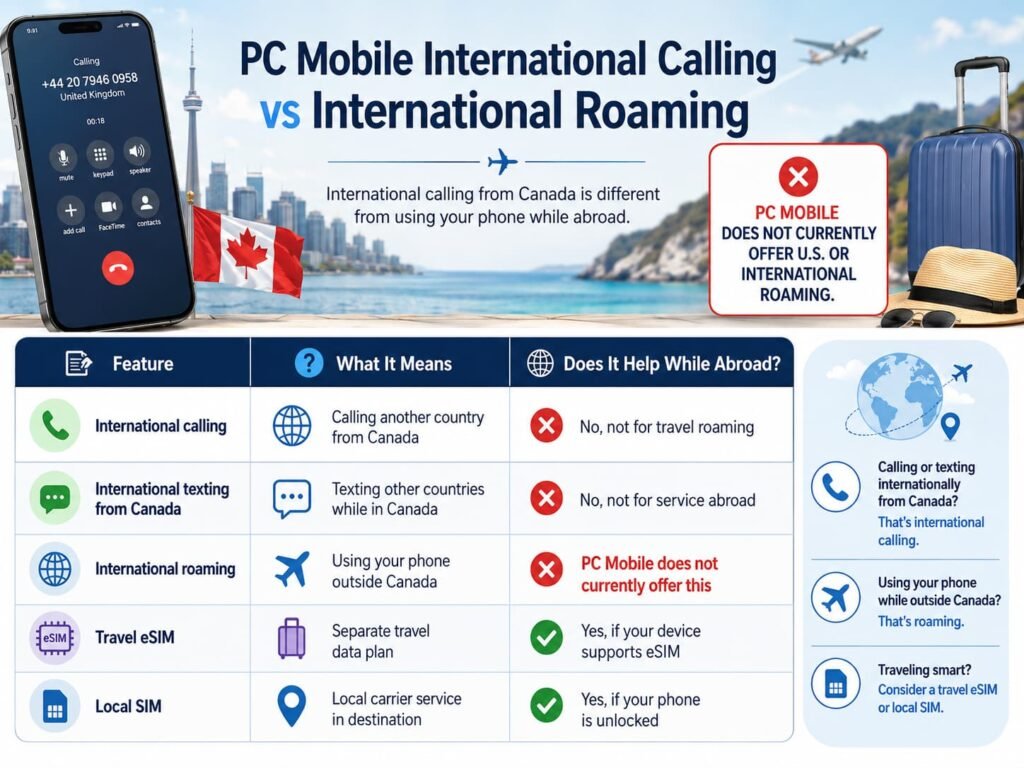
International calling and international roaming are different. International calling means calling another country from Canada. International roaming means using your Canadian mobile service while physically outside Canada.
Before buying a travel eSIM, use our eSIM Compatibility Checker to confirm whether your phone, tablet, or smartwatch supports eSIM before you start setting up a travel data plan.
What Happens to PC Mobile Outside Canada?
When you travel outside Canada with PC Mobile, you should not expect your PC Mobile plan to behave like a roaming-enabled Canadian carrier plan.
PC Mobile is designed for prepaid service inside Canada. If you leave Canada, your regular PC Mobile calls, texts, picture messages, and data should not be relied on because PC Mobile does not currently offer U.S. or international roaming.
That means you should not plan your trip around PC Mobile mobile data, PC Mobile calling, or PC Mobile SMS working abroad.
For travelers, this matters most when you need maps, rideshare apps, hotel bookings, banking apps, airport updates, translation apps, restaurant reservations, messaging apps, and emergency communication while away.
The safest move is to set up an alternative travel data option before leaving Canada.
PC Mobile International Calling vs International Roaming
This is one of the most important differences to understand.
PC Mobile international calling may let you call other countries from Canada, depending on your plan or add-on.
International roaming is different. Roaming lets your Canadian mobile service connect to foreign networks while you are physically outside Canada.
PC Mobile does not currently offer U.S. or international roaming, so international calling features should not be treated as travel roaming features.
| Feature | What It Means | Does It Help While Abroad? |
|---|---|---|
| International calling | Calling another country from Canada | No, not for travel roaming |
| International texting from Canada | Texting other countries while in Canada | No, not for service abroad |
| International roaming | Using your phone outside Canada | PC Mobile does not currently offer this |
| Travel eSIM | Separate travel data plan | Yes, if your device supports eSIM |
| Local SIM | Local carrier service in destination | Yes, if your phone is unlocked |
If you are travelling outside Canada, focus on travel eSIMs, local SIMs, Wi-Fi, or another travel-ready phone setup.
PC Mobile Roaming vs Travel eSIMs: What Actually Works Abroad
A travel eSIM solves the biggest problem PC Mobile customers face abroad: mobile data.
With a travel eSIM, you install a separate digital SIM profile on your phone and use it for data in your destination country or region.
That means you can use apps like Google Maps, Apple Maps, WhatsApp, iMessage, FaceTime, Messenger, email, Safari, Chrome, hotel apps, airline apps, rideshare apps, and translation tools while travelling.
| Option | Best For | Main Advantage | Main Drawback |
|---|---|---|---|
| PC Mobile in Canada | Prepaid Canadian service | Simple domestic setup | Does not currently roam internationally |
| Travel eSIM | Data abroad | Prepaid travel data | Usually data-only |
| Local SIM | Longer stays in one country | May include local number | Requires buying SIM abroad |
| Wi-Fi only | Very light users | No extra mobile plan needed | Unreliable away from Wi-Fi |
| Temporary carrier switch | Travelers needing Canadian number abroad | More complete roaming support | More effort and cost |
For most PC Mobile users, a travel eSIM is the simplest way to stay connected abroad without changing your main Canadian phone plan permanently.
Why PC Mobile Users Should Plan Before Leaving Canada
PC Mobile’s no-roaming limitation makes pre-travel planning more important.
If you wait until you land, you may have no mobile data to download an eSIM app, open your email, scan a QR code, receive setup instructions, access your hotel booking, or use a rideshare app from the airport.
This can become even more frustrating at airports where free Wi-Fi asks for an SMS code before you can connect. If your PC Mobile line has no service outside Canada, you may not be able to receive that code.
Install your travel eSIM before departure whenever possible. Make sure your phone is unlocked, confirm your device supports eSIM, save your eSIM QR code or app login, and download offline maps before your trip.
If you use banking apps, work accounts, or two-factor authentication, update your verification methods before leaving Canada. Add authenticator apps, backup codes, email recovery options, or trusted devices where possible.
This is especially important because PC Mobile SMS verification texts should not be relied on outside Canada.
You should also turn off the PC Mobile line in your phone settings after leaving Canada if it keeps searching for service. A phone that constantly searches for a network can drain battery faster, especially when the PC Mobile line cannot connect to a roaming partner outside Canada.
PC Mobile for U.S. Travel
PC Mobile customers travelling to the United States should plan ahead because PC Mobile does not currently offer U.S. roaming.
If you are going to New York, Florida, Las Vegas, California, Boston, Seattle, Buffalo, Detroit, Chicago, or anywhere else in the United States, a U.S. travel eSIM is usually the easiest option.
A U.S. travel eSIM can give you mobile data for maps, rideshare apps, hotel bookings, airport updates, messaging apps, and browsing as soon as you land or cross the border.
For short U.S. trips, Wi-Fi may be enough if you stay mostly at hotels or with family. But for road trips, city travel, airport transfers, and theme parks, mobile data is much more useful.
PC Mobile users who frequently travel to the United States may also want to compare whether staying with PC Mobile is still the best long-term setup or whether a carrier with U.S. roaming support makes more sense.
PC Mobile for Europe Travel
Europe is where travel eSIMs can be especially useful for PC Mobile customers.
If you are travelling to France, Portugal, Spain, Italy, Germany, the United Kingdom, Ireland, Greece, the Netherlands, or several European countries in one trip, a regional Europe eSIM is usually the cleanest option.
A regional Europe eSIM can cover multiple countries under one prepaid data plan. That is helpful for train travel, backpacking, family vacations, remote work, cruises with port stops, and multi-city itineraries.
Because PC Mobile does not currently roam internationally, you should not expect your PC Mobile number to work normally in Europe.
Use your travel eSIM for mobile data, and use internet-based apps like WhatsApp, FaceTime, iMessage, Messenger, Telegram, Signal, Skype, or email to stay in touch.
PC Mobile for Mexico and the Caribbean
Mexico and the Caribbean are common destinations for Canadian travelers, and PC Mobile users should prepare before leaving Canada.
If you are travelling to Cancun, Riviera Maya, Puerto Vallarta, Dominican Republic, Cuba, Jamaica, Aruba, Turks and Caicos, or another sun destination, do not rely on PC Mobile roaming.
A travel eSIM can be useful for airport transfers, resort check-in, maps, WhatsApp, email, tour bookings, restaurant reservations, and messaging family back home.
Some resorts have good Wi-Fi, but Wi-Fi can be unreliable at beaches, airports, excursion pickup points, and while moving between locations.
If you are going on a cruise, use Airplane Mode while at sea. Travel eSIMs generally work on land-based mobile networks, not cruise ship satellite cellular systems.
PC Mobile for Family Travel
PC Mobile can be a practical prepaid option for families inside Canada, but international travel needs a separate strategy.
Since PC Mobile does not currently offer U.S. or international roaming, every traveler who needs mobile data abroad should have a travel eSIM, local SIM, or another travel connection option.
| Family Setup | Best Option |
|---|---|
| One traveler needs data | One travel eSIM may be enough |
| Two phones need maps and messaging | Two travel eSIMs are usually cleaner |
| Kids only use tablets on Wi-Fi | Hotel Wi-Fi and offline downloads may be enough |
| Parents need bank and travel apps | Travel eSIMs are strongly recommended |
| Family road trip | Travel eSIMs with hotspot support may help |
For family trips, install travel eSIMs before leaving Canada and test that each compatible phone can switch to the travel data line.
PC Mobile, Verification Texts, and Banking Codes Abroad
Verification texts are one of the biggest issues for PC Mobile customers travelling outside Canada.
With roaming-enabled carriers, travelers may be able to keep the Canadian line active for incoming SMS while using a travel eSIM for data. PC Mobile is different because service is not designed for U.S. or international roaming.
That means you should not rely on receiving PC Mobile SMS verification codes while abroad.
Before travelling, check your banking apps, credit card apps, email accounts, work logins, airline apps, and government accounts. Add backup verification methods where possible.
Good options include authenticator apps, backup codes, email verification, trusted devices, app-based push notifications, or temporary alternative numbers where supported.
This matters because some airport Wi-Fi networks, banking apps, and account logins still ask for SMS verification. If your PC Mobile line does not have service outside Canada, you may not be able to receive the code needed to get online or access the account.
PC Mobile and Wi-Fi Calling Abroad
PC Mobile users should be careful not to assume Wi-Fi Calling will solve international travel issues.
PC Mobile’s plans page states that PC Mobile does not offer Wi-Fi Calling, so connecting your phone to hotel Wi-Fi will not make your regular PC Mobile number work like a roaming-enabled line abroad.
That is different from using internet-based apps. Apps like WhatsApp, FaceTime, Messenger, Signal, Telegram, Skype, Fongo, TextNow, and email can work over Wi-Fi or travel eSIM data, but your regular PC Mobile cellular service should not be expected to work abroad.
For most PC Mobile travelers, the practical setup is simple: use a travel eSIM for mobile data and use internet-based apps for calls and messages.
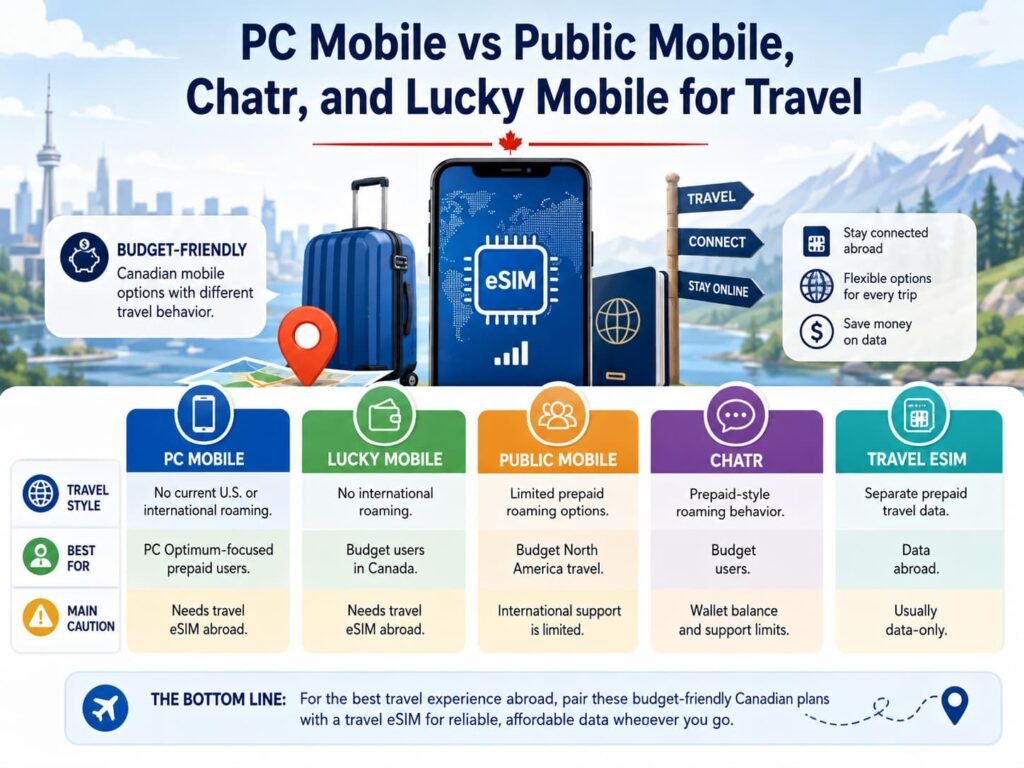
PC Mobile vs Public Mobile, Chatr, and Lucky Mobile for Travel
PC Mobile, Public Mobile, Chatr, and Lucky Mobile are all budget-friendly Canadian mobile options, but their travel behavior is not identical.
For travelers, the important question is not only which plan is cheapest in Canada. It is whether the phone will work when you leave Canada.
| Carrier | Travel Style | Best For | Main Caution |
|---|---|---|---|
| PC Mobile | No current U.S. or international roaming | PC Optimum-focused prepaid users | Needs travel eSIM abroad |
| Lucky Mobile | No international roaming | Budget users in Canada | Needs travel eSIM abroad |
| Public Mobile | Limited prepaid roaming options | Budget North America travel | International support is limited |
| Chatr | Prepaid-style roaming behavior | Budget users | Wallet balance and support limits |
| Travel eSIM | Separate prepaid travel data | Data abroad | Usually data-only |
PC Mobile customers should think of travel eSIMs as the main travel data solution, not an optional backup.
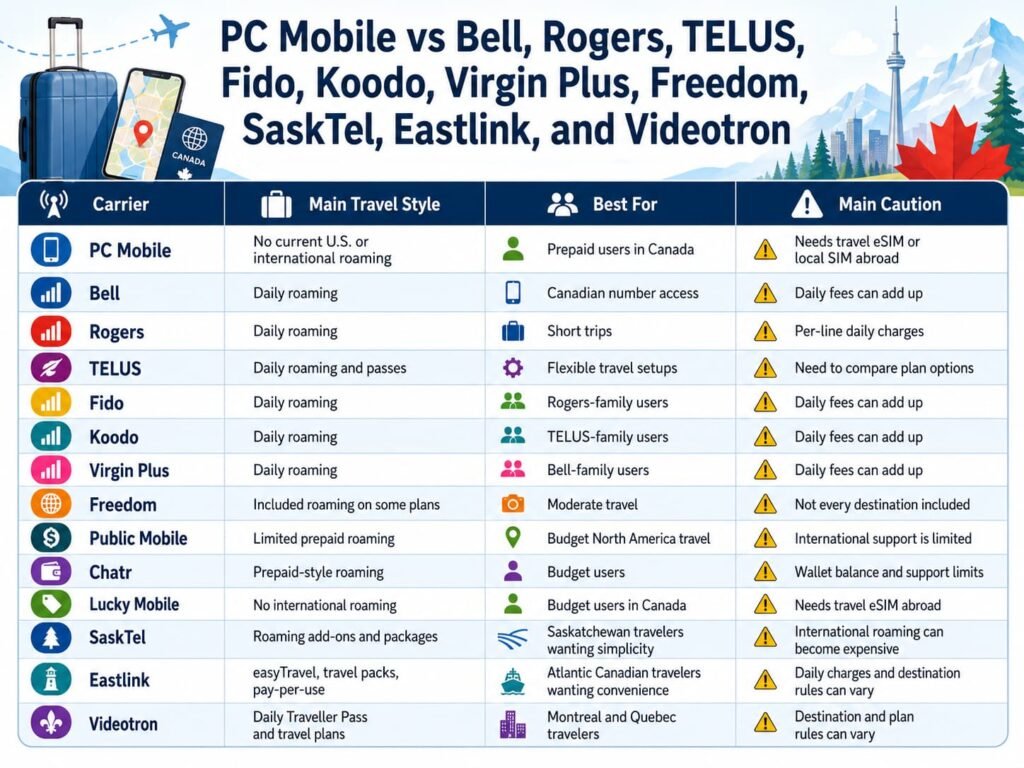
PC Mobile vs Bell, Rogers, TELUS, Fido, Koodo, Virgin Plus, Freedom, SaskTel, Eastlink, and Videotron
| Carrier | Main Travel Style | Best For | Main Caution |
|---|---|---|---|
| PC Mobile | No current U.S. or international roaming | Prepaid users in Canada | Needs travel eSIM or local SIM abroad |
| Bell | Daily roaming | Canadian number access | Daily fees can add up |
| Rogers | Daily roaming | Short trips | Per-line daily charges |
| TELUS | Daily roaming and passes | Flexible travel setups | Need to compare plan options |
| Fido | Daily roaming | Rogers-family users | Daily fees can add up |
| Koodo | Daily roaming | TELUS-family users | Daily fees can add up |
| Virgin Plus | Daily roaming | Bell-family users | Daily fees can add up |
| Freedom | Included roaming on some plans | Moderate travel | Not every destination included |
| Public Mobile | Limited prepaid roaming | Budget North America travel | International support is limited |
| Chatr | Prepaid-style roaming | Budget users | Wallet balance and support limits |
| Lucky Mobile | No international roaming | Budget users in Canada | Needs travel eSIM abroad |
| SaskTel | Roaming add-ons and packages | Saskatchewan travelers wanting simplicity | International roaming can become expensive |
| Eastlink | easyTravel, travel packs, pay-per-use | Atlantic Canadian travelers wanting convenience | Daily charges and destination rules can vary |
| Videotron | Daily Traveller Pass and travel plans | Montreal and Quebec travelers | Destination and plan rules can vary |
PC Mobile Roaming vs Travel eSIM Comparison Table
| Feature | PC Mobile | Travel eSIM |
|---|---|---|
| Works outside Canada | Usually no | Yes, in supported destinations |
| Uses PC Mobile number abroad | Usually no | No |
| Provides mobile data abroad | No current U.S. or international roaming | Yes |
| Best for short trips | Only with Wi-Fi or travel eSIM | Yes |
| Best for long trips | No | Yes |
| Family travel savings | Needs separate setup | Strong |
| Hotspot-heavy travel | Not available through PC Mobile roaming | Depends on eSIM provider |
| Europe travel | Needs alternative setup | Often strong |
| U.S. travel | Needs alternative setup | Often strong |
| Predictable pricing | No roaming | Usually yes |
When PC Mobile Makes Sense for Travelers
PC Mobile can still make sense if you want a prepaid plan in Canada and only travel occasionally.
If your trips are short, you are comfortable using a travel eSIM, and you do not need your Canadian number working abroad, PC Mobile can remain a useful home plan.
It can also work well for travelers who mainly use WhatsApp, FaceTime, Messenger, iMessage, Telegram, Signal, Google Maps, email, and travel apps over a separate data connection.
When a Travel eSIM Is Better Than PC Mobile Abroad
A travel eSIM is better whenever you need mobile data outside Canada.
That includes U.S. trips, Europe trips, Mexico and Caribbean vacations, family travel, airport transfers, road trips, remote work, hotspot use, and multi-country itineraries.
Because PC Mobile does not currently offer U.S. or international roaming, a travel eSIM is not just a way to save money. For many PC Mobile users, it is the main way to get mobile data while travelling.
Best Travel Setup for PC Mobile Customers
The best setup for most PC Mobile customers is to keep PC Mobile as the Canadian home plan and use a travel eSIM for mobile data abroad.
Before leaving Canada, install the travel eSIM, set it as the mobile data line, download offline maps, confirm your hotel and flight details are saved, and update your two-factor authentication options.
If you need traditional calls or SMS on a Canadian number while outside Canada, PC Mobile may not be the right travel setup. In that case, consider a carrier with roaming support, a temporary secondary line, or app-based communication options before your trip.
Before You Leave Canada: PC Mobile Travel Setup Checklist
Before your trip, confirm that PC Mobile will not provide roaming service at your destination and choose a travel eSIM, local SIM, or Wi-Fi-based setup before departure.
Install your travel eSIM while you still have reliable internet access in Canada. Save your eSIM login details, QR code, or activation instructions in case you need them later.
Set the travel eSIM as your mobile data line, turn off mobile data on your PC Mobile line if needed, disable automatic data switching, and download offline maps before departure.
Update your banking, email, work, airline, and government account verification methods before leaving Canada. Do not rely only on PC Mobile SMS if you need account access abroad.
How to Use a Travel eSIM With PC Mobile on iPhone
- Install the travel eSIM before departure.
- Open Settings > Cellular.
- Label PC Mobile as Primary.
- Label the travel eSIM as Travel Data.
- Select the travel eSIM for Cellular Data.
- Turn off Allow Cellular Data Switching.
- Keep PC Mobile active only if you intentionally need it for domestic use before leaving Canada.
- Use the travel eSIM for mobile data after arrival.
- Use apps like WhatsApp, FaceTime, iMessage, Messenger, Signal, Telegram, or email for communication.
For additional setup help, follow our How to Activate an eSIM on iPhone in Canada guide before travelling.
How to Use a Travel eSIM With PC Mobile on Android
For most Android phones, the goal is to make the travel eSIM your mobile data line before you need it abroad.
Samsung Galaxy users can usually start at Settings > Connections > SIM manager.
Google Pixel users can usually start at Settings > Network & Internet > SIMs.
Motorola users can usually start at Settings > Network & Internet > Mobile Network or SIMs.
After that, set the travel eSIM for mobile data, disable automatic data switching, and use internet-based apps for calls and messages while abroad.
Many travel eSIMs require data roaming to be turned on for the travel eSIM line itself. That does not mean you are using PC Mobile roaming. It allows the travel eSIM provider to connect through its local network partners.
For additional setup help, follow our Activate eSIM on Android Canada guide before travelling.
The Biggest PC Mobile Travel Mistakes
The biggest mistake is assuming PC Mobile will work outside Canada because the phone itself supports roaming or because the service works well at home.
The second mistake is confusing international calling with international roaming. PC Mobile may support calling other countries from Canada, but that does not mean your PC Mobile service will work when you are physically outside Canada.
The third mistake is waiting until after arrival to buy a travel eSIM. If you land with no data, it can be harder to download apps, open email, scan QR codes, or access hotel information.
The fourth mistake is relying only on PC Mobile SMS for banking or account verification abroad. Set up backup verification before leaving Canada.
The fifth mistake is leaving the PC Mobile line turned on while abroad if your phone keeps searching for service. If the line cannot connect, the constant search can drain your battery faster.
The sixth mistake is buying a travel eSIM without checking device compatibility, phone unlock status, hotspot rules, destination coverage, and data amount.
How Much Travel eSIM Data Do PC Mobile Customers Need?
Because PC Mobile does not currently roam outside Canada, your travel eSIM may become your main internet connection while travelling.
Most basic travel tasks do not use much data. Maps, messaging, email, airline apps, and hotel bookings are usually light. Social media, video calls, hotspot use, app updates, cloud photo backups, and streaming can use data much faster.
| Traveler Type | Suggested Travel eSIM Size |
|---|---|
| Casual navigator | 1 GB to 3 GB per week |
| Connected sightseer | 5 GB to 10 GB per week |
| Heavy social media user | 10 GB to 20 GB per week |
| Remote worker or streamer | 20 GB+ or unlimited-style plan |
| Family hotspot user | Larger plan with hotspot support |
Before leaving Canada, download offline maps, turn on data saver modes, disable automatic app updates, and wait for hotel Wi-Fi before uploading large photo or video backups.
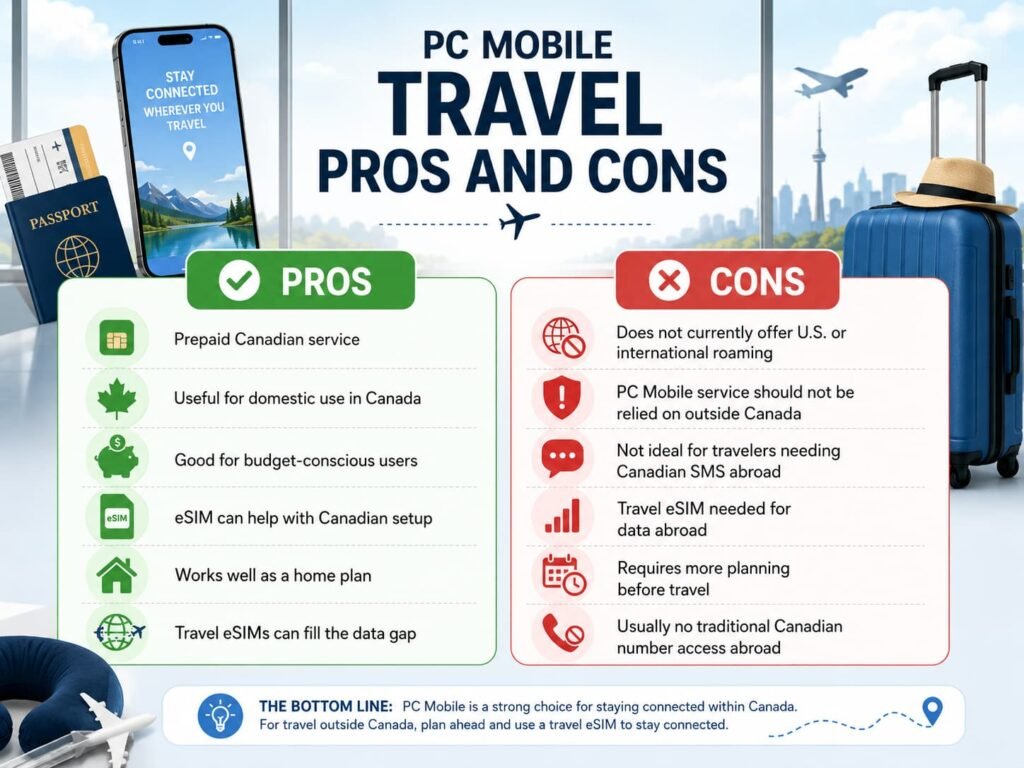
PC Mobile Travel Pros and Cons
| Pros | Cons |
|---|---|
| Prepaid Canadian service | Does not currently offer U.S. or international roaming |
| Useful for domestic use in Canada | PC Mobile service should not be relied on outside Canada |
| Good for budget-conscious users | Not ideal for travelers needing Canadian SMS abroad |
| eSIM can help with Canadian setup | Travel eSIM needed for data abroad |
| Works well as a home plan | Requires more planning before travel |
| Travel eSIMs can fill the data gap | Usually no traditional Canadian number access abroad |
Frequently Asked Questions About PC Mobile Roaming vs Travel eSIMs
Does PC Mobile offer international roaming?
PC Mobile does not currently offer U.S. or international roaming, so your regular PC Mobile service should not be relied on outside Canada for calls, texts, picture messages, or mobile data.
This is the most important difference between PC Mobile and many roaming-enabled Canadian carriers. If you are travelling outside Canada, plan on using a travel eSIM, local SIM, Wi-Fi, or another travel-ready setup.
Does PC Mobile work in the United States?
PC Mobile does not currently provide U.S. roaming, so you should not rely on your PC Mobile plan working when you cross into the United States.
For U.S. trips, a travel eSIM is usually the easiest solution for mobile data. It can help with maps, rideshare apps, hotel bookings, airport updates, browsing, and messaging apps while you are away.
Can I add U.S. or international roaming to PC Mobile?
PC Mobile’s support information says U.S. and international roaming features cannot be added to PC Mobile phones at this time.
That means customers should not plan on adding a roaming feature right before travel. Instead, set up a travel eSIM, local SIM, Wi-Fi-based calling app, or another carrier option before leaving Canada.
Does PC Mobile support Wi-Fi Calling abroad?
PC Mobile’s plans page says PC Mobile does not offer Wi-Fi Calling, so hotel Wi-Fi will not make your regular PC Mobile phone number work like a roaming-enabled carrier line abroad.
You can still use internet-based apps like WhatsApp, FaceTime, Messenger, Signal, Telegram, Skype, Fongo, TextNow, and email over Wi-Fi or travel eSIM data.
Can I use a travel eSIM with PC Mobile?
You can use a travel eSIM with PC Mobile if your phone supports eSIM and is unlocked.
The travel eSIM works separately from PC Mobile and gives you mobile data in supported destinations. PC Mobile remains your Canadian plan, while the travel eSIM handles data abroad.
Will I receive PC Mobile verification texts while travelling?
You should not rely on receiving PC Mobile SMS verification texts while outside Canada because PC Mobile does not currently offer U.S. or international roaming.
Before travelling, update your banking, email, work, airline, and government account verification methods. Add authenticator apps, backup codes, trusted devices, email verification, or app-based login options where available.
Is PC Mobile the same as Public Mobile for travel?
No. PC Mobile and Public Mobile are both prepaid-style Canadian options, but their travel behavior is different.
Public Mobile has offered limited U.S. roaming options, while PC Mobile’s official support information says U.S. and international roaming features cannot be added to PC Mobile phones at this time. For PC Mobile users, a travel eSIM is usually the main travel data option.
Is PC Mobile the same as Lucky Mobile for travel?
PC Mobile and Lucky Mobile are similar in one important way: neither should be treated as a full international roaming option for travel.
For both carriers, travelers should plan ahead with a travel eSIM, local SIM, Wi-Fi-based communication apps, and backup verification methods before leaving Canada.
Can I use WhatsApp or FaceTime with PC Mobile abroad?
You can use WhatsApp, FaceTime, iMessage, Messenger, Telegram, Signal, Skype, email, and similar apps abroad if your phone has internet access through Wi-Fi or a travel eSIM.
These apps do not require PC Mobile roaming to work. They need a data connection, which can come from hotel Wi-Fi, airport Wi-Fi, resort Wi-Fi, or a travel eSIM.
Why does my phone battery drain faster outside Canada with PC Mobile?
If your PC Mobile line stays on outside Canada, your phone may keep searching for a network it cannot join. That constant searching can drain battery faster, especially during travel days.
After leaving Canada, turn off the PC Mobile line in your phone settings if you are using a travel eSIM for data and do not need the PC Mobile line active.
Is Wi-Fi enough for PC Mobile customers travelling abroad?
Wi-Fi may be enough for very light travelers who mostly stay at a hotel, resort, or family home.
For most trips, a travel eSIM is more practical because you can use mobile data while moving between airports, hotels, restaurants, attractions, rideshares, and transit systems.
What is the best travel setup for PC Mobile customers?
The best setup for most PC Mobile customers is to use PC Mobile as the home Canadian plan and install a travel eSIM for mobile data abroad.
Before leaving Canada, install the eSIM, set it as your mobile data line, download offline maps, and update your verification methods so you are not relying only on PC Mobile SMS while outside Canada.
Can PC Mobile customers use the Canadian Roaming Savings Calculator?
PC Mobile customers can still use the free Canadian Roaming Savings Calculator to compare travel eSIM costs with estimated roaming costs from other Canadian carriers.
Since PC Mobile does not currently offer U.S. or international roaming, the calculator is most useful if you are deciding whether to keep PC Mobile as your prepaid Canadian plan and use travel eSIMs abroad, or compare another Canadian carrier that includes roaming for future trips
Is PC Mobile good for frequent travelers?
PC Mobile can be good for prepaid users inside Canada, but it is not the easiest option for frequent international travelers who need their Canadian number active outside the country.
If you travel often and need calls, texts, and Canadian verification codes abroad, compare PC Mobile plus travel eSIMs against a carrier with international roaming or a plan that includes travel destinations.
Should PC Mobile users buy a local SIM instead of a travel eSIM?
A local SIM can be useful for longer stays in one country, especially if you need a local phone number or a longer-term local plan.
For shorter trips and multi-country travel, a travel eSIM is usually easier because you can install it before leaving Canada and avoid finding a SIM store after arrival.
How much travel eSIM data should PC Mobile users buy?
Light travelers who mainly use maps, messaging, email, and travel apps may only need a small plan for a short trip.
Most travelers are safer with a mid-sized plan because social media, photo uploads, hotspot use, video calls, and app updates can use data quickly. If you plan to work remotely, stream video, or share data with family, choose a larger plan or an unlimited-style option where available.
More eSIM and Roaming Guides for Prepaid Canadian Travelers
Compare Similar Canadian Roaming Options
- Public Mobile Roaming vs Travel eSIMs
- Chatr Mobile Roaming vs Travel eSIMs
- Lucky Mobile Roaming vs Travel eSIMs
- Bell Roam Better vs Travel eSIMs
- Freedom Mobile Roam Beyond vs Travel eSIMs
- Fizz Roaming vs Travel eSIMs
- Canadian Roaming Savings Calculator
- eSIM Canada: Best Providers, Setup & Guide for Travelers & Locals
Set Up or Fix Your Travel eSIM
- How to Activate PC Mobile eSIM in Canada
- How to Activate eSIM on Samsung Galaxy in Canada
- How to Activate eSIM on Google Pixel in Canada
- How to Fix eSIM Not Working in Canada
- What to Do If eSIM Activation Fails in Canada
Compare Travel eSIM Providers
Final Thoughts
PC Mobile can be a useful prepaid option inside Canada, especially for customers who want a simple domestic mobile setup.
But for international travel, PC Mobile is not a roaming solution. If you are leaving Canada, you need to plan ahead with a travel eSIM, local SIM, Wi-Fi apps, or another travel-ready phone setup.
For most PC Mobile users, the best travel option is a travel eSIM for mobile data, paired with Wi-Fi and internet-based calling apps for communication. That setup works well for maps, messaging, email, hotel bookings, airport transfers, rideshare apps, and everyday browsing abroad.
The biggest caution is Canadian number access. If you need PC Mobile SMS verification codes, traditional phone calls, or your Canadian number working outside Canada, prepare before you travel. Do not assume PC Mobile will work once you leave the country.
The safest approach is to decide before departure: keep PC Mobile as your prepaid Canadian plan, use a travel eSIM for data abroad, and set up backup verification methods before you leave.