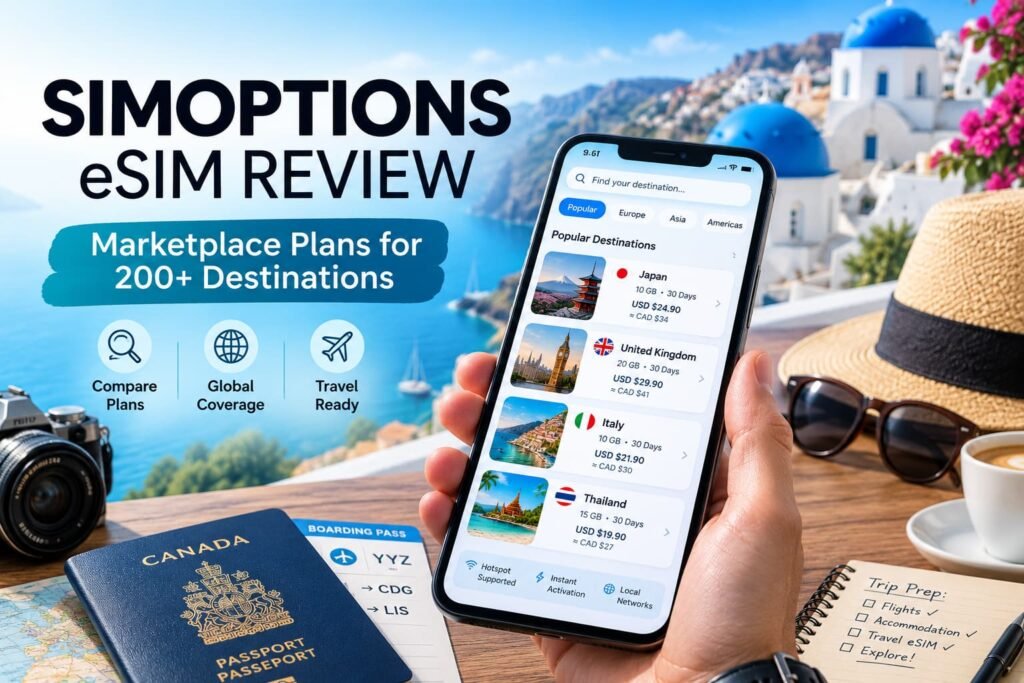
SimOptions takes a different approach from many familiar travel eSIM brands. In this SimOptions eSIM review, I look at how its marketplace model works, what its plans include, and whether it is a practical option for Canadian travellers.
Rather than offering one standardized catalogue, SimOptions lets travellers choose between SimOptions-branded packages and plans supplied by established mobile operators.
That wider selection is most useful when a trip calls for something more specific than a basic data-only eSIM. Some European plans include calls, text messages and a phone number, while others focus only on mobile data. The trade-off is inconsistency: validity, coverage, top-ups, speed and communication features can differ from one listing to another.
For Canadian travellers, SimOptions is worth considering when a particular package fits the itinerary better than a conventional travel eSIM. It is less appealing for someone who wants every destination and plan to follow the same rules.
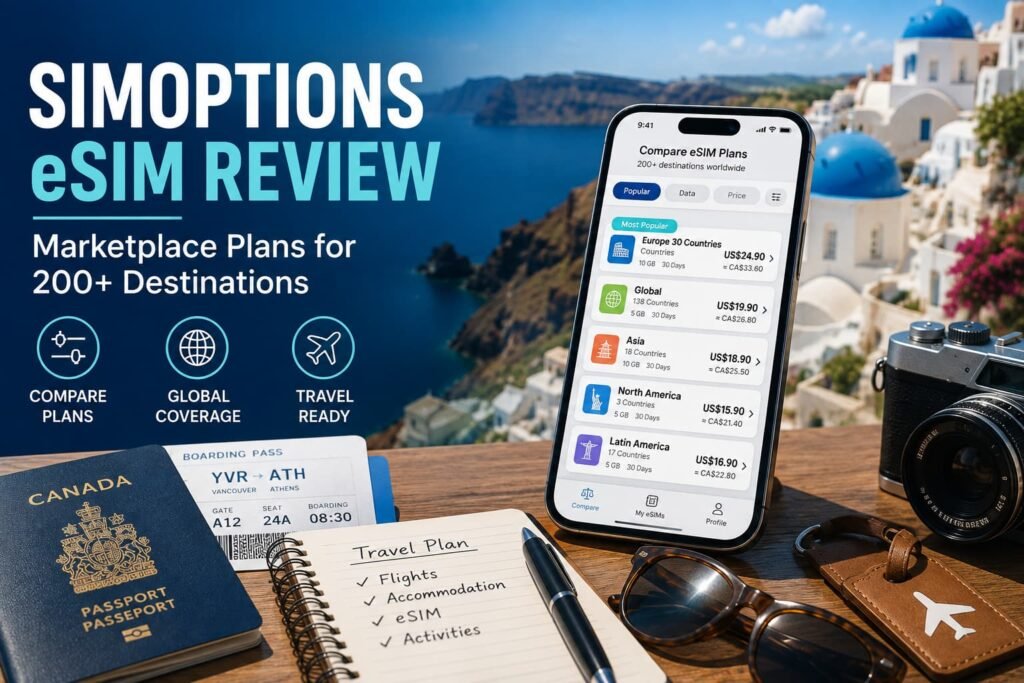
SimOptions Verdict: Is It Worth It for Canadian Travellers?
SimOptions is a legitimate travel eSIM marketplace with plans for more than 200 destinations. Its strongest advantage is variety, particularly regional options and selected European packages that include calls, text messages or a phone number.
That variety is also its main limitation. A feature shown on one listing should never be assumed to apply to another. With SimOptions, buying the right plan matters more than choosing the marketplace itself.
For Canadians who are comfortable comparing the issuer, country list, data allowance, activation trigger, validity, top-up options and communication features, SimOptions can be a useful alternative to a more standardized provider and to expensive daily carrier roaming.
Start With the Plan, Not the SimOptions Name
SimOptions is an online marketplace for prepaid travel SIM cards and eSIMs. It has operated in the travel-connectivity market since 2014 and sells digital plans for more than 200 destinations.
The marketplace model is the key to understanding the service. SimOptions-branded eSIMs appear beside country plans, regional products, unlimited packages and operator-issued plans from companies such as Orange or Bouygues Telecom.
That creates more choice, but not one universal set of features. A European operator package may include calls, SMS and a phone number, while a SimOptions-branded North American plan may be data-only. Coverage, top-up rules, speed, activation timing and unused-profile expiry can also differ.
The practical lesson is simple: treat every listing as a separate product. The marketplace helps you compare options, but the product page determines what you are actually buying.
How to Compare SimOptions Plans Before Buying
The product-detail page matters more than the brand name. Use the table below to compare plans consistently, especially when several options cover the same destination or region.
| Plan detail | Why it matters |
|---|---|
| Plan issuer | Identifies whether the package is SimOptions-branded or supplied by another operator. |
| Covered countries | Confirms every destination where the eSIM can connect. |
| Data allowance | Shows whether the package uses a fixed allowance or an unlimited-style structure. |
| Validity | Explains how long the plan remains active after activation. |
| Activation trigger | Shows whether validity begins at installation, first network connection or another event. |
| Calls and SMS | Confirms whether the package is data-only or includes traditional calling and text messaging. |
| Phone number | Shows whether a local or European number is included. |
| Network speed | Indicates whether the listing supports 4G/LTE or 5G. |
| Top-up support | Determines whether additional data can be added after purchase. |
| Hotspot rules | Confirms whether tethering is allowed and whether limits apply. |
| Unused eSIM expiry | Shows how long the profile can remain unactivated. |
Do not assume a feature is included because another SimOptions plan offers it. This is particularly important for calls, SMS, top-ups, hotspot use and activation timing.
Choose the Plan Type That Fits the Itinerary
SimOptions sells country, regional and multi-country packages. The official SimOptions Europe eSIM page shows the marketplace approach clearly, with SimOptions-branded products listed beside operator-issued plans with different allowances and features.
Country Plans for Straightforward Trips
Country-specific plans are intended mainly for one destination, such as the United States, Japan or Canada. They are often easier to understand, but the country name does not always reveal whether nearby destinations are included. Review the complete coverage list rather than relying on the label.
Regional Plans for Multi-Country Travel
Regional plans can be convenient for European rail journeys, cruises with several ports, North American trips involving Canada, the United States and Mexico, or any itinerary that crosses borders in a short period. One eSIM can be easier than managing separate country profiles.
A regional label does not guarantee that every country in the region is covered. Pay particular attention to Switzerland, Türkiye, the Balkans, smaller territories and any stopover outside the main region.
Fixed Data or Unlimited Data?
Fixed-data packages are usually the easiest to compare because the allowance and validity are clearly defined. Once the data is used, service may stop unless that specific plan supports a top-up.
Unlimited plans reduce the need to monitor a fixed allowance, but unlimited does not always mean unrestricted full-speed use. Review daily high-speed limits, speed reductions, fair-use conditions, hotspot restrictions, maximum validity and country exclusions. A larger fixed-data plan can be more predictable when those rules are unclear.
Representative SimOptions Prices
Pricing varies by destination, plan issuer, data allowance and current promotions. These representative examples show the range of packages available without reproducing the full SimOptions catalogue.
| Destination or region | Plan | Data | Validity | Calls and SMS | Official price | Approximate CAD |
|---|---|---|---|---|---|---|
| United States | United States SimOptions | 5GB | 30 days | No | US$6.90 | C$9.70 |
| Europe | Europe Unlimited SimOptions | Unlimited | 14 days | No | US$39.90 | C$55.90 |
| Europe | Bouygues Telecom European eSIM | 60GB | 30 days | Included | US$39.90 | C$55.90 |
The United States plan represents a basic data-only option for a shorter trip. The unlimited European plan focuses on data, while the Bouygues Telecom package combines a larger fixed allowance with communication features. These products should not be compared by price alone because the issuer, coverage, data structure and included services differ.
Important: SimOptions displays prices in U.S. dollars. Prices, promotions, plan allowances and availability can change without notice. The Canadian-dollar amounts are approximate conversions based on US$1 = C$1.4015, the exchange rate checked on August 6, 2026.
The final amount charged in Canadian dollars may differ because of exchange-rate fluctuations, your card issuer’s conversion rate and any foreign-transaction fees. Confirm the current price and complete plan conditions on the official SimOptions checkout page before purchasing.
When Calls, Texts and a Phone Number Matter
Many SimOptions plans are data-only. Current North American SimOptions-branded packages commonly show no included phone number, calls or text messages. Selected European operator plans offer more traditional mobile features, including a French phone number and calling or SMS allowances. Bouygues Telecom’s European product, for example, advertises a French +33 number alongside European calls and messages.
For maps, email, browsing, messaging apps and app-based calls, data-only service is usually enough. A voice-enabled plan becomes more valuable when you expect to call hotels, restaurants, tour companies or other local numbers.
Where calling matters, review the outgoing and incoming-call rules, SMS allowance, geographic restrictions and country code of the assigned number. A European number is a separate line and does not replace your Canadian number.
Top-Ups, Hotspot and Network Access: Read the Individual Listing
Top-Ups and Plan Management
Top-ups are available on some SimOptions products but not others. Several SimOptions-branded plans explicitly state that no top-up is available, while certain operator-issued European packages may allow more data or account credit.
Look for wording such as Top-Up Options, Recharge, Add Data, Usage or Renewal in the listing or app. When no recharge option appears, using the full allowance may require buying and installing another plan. For a longer trip, choosing an allowance with some breathing room can be more convenient than replacing the eSIM midway through travel.
Hotspot and Tethering
Hotspot support should be verified on the exact product page. Plans from different issuers may apply different tethering rules, and unlimited packages can include separate hotspot caps, speed reductions or fair-use limits. Travellers connecting a laptop, tablet or another phone should also look for any manual APN requirement.
4G, LTE and 5G Availability
SimOptions lists a mixture of 4G/LTE and 5G-capable plans. Actual access depends on the selected product, destination, local coverage, device compatibility, supported frequency bands, congestion and roaming-partner rules. A 5G label does not guarantee a continuous 5G connection, and stable LTE is sufficient for most travel tasks.
Where SimOptions Marketplace Model Is Most Useful
European Travel
Europe is where SimOptions feels most distinct. A Canadian traveller may find regional data-only packages, unlimited options, large fixed allowances and operator-issued plans with calls, SMS or a French phone number in the same marketplace.
That range suits multi-country trips particularly well. Someone travelling through France, Italy, Spain and Germany may prefer one regional profile instead of managing separate eSIMs. The package still needs to match the itinerary because a Europe label may exclude parts of the Balkans, Türkiye, Switzerland, smaller territories or non-European stopovers.
A voice-enabled plan may justify a higher price when local calls matter. Travellers relying on WhatsApp, FaceTime, Signal or similar services will often be better served by a less expensive data-only option.
Trips to the United States
For Canadians crossing the border, a modest fixed-data allowance can handle navigation, restaurant searches, ride-hailing, tickets, messaging and occasional browsing. SimOptions becomes more attractive as the trip gets longer and daily Canadian roaming charges begin to accumulate.
Carrier roaming may still be simpler for a one-day visit when regular calls on the Canadian number matter and you do not want to adjust phone settings. Compare the total cost and convenience for the entire trip rather than focusing only on the advertised price per gigabyte.
Using SimOptions With Your Canadian Number
A compatible dual-SIM phone can keep the Canadian line installed while SimOptions handles mobile data. This preserves access to your familiar number for verification messages and important contacts.
- Keep the Canadian line installed and label both lines clearly.
- Set SimOptions as the mobile-data line.
- Enable data roaming on the SimOptions line when the plan requires it.
- Leave data roaming off on the Canadian line.
- Review how the Canadian carrier charges for calls and text messages abroad.
Keeping the Canadian SIM active does not automatically make it free to use. Answering a call, placing a call, sending a message or allowing the Canadian line to use mobile data may trigger roaming charges.
Install SimOptions Only After Checking the Activation Rule
SimOptions usually provides a QR code or installation details after purchase. The official SimOptions eSIM FAQ explains the general QR-code process and reminds travellers to enable data roaming on the travel eSIM when required.
Before You Install
Confirm that the phone supports eSIM, is carrier-unlocked and has access to reliable private Wi-Fi. Review the activation trigger before scanning the QR code, save the order email and make sure every country on the itinerary appears in the coverage list.
Use the eSIM Compatibility Checker when you are unsure whether a specific phone model supports eSIM.
Avoid deleting the profile after installation unless SimOptions support confirms that it can be reinstalled or reissued.
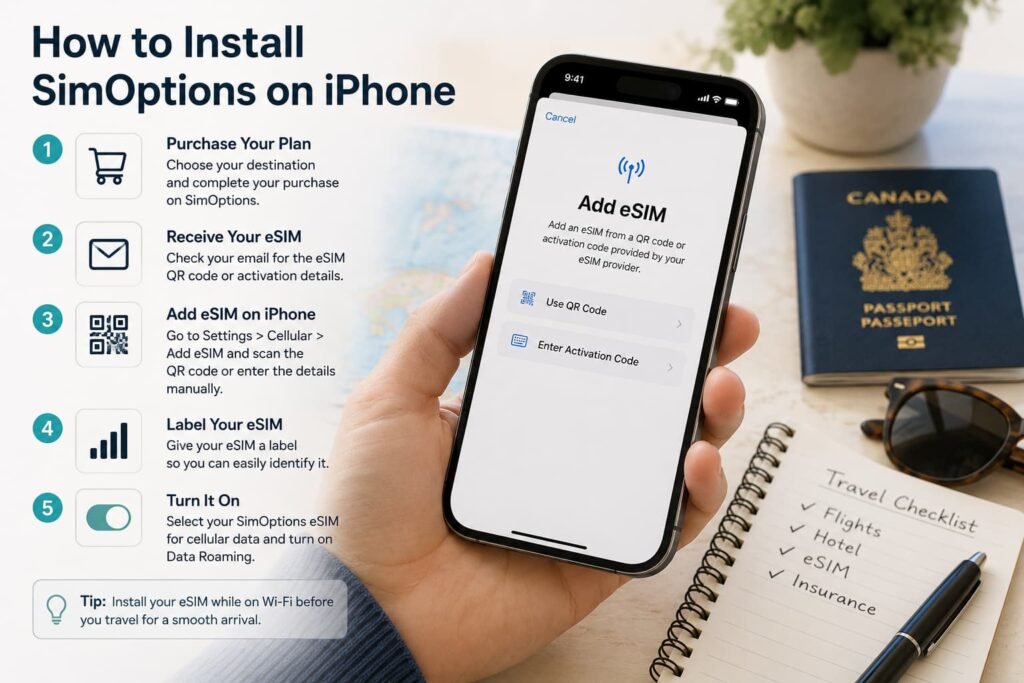
How to Install SimOptions on iPhone
Go to Settings > Cellular or Mobile Service > Add eSIM > Use QR Code.
Open the SimOptions QR code on another screen or print it, then scan the code and follow the prompts. Label the new line “SimOptions” or “Travel Data” so it remains separate from the Canadian line.
- Select SimOptions for mobile data.
- Enable data roaming on the SimOptions line when required by the plan.
- Disable Allow Cellular Data Switching when you want to prevent the iPhone from falling back to the Canadian line.
The official SimOptions iOS installation guide also recommends clear line labels and disabling mobile-data switching to reduce unwanted roaming.
For the complete device walkthrough, read How to Activate eSIM on iPhone in Canada.
How to Install SimOptions on Samsung Galaxy
Go to Settings > Connections > SIM Manager > Add eSIM. Choose the QR-code option, scan the SimOptions code and wait for the profile to download. Label the new line clearly, set it as the mobile-data line and enable data roaming on the SimOptions line when required by the plan.
For screenshots, manual installation and detailed troubleshooting, use the Samsung eSIM activation guide.
How to Install SimOptions on Google Pixel
Go to Settings > Network & Internet > SIMs > Add SIM > Set up an eSIM. Scan the QR code, download the eSIM and label the new line clearly. Set SimOptions as the preferred mobile-data line, enable data roaming when required by the plan, and turn off automatic data switching if you want to prevent the phone from using your Canadian SIM for mobile data.
For a full walkthrough, read How to Activate eSIM on Google Pixel in Canada.
How to Install SimOptions on Motorola
Go to Settings > Network & Internet > SIMs or Mobile Network > Add eSIM. Menu wording can vary by Motorola model and Android version. Scan the QR code, label the new line clearly, set SimOptions as the mobile-data line and enable data roaming on the SimOptions line when required by the plan.
For model-specific menu variations, see How to Activate eSIM on Motorola Phones in Canada.
How to Install SimOptions on Other Android Phones
Nothing, OnePlus, ASUS, Xiaomi, Sony, OPPO and other Android phones follow a similar setup process. In Settings, look for options such as SIMs, Mobile Network, SIM Manager, Add SIM, Download SIM or Add eSIM. Scan the SimOptions QR code, label the new line clearly, set it as the mobile-data line and enable data roaming when required by the plan.
Variant note: Menu names and settings paths vary by phone brand, model and Android version. Depending on your device, eSIM controls may appear under Network & Internet, Connections, Mobile Network or SIM Manager.
For broader Android menu variations, read Activate eSIM on Android Canada.
How to Activate SimOptions After Arrival
The sequence is short, but the exact activation trigger depends on the purchased plan.
- Turn on the SimOptions line, select it for mobile data and enable data roaming when required.
- Keep roaming off on the Canadian line and disable automatic cellular-data switching when appropriate.
- Wait for the phone to register on a supported network.
If service does not appear, toggle airplane mode or restart the phone. Follow the activation instructions in the product listing or order email because some plans begin at first network connection while others use a different trigger.
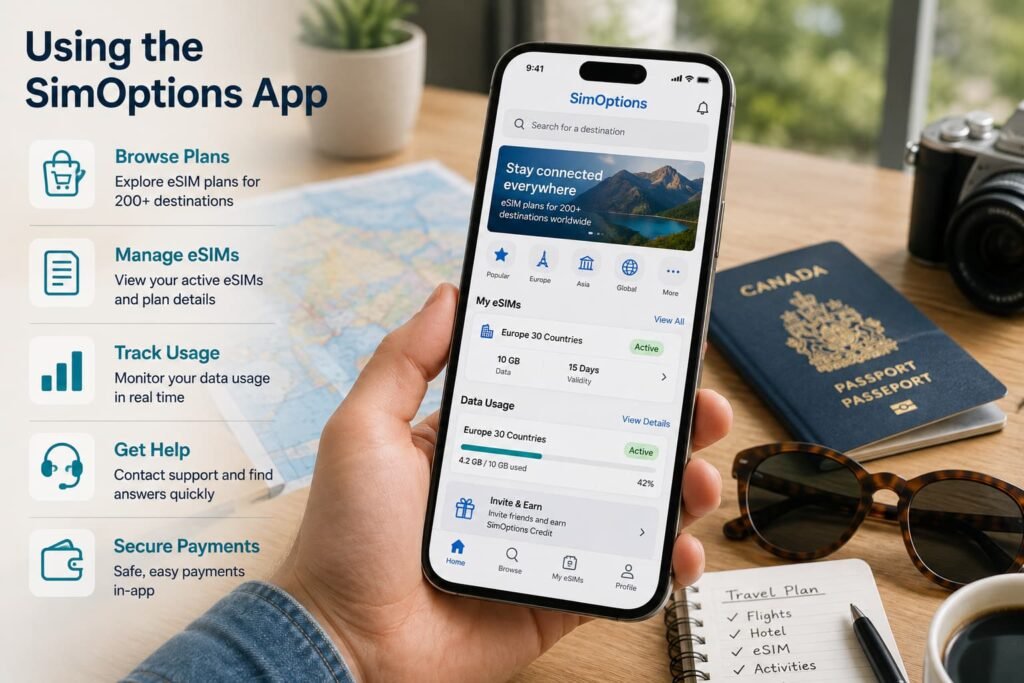
Using the SimOptions App
SimOptions offers a mobile app for browsing destination plans, purchasing an eSIM, accessing installation details, managing eligible plans and monitoring usage.
The app is available through the Apple App Store and Google Play.
The app improves on older email-only workflows, but its functions remain product-dependent. A usage tool or top-up button does not mean every marketplace plan can be recharged or managed in the same way. SimOptions also provides an online usage-checking tool for eligible orders.
Refund Rules Make Pre-Purchase Checks Important
Travel eSIMs are digital products, so refund options are usually more restrictive than they are for a physical item.
The official SimOptions Terms and Conditions say a refund is not available simply because the phone is incompatible, the customer changed their mind or the eSIM is no longer needed.
SimOptions explains that once an eSIM has been sent, it cannot prevent the profile from being used. Its FAQ also warns that entering the wrong email address can create refund problems because the eSIM may have been delivered to someone else.
Before payment, verify the destination, travel dates, device compatibility, carrier-lock status, activation trigger, email address and coverage list. Save the order number and confirmation email.
When a plan cannot be installed or used as described, contact support promptly and preserve the original instructions. Repeatedly deleting the profile or changing advanced settings can make the issue harder to review.
SimOptions provides an official contact and support page with categories for activation, refunds and other order issues.
Who Should Choose SimOptions?
SimOptions is designed for travellers who value a wider choice of plan styles and are willing to compare the conditions attached to each product. Its marketplace approach works best when flexibility matters more than uniform rules.
Good fit for:
- Canadians travelling through several European countries
- travellers comparing data-only plans with options that include calls, SMS or a phone number
- multi-country or longer trips where a regional plan or larger allowance makes sense
- people willing to compare the issuer, coverage, validity and activation rules before buying
Less suitable for:
- someone who wants the simplest and most standardized plan catalogue
- travellers who expect every package to support top-ups or hotspot use
- people who want identical activation rules across destinations
- anyone unsure about phone compatibility, carrier-lock status or the trip details
The best SimOptions customer is not necessarily the traveller chasing the lowest advertised price. It is someone prepared to match the package conditions to the actual trip.
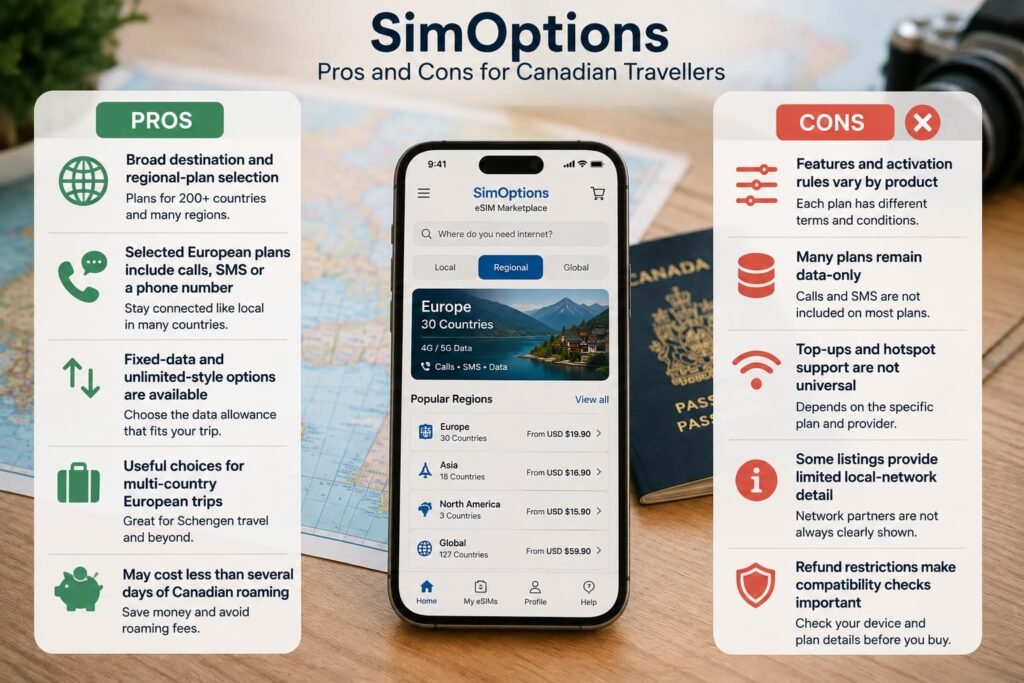
SimOptions Pros and Cons
| Pros | Cons |
|---|---|
| Broad selection of country and regional eSIM plans | Features, activation rules and validity vary by product |
| Selected European plans include calls, SMS or a phone number | Many plans remain data-only |
| Fixed-data and unlimited-style options are available | Top-ups and hotspot support are not available on every plan |
| Useful choices for multi-country European trips | Some listings provide limited local-network details |
| May cost less than several days of Canadian carrier roaming | Refund restrictions make compatibility checks important before purchase |
When Another eSIM Provider May Be a Better Fit
SimOptions makes the most sense when its marketplace contains a specific plan that fits your itinerary better than the usual data-only options. The extra choice is valuable, but it also means comparing the issuer, activation rules, coverage, top-ups and communication features before purchasing.
Another provider may be a better fit when you would rather prioritize a simpler buying process, more consistent plan rules, unlimited data, stronger network control or long-term reuse.
Airalo
Airalo is the closest alternative for travellers who still want a broad selection of local, regional and global plans but prefer a more standardized marketplace experience.
Its app and plan presentation generally feel more consistent from one destination to another, which reduces some of the comparison work required with SimOptions. Airalo is usually the easier choice when you want a familiar purchasing process and do not need an operator-issued European plan with calls or SMS.
Read the Airalo eSIM review for a closer look at its pricing, regional plans and travel usability.
Nomad
Nomad is a stronger fit for travellers who prefer clearly structured fixed-data plans and straightforward regional options.
It does not provide the same mix of operator-issued voice packages found on SimOptions, but that narrower focus can make plan selection easier. Nomad is particularly useful for travellers moving through several countries who want one regional data plan without comparing several different product issuers.
See the Nomad eSIM review for its pricing, regional coverage and Canadian travel use cases.
Holafly
Holafly is worth considering when the main priority is unlimited-style data rather than comparing fixed allowances and operator packages.
Its destination plans can be easier for travellers who do not want to monitor every gigabyte during the trip. The trade-off is that fair-use policies, speed reductions and hotspot limits still need to be reviewed, and it may cost more than a smaller fixed-data plan.
Read the Holafly eSIM review before deciding whether its unlimited approach fits your expected usage.
Ubigi
Ubigi may be the better choice when connection stability and a more controlled network experience matter more than marketplace variety.
It focuses on fixed-data plans and reusable connectivity rather than presenting products from several unrelated issuers. Its relationship with Transatel and the NTT Group gives it more control over routing than a typical marketplace, which can make the experience feel more predictable in major cities and travel hubs.
Choose Ubigi when you rely heavily on maps, work apps or regular mobile access and would rather accept fewer plan choices in exchange for greater consistency.
Read the Ubigi eSIM review for its coverage, pricing and performance-focused approach.
Keepgo
Keepgo serves a different type of traveller. Instead of emphasizing short vacation plans, it focuses on long-validity data, reusable eSIM profiles and keeping unused data available through periodic top-ups.
It can make more sense than SimOptions for Canadians who travel several times a year, need a standby international data line or want connectivity available between trips without repeatedly installing new profiles. It is less compelling for a short holiday where the lowest immediate price matters most.
Read the Keepgo eSIM review to see how its long-validity and rollover-style model works.
Frequently Asked Questions About SimOptions eSIM
How does the SimOptions marketplace work?
SimOptions works as a travel eSIM marketplace rather than a single standardized provider. It sells SimOptions-branded plans alongside packages supplied by other mobile operators, allowing travellers to compare different data allowances, validity periods, coverage areas and included features in one place.
Because the plans come from different issuers, the rules are not identical. Activation timing, top-up support, calls, SMS, phone numbers, hotspot use and network access can vary by listing. The safest approach is to compare the details of the specific plan rather than assuming every SimOptions eSIM works the same way.
Which SimOptions plans include calls and SMS?
Calls and SMS are available on selected operator-issued SimOptions plans, particularly some European packages. Many SimOptions-branded plans remain data-only and do not include a phone number, traditional calling or text messaging.
The plan listing should explain whether calls and SMS are included, how many minutes or messages are provided, which countries are covered and whether the eSIM comes with a local or European phone number. Review those details carefully because communication features vary by plan.
How do SimOptions top-ups work?
Top-ups are available only on selected SimOptions plans. Some eSIMs can be recharged with additional data through the SimOptions app or online account, while others cannot be topped up once the included allowance has been used.
Before purchasing, check the product page to see whether the plan supports top-ups, where they can be purchased and whether any restrictions apply. If top-ups are not available, you’ll need to buy a new eSIM or a new data plan after using your allowance.
Is SimOptions legitimate?
SimOptions is a legitimate travel eSIM marketplace that has operated since 2014 and offers prepaid eSIM plans for more than 200 destinations. It sells both SimOptions-branded packages and plans supplied by other mobile operators.
The company itself is established, but the quality and features of each eSIM can vary because the marketplace includes different plan issuers. Before purchasing, review the exact coverage, activation rules, validity, top-up options, calls and SMS, and refund conditions for the selected plan.
What should I check before buying a SimOptions eSIM?
Review the plan issuer, covered countries, data allowance, validity, activation trigger, top-up support, hotspot rules and whether calls or SMS are included.
Because SimOptions is a marketplace, those details can vary significantly from one listing to another.
When does a SimOptions eSIM activate?
Activation depends on the selected plan. Many SimOptions eSIMs begin when they first connect to a supported network in a covered destination, while others may activate at installation or follow a different trigger.
Read the product page and order email before installing the eSIM too early.
What happens if a SimOptions eSIM does not connect?
If a SimOptions eSIM does not connect, first make sure the eSIM line is turned on, selected for mobile data and using data roaming when the plan requires it. Give the phone a few minutes to register on a supported network, then toggle airplane mode or restart the device.
If service still does not appear, review the activation instructions and APN details provided with the selected plan. Contact SimOptions support before deleting the eSIM profile, since some profiles cannot be reinstalled without assistance.
What makes SimOptions different from a standard eSIM provider?
SimOptions combines its own travel eSIMs with plans supplied by other mobile operators, so travellers can compare several product types in one marketplace. That can provide more choice, including regional plans and selected packages with calls, SMS or a phone number.
The trade-off is that coverage, validity, activation, top-ups and other features can vary from one listing to another. With SimOptions, choosing the right individual plan matters more than choosing the marketplace itself.
More eSIM Guides for Canadian Travellers
Explore eSIM Options
Compare Provider Reviews
- Airalo eSIM Review
- Jetpac eSIM Review
- Nomad eSIM Review
- Mobimatter eSIM Review
- Holafly eSIM Review
- Saily eSIM Review
Set Up Your Travel eSIM
- eSIM Compatibility Checker
- How To Activate eSIM on iPhone in Canada
- How To Activate eSIM on Samsung Canada
- How To Activate eSIM on Google Pixel Canada
- How To Active eSIM on Motorola eSIM Canada
- How To Activate eSIM on Android Devices
Final Thoughts
SimOptions offers more variety than many travel eSIM providers, but that choice places more responsibility on the buyer.
The marketplace is especially interesting for European travel, where selected plans combine regional coverage, large data allowances and, in some cases, calls, SMS and a phone number. It can also be a practical data option for Canadians travelling to the United States or other destinations where daily roaming charges add up quickly.
The safest approach is to evaluate the exact package rather than the SimOptions name alone. Review the issuer, country list, activation trigger, validity, communication features, top-up support, hotspot rules and refund conditions before paying.
Choose SimOptions when its marketplace gives you a plan that clearly matches your itinerary and you are comfortable comparing the details. Travellers who value simplicity, consistent rules and a more uniform app experience will probably be happier with a standardized provider.