If you are a Rogers customer travelling outside Canada, you have probably seen Roam Like Home mentioned before. It is Rogers’ daily roaming service that lets you use your Canadian plan while travelling in the United States and many international destinations.
It is convenient, no question. You land, your phone connects, and your Rogers number keeps working.
But convenience can get expensive fast.
That is why this guide compares Rogers Roam Like Home vs travel eSIMs so you can decide which option makes more sense before your next trip. For some short trips, Rogers roaming may be fine. For longer vacations, family travel, Europe trips, or heavy data use, a travel eSIM can often save a lot of money.
If you want to estimate your own trip cost, use our Canadian Roaming Savings Calculator before you leave Canada.
Estimate Your Rogers Roaming Cost Before You Travel
Estimate Your Rogers Roaming Cost Before You Travel
Rogers Roam Like Home can be convenient, but the real cost depends on more than the daily rate. Your trip length, destination, number of lines, data use, and billing cycle timing can all change the final total.
Use the free Canadian Roaming Savings Calculator to compare Rogers roaming with a travel eSIM before you leave Canada. This is especially useful if you are travelling with family, visiting Europe, using hotspot data, or taking a trip that may cross your Rogers billing cycle.
Once you have an estimate, use this guide to decide whether Roam Like Home is worth the convenience or whether a travel eSIM gives you better control over your data costs.
What Is Rogers Roam Like Home?
Rogers Roam Like Home is Rogers’ daily roaming service for postpaid wireless customers travelling outside Canada.
Instead of paying traditional pay-per-use rates for every call, text, or megabyte of data, Roam Like Home charges a flat daily fee when you use your phone in an eligible destination.
Once the daily fee is triggered, you can use your regular Rogers plan while travelling.
That usually means:
- your existing Canadian data bucket
- calling back to Canada
- calling within the destination country
- texting support
- hotspot and tethering support
- access to Rogers roaming partner networks abroad
Before you rely on roaming for your trip, it is worth checking Rogers’ official Roam Like Home travel support page for current daily pricing, eligible destinations, and plan-specific details.
How Rogers Roam Like Home Works
Roam Like Home is designed to be automatic.
When your Rogers phone connects to a supported roaming partner outside Canada, the daily fee can activate as soon as you use a roaming service.
Common triggers include:
- using cellular data
- sending a text message
- making a call
- answering a call
- checking voicemail
- background data activity
This is important because you do not always have to open an app manually for roaming to start. Your phone can use data in the background through email, cloud backups, app refreshes, widgets, maps, or system services.
That is why travellers who plan to use a travel eSIM should turn off data roaming on their Rogers line before landing.
Rogers Roam Like Home Pricing
Rogers roaming pricing can change, so always verify your plan before travelling.
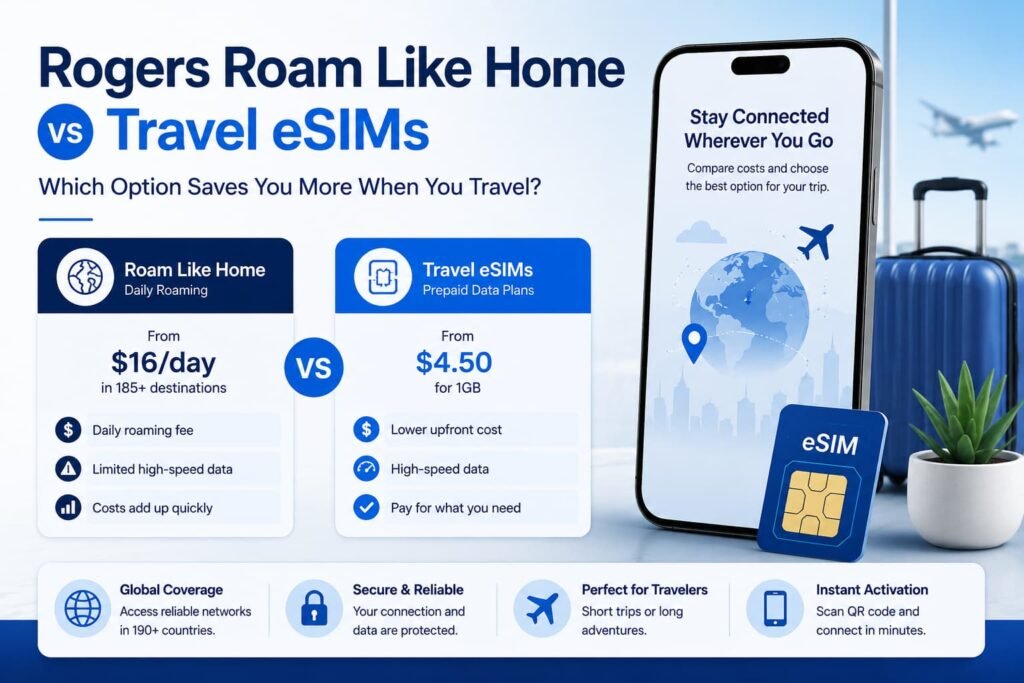
In general, Rogers Roam Like Home pricing is commonly structured around daily fees such as:
- United States: about $16 CAD per day
- International destinations: about $18 CAD per day
These fees are charged only on days when roaming is used.
For a one-day or two-day U.S. trip, that may feel manageable.
For a longer international trip, it can add up quickly.
For example:
- 2 days in the U.S. could cost around $32 CAD
- 7 days internationally could cost around $126 CAD
- 10 days internationally could cost around $180 CAD
- 4 family members abroad for 10 days could cost around $720 CAD
That is before taxes and before considering any plan-specific details.
This is why a travel eSIM becomes worth comparing.
Rogers Uses Your Canadian Data Bucket While Roaming
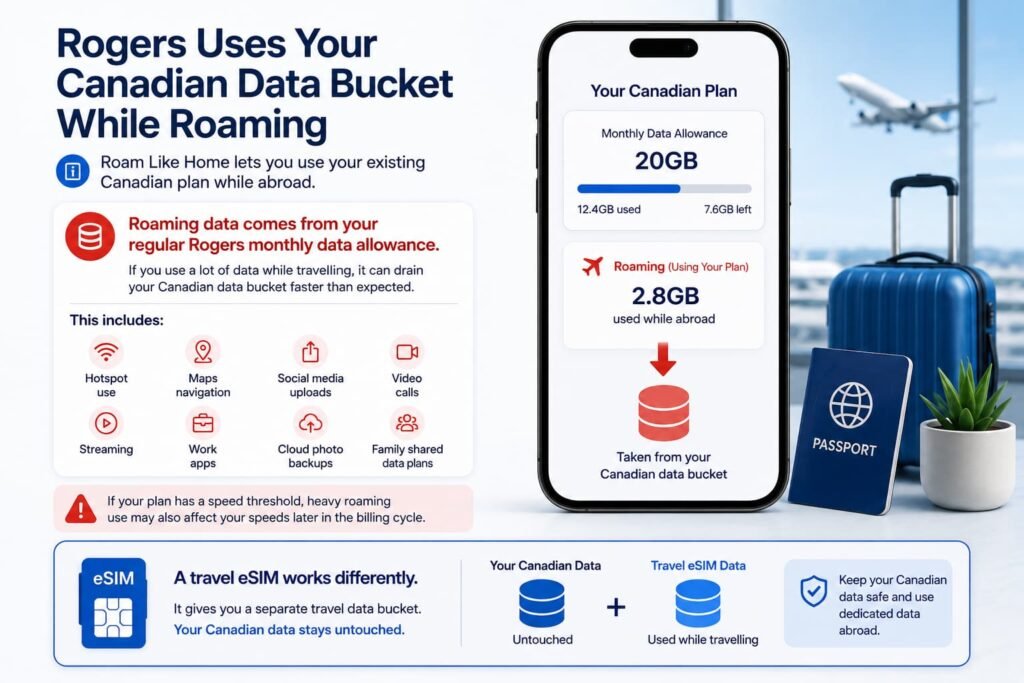
One of the biggest things Rogers customers should understand is that Roam Like Home does not usually give you a separate travel data bucket.
It lets you use your existing Canadian plan while abroad.
That means roaming data comes from your regular Rogers monthly data allowance.
If you have a large Rogers data plan, this can be convenient. But if you use a lot of data while travelling, it can also drain your Canadian data bucket faster than expected.
This matters for:
- hotspot use
- Google Maps navigation
- social media uploads
- video calls
- streaming
- work apps
- cloud photo backups
- family shared data plans
If your plan has a speed threshold, heavy roaming use may also affect your speeds later in the billing cycle.
A travel eSIM works differently because it gives you a separate travel data bucket. Your Canadian Rogers data stays untouched.
Rogers Roaming Caps and Billing Cycle Issues
Rogers may cap Roam Like Home charges after a certain number of chargeable roaming days within a billing cycle.
This cap can help protect travellers on longer trips, but it has an important limitation.
The cap is usually tied to your Rogers billing cycle, not your trip length.
That means if your trip crosses your monthly bill reset date, the chargeable-day count can reset during your trip.
For example, if you travel for three weeks and your Rogers billing cycle resets halfway through, you may not get the benefit you expected from a single-cycle cap.
Before relying on a roaming cap, check:
- your Rogers billing cycle date
- how long you will be away
- whether your trip crosses into a new billing cycle
- whether every person on the trip has a separate line
This is especially important for long vacations and family travel.
Rogers Roaming Charges Apply Per Line
Rogers roaming charges apply per phone line.
This is one of the biggest cost issues for families.
If one person uses Roam Like Home, the daily fee applies to that person’s line.
If four people use roaming, the daily fee can apply four times.
For example, a 10-day international trip at about $18 per day could look like this:
| Number of Rogers Lines | Estimated 10-Day International Roaming Cost |
|---|---|
| 1 line | About $180 CAD |
| 2 lines | About $360 CAD |
| 3 lines | About $540 CAD |
| 4 lines | About $720 CAD |
That is why families often save more with travel eSIMs than solo travellers.
A travel eSIM lets each person buy a fixed data plan instead of triggering a daily roaming fee every day.
Comparing Rogers Roam Like Home and Travel eSIMs
| Travel Situation | Better Option | Why |
|---|---|---|
| 1-day U.S. trip | Rogers Roam Like Home | Simple and convenient |
| 2-day business trip | Rogers Roam Like Home or travel eSIM | Depends on whether you need calls and SMS |
| 7-day Europe trip | Travel eSIM | Fixed data pricing usually wins |
| 10-day family vacation | Travel eSIM | Rogers roaming multiplies per line |
| Heavy hotspot use | Travel eSIM | Better data control and separate travel bucket |
| Multi-country Europe trip | Travel eSIM | One regional eSIM can cover several countries |
| Cruise at sea | Neither standard roaming nor eSIM at sea | Use Airplane Mode and cruise Wi‑Fi |
| Need Canadian number active | Hybrid setup | Rogers for texts/calls, eSIM for data |
For many Canadian travelers, the best setup is often a hybrid setup that keeps Rogers active for important calls or verification texts while using a travel eSIM for mobile data.
When Rogers Roam Like Home Makes Sense
Rogers roaming can still be a good choice in certain situations.
It may make sense if:
- your trip is only one or two days
- you are travelling to the U.S. for a short visit
- you need regular calls from your Rogers number
- you do not want to install a travel eSIM
- your employer pays your roaming charges
- you rely on SMS verification and phone calls throughout the trip
- your Rogers plan already includes some travel coverage
For a short business trip or overnight U.S. visit, the simplicity may be worth it.
You do not have to install anything, compare plans, or manage SIM settings. You just use your phone normally.
When a Travel eSIM Is Better Than Rogers Roaming
A travel eSIM is usually better when cost matters more than convenience.
It is especially useful for:
- Europe trips
- Asia trips
- Latin America travel
- Portugal, Spain, France, Italy, Japan, and Ecuador trips
- vacations longer than a few days
- family travel
- multi-country trips
- remote work
- hotspot use
- heavy data use
- travellers who mostly use WhatsApp, iMessage, Google Maps, email, and apps
For example, a regional Europe eSIM can often cover multiple countries under one fixed data plan.
If you are visiting Portugal, Spain, France, and Italy on the same trip, a regional travel eSIM can be much easier to manage than paying Rogers daily roaming fees every day.
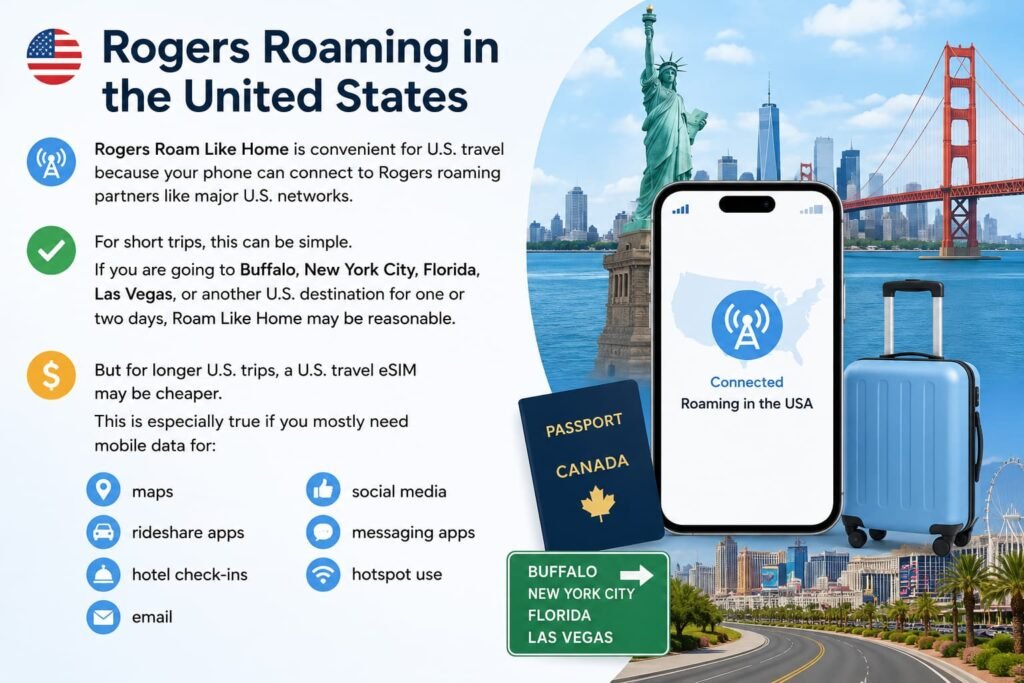
Rogers Roaming in the United States
Rogers Roam Like Home is convenient for U.S. travel because your phone can connect to Rogers roaming partners like major U.S. networks.
For short trips, this can be simple.
If you are going to Buffalo, New York City, Florida, Las Vegas, or another U.S. destination for one or two days, Roam Like Home may be reasonable.
But for longer U.S. trips, a U.S. travel eSIM may be cheaper.
This is especially true if you mostly need mobile data for:
- maps
- rideshare apps
- hotel check-ins
- social media
- messaging apps
- hotspot use
Before travelling, also check whether your Rogers plan already includes Canada-U.S. or Canada-U.S.-Mexico coverage. If it does, you may not need a separate travel eSIM for that trip.
Rogers Roaming in Europe
Europe is where travel eSIMs often become much more attractive.
If you are travelling to Portugal, Spain, France, Italy, Germany, the Netherlands, or the United Kingdom, Rogers international roaming can become expensive quickly because daily fees repeat every day.
A travel eSIM for Europe can often cover many countries on one regional plan.
This is useful if you are:
- visiting multiple countries
- travelling by train
- taking a cruise with port stops
- staying for one or two weeks
- using lots of maps and travel apps
- sharing data with a laptop or tablet
For many Europe trips, a travel eSIM gives you more predictable data costs than Rogers roaming.
Rogers Roaming in Japan, Ecuador, and Other International Destinations
Rogers roaming can work in many international destinations, including countries like Japan and Ecuador, depending on current roaming partner coverage.
However, daily roaming still needs to be compared carefully.
For Japan, many travellers use a travel eSIM because local data coverage is usually strong and data-only eSIM plans are easy to buy before departure.
For Ecuador and other Latin American destinations, travel eSIM pricing and coverage can vary more, so comparing options before you leave is important.
The key point is simple:
If you mainly need mobile data, compare a travel eSIM first.
If you need traditional calls and texts on your Rogers number every day, Rogers roaming may still be useful.
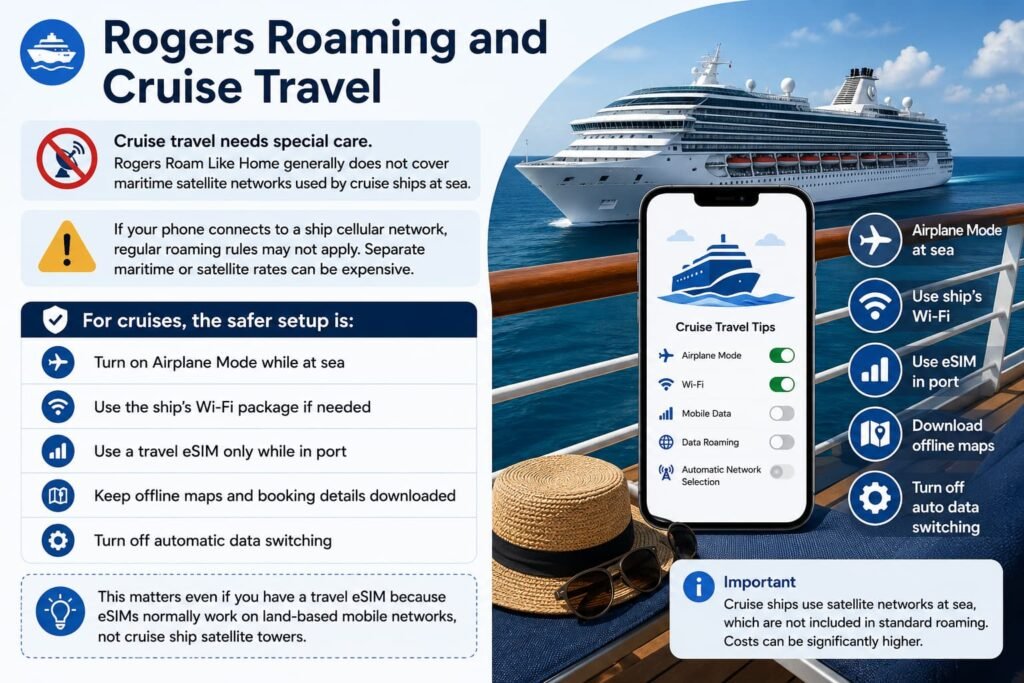
Rogers Roaming and Cruise Travel
Cruise travel needs special care.
Rogers Roam Like Home generally does not cover maritime satellite networks used by cruise ships at sea.
If your phone connects to a ship cellular network, regular roaming rules may not apply. Separate maritime or satellite rates can be expensive.
For cruises, the safer setup is:
- turn on Airplane Mode while at sea
- use the ship’s Wi-Fi package if needed
- use a travel eSIM only while in port
- keep offline maps and booking details downloaded
- turn off automatic data switching
This matters even if you have a travel eSIM because eSIMs normally work on land-based mobile networks, not cruise ship satellite towers.
How to Use a Travel eSIM With Rogers
The best way to avoid Rogers roaming charges while using a travel eSIM is to set up your phone before you leave Canada.
On iPhone
- Install your travel eSIM before departure.
- Go to Settings > Cellular.
- Label your Rogers line as Primary.
- Label your travel eSIM as Travel Data.
- Set Cellular Data to the travel eSIM.
- Turn off Allow Cellular Data Switching.
- Select your Rogers line and turn Data Roaming off.
- Keep your Rogers line on only if you need calls or texts.
On Android
- Install your travel eSIM before departure.
- Go to Settings > Connections or Network & Internet.
- Open SIM manager or SIMs.
- Set mobile data to the travel eSIM.
- Turn off automatic data switching.
- Select your Rogers SIM and turn Data Roaming off.
- Keep calls and texts on Rogers only if needed.
The exact settings vary by Samsung, Google Pixel, Motorola, and other Android phones, but the idea is the same.
Your travel eSIM should handle data. Your Rogers line should not use roaming data unless you intentionally want it to.
If you still need help activating or managing your Rogers eSIM before travelling, follow our Activate Rogers eSIM in Canada: Step-by-Step Guide for iPhone & Android] for full setup instructions and troubleshooting tips.
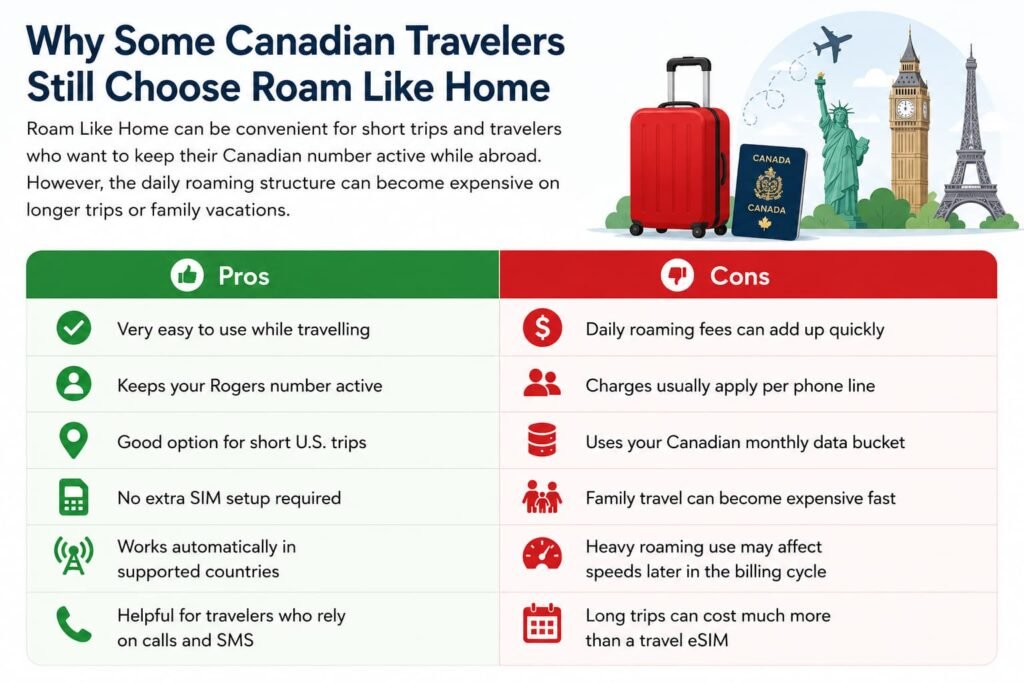
Why Some Canadian Travelers Still Choose Rogers Roam Like Home
Rogers Roam Like Home can be convenient for short trips and travelers who want to keep their Canadian number active while abroad. However, the daily roaming structure can become expensive on longer trips or family vacations.
| Pros | Cons |
|---|---|
| Very easy to use while travelling | Daily roaming fees can add up quickly |
| Keeps your Rogers number active | Charges usually apply per phone line |
| Good option for short U.S. trips | Uses your Canadian monthly data bucket |
| No extra SIM setup required | Family travel can become expensive fast |
| Works automatically in supported countries | Heavy roaming use may affect speeds later in the billing cycle |
| Helpful for travelers who rely on calls and SMS | Long trips can cost much more than a travel eSIM |
Can You Receive Rogers Texts While Using a Travel eSIM?
In many cases, yes.
Many travellers keep their Rogers SIM active so they can receive SMS messages, including bank verification codes and login codes.
However, you need to be careful.
Receiving a standard incoming SMS may not be the same as sending a text, answering a call, or using data.
To reduce the risk of roaming charges:
- keep Rogers data roaming off
- do not send SMS messages unless you accept possible charges
- avoid answering regular phone calls unless needed
- turn off automatic data switching
- use WhatsApp, FaceTime, iMessage, Signal, or other data-based apps through the travel eSIM
If you rely heavily on bank verification codes, set up backup authentication methods before travelling.
How to Avoid Rogers Roaming Charges
Before leaving Canada, do this:
- check whether your Rogers plan includes roaming
- confirm current Roam Like Home pricing
- install your travel eSIM while you still have reliable Wi-Fi
- turn off data roaming on the Rogers line
- turn off automatic data switching
- set the travel eSIM as your mobile data line
- download offline maps and travel apps
- prepare authentication apps for important logins
After arriving, test your connection carefully.
Open your phone settings and confirm mobile data is using the travel eSIM, not Rogers.
Recommended Setup for Most Rogers Customers
For most Rogers customers travelling internationally, the best setup is:
- Rogers SIM active for important calls and texts
- Travel eSIM used for mobile data
- Rogers data roaming turned off
- automatic data switching turned off
- Wi-Fi calling enabled before departure if you use it
This setup gives you a good balance of savings and convenience.
You keep access to your Canadian number, but your travel data does not run through Rogers roaming.
Frequently Asked Questions About Rogers Roam Like Home vs Travel eSIMs
How does Rogers Roam Like Home compare with a travel eSIM?
Rogers Roam Like Home is built for convenience. It lets you land in another country and keep using your regular Rogers plan without buying a separate SIM card or setting up a new data plan. That is helpful if you need your Canadian phone number active for calls, texts, work, or banking verification codes.
A travel eSIM is usually better for cost control. Instead of paying a daily roaming fee, you buy a separate data plan for your destination. For longer trips, Europe travel, family vacations, or heavy data use, a travel eSIM can often be much cheaper than using Rogers roaming every day.
The best option depends on how you travel. If you are away for one or two days and need your Rogers number active, Roam Like Home may be fine. If you mostly need mobile data for maps, messaging, email, and apps, a travel eSIM is usually worth comparing first.
When is Rogers Roam Like Home worth using?
Rogers Roam Like Home can be worth using when convenience matters more than savings. For example, if you are taking a quick U.S. business trip, a one-night cross-border visit, or a short family emergency trip, using your Rogers plan normally may be the easiest option.
It can also make sense if you need regular voice calls on your Canadian number, you do not want to manage eSIM settings, or your employer covers your roaming costs. In those cases, paying the Rogers daily roaming fee may be simpler than setting up a separate travel eSIM.
Where Roam Like Home becomes less attractive is on longer trips. Once you are travelling for several days, especially internationally, the daily charges can add up quickly. That is when a travel eSIM usually becomes the better value.
When is a travel eSIM cheaper than Rogers roaming?
A travel eSIM is usually cheaper than Rogers roaming when your trip lasts more than a few days or when multiple people need data. Rogers roaming is charged by the day, while most travel eSIMs are sold as fixed data packages for a set period.
For example, if Rogers roaming costs around $18 CAD per day internationally, a 10-day trip can cost around $180 CAD for one line. A travel eSIM for the same trip may cost much less, depending on the destination and data amount.
The savings become even bigger for families. If four people use Rogers roaming on the same 10-day trip, the daily fee can multiply across all four lines. With travel eSIMs, each person can use a separate prepaid data plan, which is often much more predictable.
How much does Rogers Roam Like Home cost per day?
Rogers Roam Like Home pricing can change, so you should always check Rogers’ current roaming page before travelling. In general, Rogers uses separate daily roaming rates for the United States and international destinations.
The important thing to understand is not just the daily price, but how often that price can trigger. If you use your phone every day during your trip, you may be charged every day you roam, unless your plan has a specific cap or included roaming feature.
This is why the total trip cost matters more than the daily rate alone. A daily fee may not seem too bad for a weekend, but it can become expensive on a one-week or two-week vacation.
How does Rogers Roam Like Home use my Canadian data plan?
Rogers Roam Like Home typically lets you use your regular Canadian data bucket while travelling. That means your mobile data abroad comes from the same plan you use at home in Canada.
This can be convenient if you have a large data plan. But it also means your travel usage can reduce the data you have left for the rest of your billing cycle. If you use maps all day, upload photos, stream videos, or share hotspot data, that usage can add up quickly.
A travel eSIM gives you a separate travel data bucket. That can be helpful because your Rogers plan stays untouched while your eSIM handles the travel data.
Why can Rogers roaming become expensive for families?
Rogers roaming charges usually apply per line. That means each phone that uses Roam Like Home can trigger its own daily fee.
For one person, the daily fee may feel manageable. For a family, the math changes fast. If four people use Rogers roaming on an international trip, the cost can multiply by four every day.
This is one of the biggest reasons families should compare travel eSIMs before leaving Canada. Even if one parent keeps Rogers roaming active for calls or emergency contact, the rest of the family can often use travel eSIMs for data and reduce the overall cost.
Can I use Rogers and a travel eSIM at the same time?
Most modern phones support using your Rogers SIM and a travel eSIM at the same time. This is often the best setup for Canadian travelers.
The common setup is simple: keep Rogers active for calls and texts, then use the travel eSIM for mobile data. This lets you keep your Canadian number available while avoiding Rogers roaming data charges.
The key is to set your phone correctly. Your travel eSIM should be selected as the mobile data line, Rogers data roaming should be turned off, and automatic data switching should be disabled.
Which SIM should handle mobile data while travelling?
If your goal is to avoid Rogers roaming data charges, your travel eSIM should handle mobile data. This means your maps, browser, email, WhatsApp, iMessage, social media, rideshare apps, and travel apps should all use the eSIM data connection.
Your Rogers SIM can stay active for calls and texts if needed, but it should not be used for mobile data unless you intentionally want to use Roam Like Home.
Before leaving Canada, go into your phone settings and confirm that cellular data is assigned to the travel eSIM. Also turn off automatic data switching so your phone does not quietly fall back to Rogers if the travel eSIM signal drops.
Will I still receive Rogers verification texts while using a travel eSIM?
In many cases, yes. If your Rogers line is still active and connected to a supported roaming network, you may still receive SMS verification texts from banks, apps, and online accounts.
However, receiving texts is different from sending texts, answering calls, or using Rogers mobile data. Those actions may trigger roaming charges depending on your plan and destination.
For extra safety, set up backup login methods before travelling. Use authenticator apps where possible, save emergency backup codes, and make sure important banking or travel apps are working before you leave Canada.
What happens if I leave Rogers data roaming on?
If Rogers data roaming is left on, your phone may connect to a foreign partner network and use Rogers roaming data. This can trigger a Roam Like Home daily fee even if you did not mean to use your phone.
Small background actions can be enough. Email syncing, app refreshes, weather widgets, map updates, cloud backups, and messaging apps can all use data in the background.
If you are using a travel eSIM, turn Rogers data roaming off before you arrive. Then check your phone settings after landing to make sure mobile data is still routed through the travel eSIM.
How can I avoid Rogers roaming charges while travelling?
The safest way to avoid Rogers roaming charges is to control which line handles data. Install your travel eSIM before departure, set it as your mobile data line, turn off data roaming on Rogers, and disable automatic data switching.
You can also reduce risk by using Wi-Fi when available, downloading offline maps, turning off background app refresh, and avoiding regular phone calls or outgoing SMS on your Rogers line unless you are okay with possible roaming charges.
If you do not need your Rogers number at all while travelling, you can turn off the Rogers line completely and use your travel eSIM with apps like WhatsApp, FaceTime, iMessage, Messenger, or Signal.
Can Rogers Roam Like Home be used on cruise ships?
Standard Rogers Roam Like Home is generally designed for land-based mobile networks, not cruise ship satellite networks. Cruise ships often use maritime cellular systems that are billed differently from regular roaming.
If your phone connects to a ship network while at sea, you could face separate maritime charges instead of normal roaming pricing. This can happen even if you are close to a destination but your phone connects to the ship’s system.
For cruises, the safest setup is to turn on Airplane Mode while at sea, use cruise Wi-Fi if needed, and use your travel eSIM only while in port where regular land-based networks are available.
Is a travel eSIM better for Europe than Rogers roaming?
For many Rogers customers, a travel eSIM is better for Europe because European trips often last several days and may include multiple countries. Rogers roaming can charge a daily fee each day you use your phone, while a regional Europe eSIM can cover many countries under one fixed data plan.
This is especially useful if you are visiting Portugal, Spain, France, Italy, Germany, the Netherlands, or the United Kingdom on the same trip. Instead of paying a Canadian carrier daily roaming fee, you can use one regional eSIM for mobile data across supported countries.
Rogers roaming can still be useful if you need voice calls and SMS on your Canadian number. But for data, a Europe travel eSIM is often the better value.
Should I turn off my Rogers SIM when using a travel eSIM?
You do not always need to turn off your Rogers SIM. If you want to receive calls or texts, you can keep Rogers active while using the travel eSIM for mobile data.
The safer setup is to leave Rogers on for voice and SMS only, turn off Rogers data roaming, and make sure your travel eSIM is selected for cellular data.
If you want the lowest-risk setup, turn off the Rogers line completely and rely on your travel eSIM plus Wi-Fi-based apps. This is a good option if you do not need regular calls or SMS from your Canadian number during the trip.
What is the best Rogers travel setup for most Canadians?
For most Rogers customers, the best travel setup is a hybrid setup. Keep Rogers available for important calls or verification texts, but use a travel eSIM for mobile data.
This gives you the best of both worlds. You can still access your Canadian number when needed, but your maps, apps, browsing, and messaging data use a cheaper travel data plan.
Before you leave, make sure your travel eSIM is installed, Rogers data roaming is off, and automatic data switching is disabled. That small setup step can prevent a lot of unwanted roaming charges.
More eSIM and Roaming Guides for Canadian Travelers
Planning your trip from Canada? These guides can help you compare costs, check compatibility, and set up your phone before you leave.
Compare Your Options
- eSIM Canada: Best Providers, Setup & Guide for Travelers & Locals]
- Canadian Roaming Savings Calculator
- Bell Roam Better vs Travel eSIMs
- Videotron Roaming vs Travel eSIMs
- Eastlink Roaming vs Travel eSIMs
- Chatr Mobile Roaming vs Travel eSIMs
- TELUS Easy Roam vs Travel eSIMs
- Best eSIM for International Travel
- Freedom Mobile Roam Beyond vs Travel eSIMs
- Fido Roam vs Travel eSIMs
- SaskTel Roaming vs Travel eSIMs
- Virgin Plus Roam Sweet Roam vs Travel eSIMs
Set Up Your Phone
- How to Activate an eSIM on iPhone in Canada
- How to Activate an eSIM on Android in Canada
- Phone Supports eSIM But Not Working in Canada?
Compare Travel eSIM Providers
Final Thoughts
Rogers Roam Like Home is convenient, but it is not always the cheapest way to use your phone outside Canada.
For short trips, Rogers roaming can be simple and reliable. For longer vacations, Europe travel, family trips, heavy data use, or multi-country travel, a travel eSIM is usually worth comparing before you leave.
The best option for many Rogers customers is a hybrid setup: keep Rogers active for important calls or texts, but use a travel eSIM for mobile data.