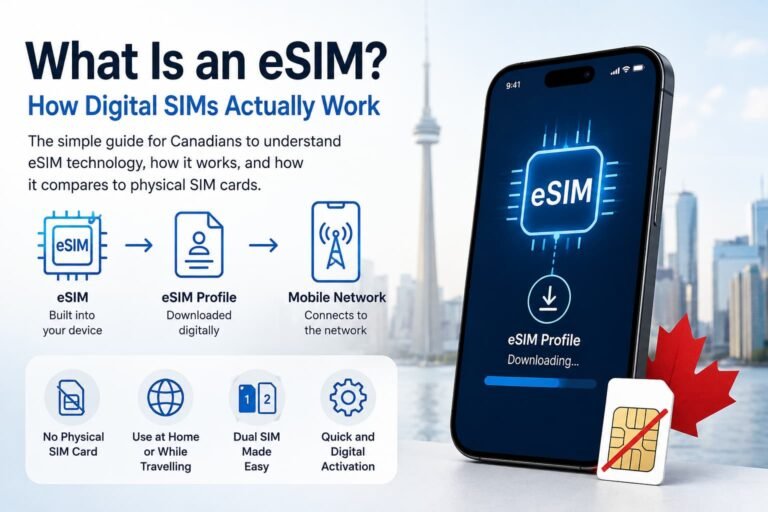
A Freedom Mobile eSIM lets you activate a new line, convert an existing physical SIM, or move your Freedom service to another compatible phone without inserting a plastic SIM card. Freedom currently makes eSIM available to new and existing customers, but the exact activation method depends on your phone, account and whether you purchased the device from Freedom.
The setup itself is usually straightforward. You may receive automatic eSIM activation on an eligible Freedom phone, transfer the line directly between supported devices, convert a physical SIM inside your phone settings, or scan a QR code from Freedom My Account.
Phone compatibility deserves just as much attention as activation. A device may support eSIM and several Freedom network bands but still have limited 5G, Wi-Fi Calling, VoLTE or on-device transfer support. Imported Sony Xperia, Xiaomi, OnePlus, Google Pixel and Samsung models are especially worth checking by exact model number rather than by product name alone. Freedom states that compatibility varies by manufacturer, model, specifications, capabilities and software.

Freedom Mobile supports eSIM activation for both new and existing customers. Eligible phones purchased from Freedom may activate automatically, while existing customers may be able to transfer or convert their service directly on the phone. Bring-your-own-phone customers and devices that do not support direct transfer can use an eSIM QR code through Freedom My Account.
Before starting, confirm that the exact phone supports Freedom eSIM, the required LTE and 5G bands, and any features you need, such as VoLTE or Wi-Fi Calling. Freedom says service may take up to 15 minutes to activate after the eSIM is installed.
Last verified against Freedom Mobile support information: July 31, 2026
Does Freedom Mobile Support eSIM?
Freedom Mobile offers eSIM activation for both new and existing customers. Depending on the phone and account, customers may activate an eSIM automatically, transfer an existing Freedom line between eligible devices, convert a physical SIM to eSIM, or install the service using a QR code from Freedom My Account.
The best activation method depends on your situation:
| Your situation | Recommended Freedom eSIM method |
|---|---|
| New line with an eligible phone purchased from Freedom | Automatic eSIM activation during initial phone setup |
| Existing Freedom customer moving between eligible phones | On-device eSIM transfer |
| Existing customer changing from physical SIM to eSIM | Convert to eSIM on a supported phone |
| Bringing your own compatible phone | Scan the QR code provided during activation or through My Account |
| Direct transfer does not appear or fails | Use the Freedom eSIM QR code |
| Imported or international phone | Check the exact IMEI, bands, eSIM support and Freedom feature compatibility before activation |
Freedom permits eSIM changes only when completed by the account holder or an authorized user. Freedom also limits eSIM QR-code availability to once per billing cycle, while eligible customers may complete up to three on-device eSIM transfers per billing cycle.
Freedom Mobile eSIM Advantages and Limitations
A Freedom Mobile eSIM removes the need for a removable SIM card and provides several ways to activate or transfer service. The experience still depends on the exact phone, software, account eligibility and Freedom network compatibility.
| Advantages | Limitations |
|---|---|
| Activate service without inserting a physical SIM card | Requires an unlocked, eSIM-compatible phone |
| Eligible phones support automatic activation or on-device transfer | Direct transfer and physical-SIM conversion are not available on every model |
| Use Freedom alongside another SIM or travel eSIM on supported Dual SIM phones | Imported phones may lack Freedom eSIM certification, VoLTE, Wi-Fi Calling or some network bands |
| Convert an eligible physical Freedom SIM to eSIM | The old SIM becomes inactive after the change is confirmed |
| Access a replacement or installation QR code through Freedom My Account | A QR code is associated with one phone and QR-code availability is limited to once per billing cycle |
| Transfer an existing eSIM between eligible iPhone, Pixel and Samsung devices | Eligible on-device transfers are limited to three per billing cycle |
Freedom’s device-compatibility guidance also notes that enhanced services such as eSIM, Wi-Fi Calling, VoLTE and Extended Range LTE depend on the exact phone and carrier support, not only the presence of compatible network bands.

What You Need Before Activating a Freedom Mobile eSIM
Complete these checks before moving your Freedom service:
- Confirm your phone supports eSIM. Check the exact model number, not only the product family.
- Check the phone’s IMEI. Use Freedom’s compatibility checker to confirm whether the device is recognized.
- Verify Freedom network compatibility. Check the phone’s LTE and 5G bands, especially if it is an imported or international model.
- Ensure the phone is unlocked. A carrier-locked phone may reject Freedom service.
- Install the latest software update. Carrier features, eSIM conversion and transfer options may depend on current software.
- Connect to stable Wi-Fi. The phone needs internet access to download and activate the eSIM profile.
- Keep the old phone and service active. Do not delete the previous eSIM, remove the physical SIM or cancel the old service until the new phone is working.
- Keep your Freedom My Account login available. You may need it to access the QR code or manage the SIM change.
- Keep both phones nearby for a direct transfer. They should be turned on, unlocked, updated and connected to Wi-Fi.
- Prepare for number-port approval. When transferring a number from another carrier, keep the old service active so you can receive the authorization message.
Freedom also recommends disabling RCS on the old Android phone or deregistering iMessage on the old iPhone when porting a number or switching between iPhone and Android. Wait until the transfer is complete before enabling the messaging service on the new phone.

How to Get a Freedom Mobile eSIM QR Code
Freedom customers can access an eSIM QR code through My Account when automatic activation, direct transfer or physical-SIM conversion is unavailable.
Freedom recommends opening My Account on a desktop computer, tablet or another phone so the QR code can be displayed separately from the phone receiving the eSIM.
Freedom My Account QR-Code Steps
- Log in to Freedom My Account.
- Select the correct number from the My Phone Number menu.
- Open Plan & Device.
- Select Manage SIM/eSIM.
- Choose the eSIM option.
- Enter the IMEI of the phone receiving the eSIM.
- Select Check Compatibility.
- Accept the service transfer.
- Select Confirm & Change SIM.
- Scan the QR code using the new phone.
Once you confirm the SIM change, the previous physical SIM or eSIM becomes inactive. Do not begin this process until the receiving phone is ready and connected to Wi-Fi.
Important Freedom QR-Code Rules
- The QR code is valid for one phone.
- It cannot be reused on multiple phones.
- A QR code cannot activate an unsupported phone.
- Freedom makes eSIM QR codes available once per billing cycle.
- A charge may apply when requesting another printed code or replacement.
- Keep the QR code private because it is linked to your mobile service.
Freedom says a previously deleted eSIM may be restored to the same device using the QR code available in My Account, subject to the once-per-billing-cycle limit.

How to Activate Freedom Mobile eSIM on iPhone
Freedom currently supports automatic activation, Quick Transfer, physical-SIM conversion and QR-code installation on eligible iPhones.
The following step-by-step instructions cover the available Freedom eSIM activation and transfer methods.
Automatic Activation on a New Freedom iPhone
An eligible iPhone purchased from Freedom for a new line may activate automatically during initial setup.
- Turn on the new iPhone.
- Connect it to Wi-Fi.
- Follow the setup prompts.
- Accept the Freedom cellular-plan activation.
- Wait for the phone to connect to the network.
Freedom states that automatic activation applies to eligible Freedom iPhones using current supported software.
Activate an iPhone Using a Freedom QR Code
- Get your Freedom eSIM QR code through My Account.
- Open the QR code on another phone, tablet or computer.
- On your iPhone, go to
Settings > Cellular > Add eSIM. - Tap
Use QR Code. - Scan the Freedom QR code.
- Follow the activation and line-label prompts.
- Wait for Freedom service to connect.
When the camera cannot read the code, choose the manual-entry option and enter the activation details provided by Freedom.
For broader instructions, read How to Activate eSIM on iPhone in Canada.
Transfer Freedom eSIM Between iPhones
Freedom supports Quick Transfer between eligible iPhones.
Before starting:
- Place both phones near each other.
- Unlock both phones.
- Turn on Bluetooth.
- Connect both phones to Wi-Fi.
- Install current iOS updates.
- Keep the old Freedom line active.
Then:
- Open
Settingson the new iPhone. - Tap
Cellular. - Tap
Add eSIM. - Select
Transfer from Nearby iPhone. - Approve the request on the old iPhone.
- Enter the verification code if one appears.
- Confirm the Freedom number.
- Select
Transfer Number. - Wait for the new iPhone to connect.
Once the transfer completes, the Freedom line stops working on the previous iPhone.
Convert a Freedom Physical SIM to eSIM on iPhone
On eligible phones:
- Open
Settings. - Tap
Cellular. - Select
Convert to eSIM. - Choose the Freedom line.
- Tap
Convert to eSIMagain. - Follow the on-screen instructions.
- Confirm that calls, texts and mobile data work before removing or discarding the physical SIM.
The conversion option appears only when the phone, software, account and carrier configuration support it.
How to Activate Freedom Mobile eSIM on Android
Freedom Mobile eSIM activation paths vary by Android manufacturer. Google Pixel phones generally use:
Settings > Network & Internet > SIMs
Samsung Galaxy phones generally use:
Settings > Connections > SIM Manager
The sections below provide the step-by-step QR-code, transfer and physical-SIM conversion instructions for each device family.
How to Activate Freedom Mobile eSIM on Google Pixel
Eligible Google Pixel phones purchased from Freedom for a new line may activate automatically during initial setup. Existing customers may also be able to transfer Freedom service directly from another supported Pixel.
Activate a Pixel Using a QR Code
- Open
Settings. - Tap
Network & Internet. - Select
SIMs. - Tap
Add SIM. - Select
Set up an eSIM. - Choose Freedom from the available networks.
- Scan the Freedom QR code.
- Select
Activate. - Wait for the Freedom line to connect.
When scanning fails, choose the troubleshooting or manual-entry option and enter the activation code.
Transfer Freedom eSIM Between Google Pixel Phones
- Update both Pixel phones.
- Keep the old phone nearby and unlocked.
- Open
Settingson the new Pixel. - Select
Network & Internet. - Tap
SIMs. - Select
Add SIM. - Choose
Transfer a SIM from another device. - Approve the transfer on the old phone.
- Scan the code shown by the new phone when prompted.
- Select the Freedom number.
- Tap
Transfer Freedom SIM. - Complete the remaining prompts.
The old phone loses access to the Freedom line when the transfer completes.
For broader Pixel instructions, read How to Activate eSIM on Google Pixel in Canada.

How to Activate Freedom Mobile eSIM on Samsung Galaxy
Eligible Samsung phones purchased from Freedom may support automatic activation, Instant Transfer, physical-SIM conversion or QR-code setup.
Activate Samsung Using a Freedom QR Code
- Open
Settings. - Tap
Connections. - Select
SIM Manager. - Tap
Add eSIM. - Choose
Scan QR Code. - Scan the Freedom eSIM QR code.
- Enter the activation code manually when scanning is unavailable.
- Complete the installation prompts.
- Wait for the line to connect.
Transfer Freedom eSIM Between Samsung Phones
- Update both Samsung phones.
- Keep the previous phone nearby and unlocked.
- On the new phone, open
Settings. - Select
Connections. - Tap
SIM Manager. - Tap
Add SIM. - Select
Transfer a SIM from another device. - Approve the request on the old phone.
- Enter the verification code shown on the new phone.
- Choose the Freedom number.
- Select
Transfer Freedom SIM. - Complete the remaining prompts.
Convert a Freedom Physical SIM to eSIM on Samsung
- Open
Settings. - Tap
Connections. - Select
SIM Manager. - Choose the Freedom physical SIM.
- Tap
Convert to eSIM. - Review the confirmation.
- Select
Convert to eSIM. - Wait for the conversion to finish.
- Test calls, texts and data before removing the physical SIM.
Freedom notes that direct-transfer and conversion availability depends on the exact Samsung phone and software.
For more detail, read How to Activate eSIM on Samsung Galaxy in Canada.
How to Transfer Freedom Mobile eSIM to a New Phone
Use this decision table before moving the line:
| Old phone and new phone | Best starting method |
|---|---|
| Supported iPhone to supported iPhone | Apple Quick Transfer |
| Supported Pixel to supported Pixel | Pixel on-device SIM transfer |
| Supported Samsung to supported Samsung | Samsung Instant Transfer |
| Physical SIM to supported iPhone or Samsung | Convert to eSIM |
| Different brands or unsupported transfer pair | Freedom QR code through My Account |
| Imported phone or unrecognized model | Check IMEI and Freedom certification before changing the current SIM |
| Direct transfer fails | Keep the old service active and use the QR-code pathway |
Do not erase the old eSIM, factory-reset the old phone or trade it in until the new phone can:
- Place and receive calls
- Send and receive text messages
- Use mobile data
- Connect to LTE or 5G
- Access any required Wi-Fi Calling or VoLTE features
Freedom says both phones must support its on-device transfer process. When they do not, or when the transfer fails, the customer can use the QR code instead.
For a carrier-independent overview, read How to Transfer an eSIM Between Phones in Canada.
Will My Phone Work on Freedom Mobile?
A phone needs more than basic eSIM hardware to deliver the full Freedom Mobile experience.
Check these four areas:
1. eSIM Hardware
Your phone must contain an eSIM and expose an option such as:
Add eSIMSet up an eSIMDownload a SIMSIM ManagerAdd mobile plan
You can also dial *#06# and look for an EID. An EID is strong evidence that the phone contains eSIM hardware, but it does not guarantee Freedom will activate every feature on that phone.
2. Freedom Network Bands
The phone needs compatible LTE bands for regular network access. Additional 5G bands determine which Freedom 5G layers the phone can use.
3. Carrier Certification and Software
Freedom says eSIM is supported on compatible phones certified with Freedom and its manufacturer partners. An imported phone may contain the right hardware but still lack the carrier configuration needed for eSIM activation, Wi-Fi Calling, VoLTE or seamless 5G access.
4. Exact Regional Model
Canadian, U.S., European, Chinese and global versions of the same phone may support different bands, firmware and carrier features.
Use the eSIMs.ca Compatibility Checker for a general eSIM check. Then confirm the exact phone through Freedom’s official IMEI compatibility checker.
| Compatibility result | What it usually means |
|---|---|
| Exact model is recognized and supports the main Freedom bands | Best chance of LTE, 5G and enhanced-service support |
| Phone supports eSIM but is not recognized by Freedom | Activation or enhanced services may be limited |
| Phone supports Band 4 but lacks Band 13 or 66 | Basic service may work, but coverage or LTE performance may be reduced |
| Phone supports LTE but lacks n71 | LTE may work normally, but 5G availability may be more limited |
| Phone supports n77 or n78 but not n71 | It may access 5G+ in supported locations but miss Freedom’s broader n71 5G layer |
| Phone lacks Band 4 | It does not meet Freedom’s stated minimum network-band recommendation |
| Phone is carrier locked | Freedom activation may fail even when the hardware is otherwise compatible |

Freedom Mobile LTE and 5G Bands
Freedom publishes the following network-band requirements:
| Network | Freedom Mobile bands |
|---|---|
| 3G | Band 4 |
| LTE | Bands 4, 7, 13, 66 and 71 |
| 5G and 5G+ | n66, n71, n77 and n78 |
Freedom says Band 4 on 3G and LTE is the minimum requirement for network compatibility. For the best experience, Freedom recommends Band 4, Band 13 and Band 66. It identifies Band 66 as the band that provides access to its fastest LTE speeds.
Why Band 13 Matters
Band 13 is Freedom’s Extended Range LTE band. It operates on 700 MHz low-band spectrum, which Freedom says reaches farther and provides better service inside buildings, basements and elevators.
A phone missing Band 13 may still connect through other LTE bands, but indoor and broader-area performance may be weaker.
Why Band 66 Matters
Band 66 is one of Freedom’s most important LTE bands. Freedom specifically identifies it with the network’s fastest LTE speeds.
An imported phone that lacks Band 66 may still work through Bands 4, 7, 13 or 71, but the user may not receive the same LTE capacity or performance as a fully compatible Canadian model.
Why Band 71 and n71 Matter
Freedom lists Band 71 as part of its LTE network in selected locations and identifies n71 on 600 MHz spectrum as its principal 5G deployment layer.
A phone without n71 can still use Freedom LTE when the required LTE bands are present. However, it may spend more time on LTE and have less access to Freedom 5G than a phone supporting n71.
What n77 and n78 Mean for 5G+
The n77 and n78 bands support Freedom 5G and 5G+ in selected locations. These higher-capacity bands can improve 5G performance where deployed, but they are not available everywhere.
Freedom says 5G and 5G+ access requires:
- A compatible 5G or 5G+ phone
- An eligible plan and SIM
- Freedom 5G or 5G+ coverage
- Correct phone software and carrier configuration
When 5G is unavailable, a compatible phone can fall back to LTE. Check Freedom’s current coverage map for your location.
Imported and International Phones That Need Extra Compatibility Checks
Imported phones are not automatically incompatible with Freedom Mobile. The problem is that a phone name does not tell you the full story.
If you’re buying an imported phone specifically for Freedom Mobile, always verify the exact model number rather than relying on the product name alone. Two phones sold under the same name can support different LTE and 5G bands, carrier features and firmware depending on the region they were manufactured for.
Models that deserve additional checking include:
- Sony Xperia imported models
- Xiaomi global and Chinese variants
- OnePlus international variants
- International Samsung Galaxy models
- International Google Pixel models
- Motorola models sold outside Canada
- Any phone with a model number different from the Canadian version
For example, an imported Sony Xperia that supports Freedom LTE Bands 4, 7, 13 and 66 but lacks n71 may still provide solid LTE service. It may also connect to n77 or n78 where those 5G+ bands are available. However, its overall 5G availability could be more limited than a device supporting n71.
That conclusion is based on Freedom’s published band list, not a guarantee for a particular Xperia model. The exact phone must still pass Freedom’s IMEI and feature-compatibility checks.
Missing Bands Do Not Always Mean the Phone Will Not Work
A missing band may mean:
- Reduced indoor coverage
- Less coverage at the edges of Freedom service areas
- More frequent reliance on another LTE band
- Reduced access to Freedom 5G
- No access to selected 5G+ deployments
- Lower peak LTE speeds
- More frequent LTE use instead of 5G
The phone may still handle calls, texts and data. The question is whether it will deliver the full Freedom experience across all the places where you use it.
Network Bands Do Not Guarantee Every Freedom Feature
Matching the bands is only one compatibility layer.
| Feature | Why it needs a separate check |
|---|---|
| Freedom eSIM activation | Freedom may require a certified or recognized model |
| VoLTE | Voice calling over LTE depends on device and carrier configuration |
| VoLTE roaming | International voice service may require additional device support |
| Wi-Fi Calling | A phone may support Wi-Fi Calling generally but not expose it for Freedom |
| Extended Range LTE | Requires Band 13 and compatible software |
| 5G and 5G+ | Requires supported bands, carrier configuration, plan and coverage |
| On-device eSIM transfer | Both phones must support Freedom’s transfer method |
| Visual Voicemail and other enhanced services | Availability can depend on device certification and plan |
Freedom describes VoLTE as the system that keeps calls on LTE instead of dropping back to 3G, providing faster call setup, improved voice quality and continued LTE data during calls. Wi-Fi Calling is another separate carrier feature and may not appear on every imported phone, even when calls and LTE data work.
This is why an imported phone might show LTE or 5G while still lacking Wi-Fi Calling or another enhanced service.
Freedom Mobile eSIM Troubleshooting
| Problem | Most likely explanation | What to do |
|---|---|---|
| QR code will not scan | Blurry display, wrong scanning menu or camera issue | Display it on another screen, increase brightness, clean the camera lens or enter the activation details manually |
| QR code says it was already used | Freedom QR codes are tied to one phone | Check My Account for the current eSIM or request help from Freedom |
| No service after installation | Activation may still be processing | Wait up to 15 minutes, then toggle Airplane Mode and restart |
| Freedom line is installed but disabled | The eSIM profile is not turned on | Open SIM settings and enable the Freedom line |
| Mobile data does not work | Another SIM is selected for data | Set Freedom as the mobile-data line and verify automatic network selection |
| LTE works but 5G does not | Missing 5G band, unsupported model, plan or coverage limitation | Check n66, n71, n77/n78 support and the Freedom coverage map |
| Calls fail but data works | Possible VoLTE or provisioning limitation | Check the phone through Freedom’s compatibility tool and contact Freedom |
| Wi-Fi Calling is missing | The phone may lack Freedom carrier configuration | Update the phone and verify that Freedom supports Wi-Fi Calling on the exact model |
| Imported phone works only on LTE | It may lack n71 or another Freedom 5G band | Continue using LTE or choose a more fully compatible regional model |
| Direct transfer fails | One phone may not support Freedom’s transfer method | Use the Freedom QR-code pathway |
| eSIM was deleted | Removing the profile does not cancel the account | Retrieve the profile through My Account or contact Freedom |
| New phone works but old phone still shows the profile | The old profile may remain visible but inactive | Confirm service on the new phone, then safely remove the inactive profile |
Freedom says activation may take up to 15 minutes. It also states that removing an eSIM profile does not cancel the Freedom service, just as removing a physical SIM does not cancel the account.
Avoid deleting an active profile as your first troubleshooting step. Start with Wi-Fi, software updates, line selection, Airplane Mode, a restart and compatibility checks.
For deeper help, use:
- Phone Supports eSIM but Not Working in Canada
- How to Fix eSIM Not Working in Canada
- What to Do If eSIM Activation Fails in Canada
- How to Reinstall or Reactivate an eSIM in Canada
When Basic Freedom eSIM Fixes Do Not Work
The Freedom eSIM QR Code Will Not Scan
Display the QR code on a computer, tablet or another phone so the receiving phone can scan it clearly. Increase the screen brightness, clean the camera lens and adjust the distance between the phone and the code.
When scanning still fails, select the manual-entry option and enter the activation information provided by Freedom. Keep the QR code private because it is connected to your mobile service.
The Phone Has No Service After Installation
Freedom advises allowing up to 15 minutes for activation to complete. After waiting:
- Toggle Airplane Mode on and off.
- Restart the phone.
- Confirm that the Freedom line is enabled.
- Select Freedom as the preferred line for mobile data.
- Set network selection to Automatic or Global.
- Check for phone software and carrier-setting updates.
Freedom’s own connection troubleshooting recommends automatic network selection followed by a phone restart.
The Phone Says the eSIM Is Already Used or the Profile Is Invalid
A Freedom QR code is associated with one phone and cannot be reused to activate additional devices. Check Freedom My Account for the current eSIM information before requesting another code.
Freedom limits QR-code availability to once per billing cycle, so do not repeatedly delete and reinstall the profile. When the phone or QR code still cannot be activated, contact Freedom before removing a working SIM or eSIM from another device.
Reset Network Settings Only as a Final Device-Level Step
Resetting network settings may help after activation, line-selection and network-selection fixes have failed, but it also removes saved network information.
On iPhone:
Settings > General > Transfer or Reset iPhone > Reset > Reset Network Settings
Apple notes that this removes saved Wi-Fi passwords, preferred networks, VPN settings and previously used APN settings.
On Android:
The path varies by manufacturer. On many devices, look under:
Settings > System > Reset options
Choose the option for resetting mobile network, Wi-Fi and Bluetooth settings. Check the phone manufacturer’s instructions before proceeding.
Contact Freedom Mobile Support
When activation repeatedly fails, the IMEI is rejected or the phone cannot connect after completing the supported fixes, contact Freedom:
- Dial
611from a Freedom Mobile phone - Call
1-877-946-3184within North America - Call
+1-647-700-2435from outside North America
Freedom currently lists customer-care hours as 8 a.m. to 1 a.m. Eastern Time, seven days a week.

Using Freedom Mobile With a Travel eSIM
A compatible Dual SIM phone can keep Freedom active while another eSIM handles travel data.
A practical configuration is:
| Setting | Recommended travel setup |
|---|---|
| Calls and texts | Freedom Mobile |
| Mobile data | Travel eSIM |
| Data roaming on Freedom | Off unless intentionally using Freedom roaming |
| Data roaming on travel eSIM | Follow the travel provider’s instructions |
| Automatic mobile data switching | Off when avoiding accidental roaming |
| Line labels | Freedom and Travel Data |
Freedom explains that Dual SIM Dual Standby can keep two numbers available, but only one line uses cellular data at a time. When one line is already on a call, incoming calls on the other may go to voicemail.
Before buying a separate travel plan, compare it with any roaming already included in your Freedom plan. Read Freedom Mobile Roam Beyond vs Travel eSIMs for the full decision.
Frequently Asked Questions About Freedom Mobile eSIM
Can I keep my phone number when switching from a Freedom SIM to eSIM?
Converting an existing Freedom physical SIM to eSIM keeps the same mobile number, plan and account. Only the SIM format changes. Once the conversion finishes, the physical SIM becomes inactive and the Freedom service moves to the downloaded eSIM profile.
Keep the physical SIM in place until the phone confirms that the conversion was successful. Test calls, text messages and mobile data before removing or discarding it.
Is Freedom Mobile eSIM available on prepaid accounts?
Freedom’s current eSIM guidance describes the service as available to new and existing customers and does not identify eSIM as a postpaid-only feature. Prepaid customers should still confirm eligibility for their specific account, phone and activation method before replacing a working physical SIM.
The exact process may differ depending on whether the customer is activating a new prepaid line, converting an existing SIM or moving service to another phone.
Can I activate a Freedom Mobile eSIM without visiting a store?
Compatible phones can be activated without an in-store visit. Eligible Freedom-purchased phones may activate automatically during initial setup, while existing customers may use on-device transfer, physical-SIM conversion or an eSIM QR code accessed through Freedom My Account.
The phone should be connected to stable Wi-Fi and running current software. Freedom advises allowing up to 15 minutes for service to activate after the eSIM has been installed.
Do I need a new Freedom eSIM QR code when changing phones?
A new QR code may be required when the old and new phones do not support Freedom’s on-device transfer process. Eligible iPhones, Google Pixel phones and Samsung Galaxy devices may transfer the Freedom eSIM directly without using a replacement QR code.
Freedom QR codes are associated with one phone and are available once per billing cycle. Eligible on-device eSIM transfers may be completed up to three times per billing cycle, so direct transfer should be used when supported.
Can I transfer a Freedom eSIM between iPhone and Android?
Moving a Freedom eSIM between different phone platforms may require the QR-code method because Apple Quick Transfer, Google Pixel transfer and Samsung Instant Transfer are designed primarily for compatible devices within their respective ecosystems.
Before moving between iPhone and Android, disable RCS on the Android phone or deregister iMessage on the iPhone. Keep the previous phone and Freedom service active until the new device can make calls, receive texts and use mobile data.
Why does my Freedom eSIM have mobile data but calls do not work?
Mobile data can work even when the phone lacks the carrier configuration needed for VoLTE or VoLTE roaming. This is more likely with imported phones, international variants and devices that support Freedom’s LTE bands but are not fully certified for Freedom’s enhanced network services. Freedom warns that LTE phones without VoLTE and VoLTE roaming support may lose voice and messaging access as Canadian 3G networks are phased out.
Check the exact model and IMEI through Freedom’s compatibility tool. Updating the phone software, restarting the device and setting network selection to Automatic or Global may also resolve a provisioning or connection problem.
Will an imported Sony Xperia, Xiaomi or OnePlus phone work with Freedom eSIM?
An imported phone may connect to Freedom when it supports the required network bands, but band compatibility alone does not guarantee eSIM activation, VoLTE, VoLTE roaming, Wi-Fi Calling or full 5G access. The exact regional model, firmware and Freedom carrier support also matter.
Check the complete model number rather than relying only on the phone’s marketing name. A device missing one Freedom band may still work, but it could experience reduced indoor coverage, lower LTE capacity or more limited 5G availability.
Can I use a Freedom Mobile eSIM and a travel eSIM at the same time?
A phone with eSIM and Dual SIM Dual Standby support can keep the Freedom number active while another SIM or eSIM provides travel data. Only one line uses cellular data at a time, and incoming calls on the second line may go to voicemail while the first line is already on a call.
Set the travel eSIM as the mobile-data line, turn off Freedom data roaming unless it is intentionally needed, and label both lines clearly. Disabling automatic mobile-data switching also helps prevent the phone from using the wrong line abroad.
Related Guides
Need help with another carrier, device, or travel setup? These guides cover Canadian eSIM activation, phone compatibility, transfers, troubleshooting, roaming, and provider comparisons:
- eSIM Canada Guide: Carriers, Setup and Compatible Phones
- How to Activate eSIM on iPhone in Canada
- Activate eSIM on Android in Canada
- How to Activate eSIM on Samsung Galaxy in Canada
- How to Activate eSIM on Google Pixel in Canada
- How to Transfer an eSIM Between Phones in Canada
- Phone Supports eSIM but Not Working in Canada
- How to Fix eSIM Not Working in Canada
- How to Remove or Delete an eSIM in Canada
- Freedom Mobile Roam Beyond vs Travel eSIMs
Final Thoughts
Freedom Mobile now offers several practical ways to activate, convert or transfer an eSIM. Eligible phones may support automatic setup, on-device transfer or physical-SIM conversion, while Freedom My Account provides a QR-code option when those methods are unavailable.
Before moving your service, confirm that the exact phone is unlocked and supports the required LTE and 5G bands, eSIM activation, VoLTE and Wi-Fi Calling. Checking the model number and IMEI is especially important for imported and international devices.
A phone may still work well on Freedom LTE even when it lacks one of the carrier’s 5G bands, but matching several bands does not guarantee access to every Freedom feature. Keep the old SIM or eSIM active until the new phone can make calls, receive texts, use mobile data and access the enhanced services you rely on.